Travel vlog thumbnails built around the trip

Turn your own destination shots, reactions, landmarks, and trip moments into click-worthy YouTube-style thumbnails with wording and layouts you control.

  • Your face
  • Your source images
  • Plain-language edits
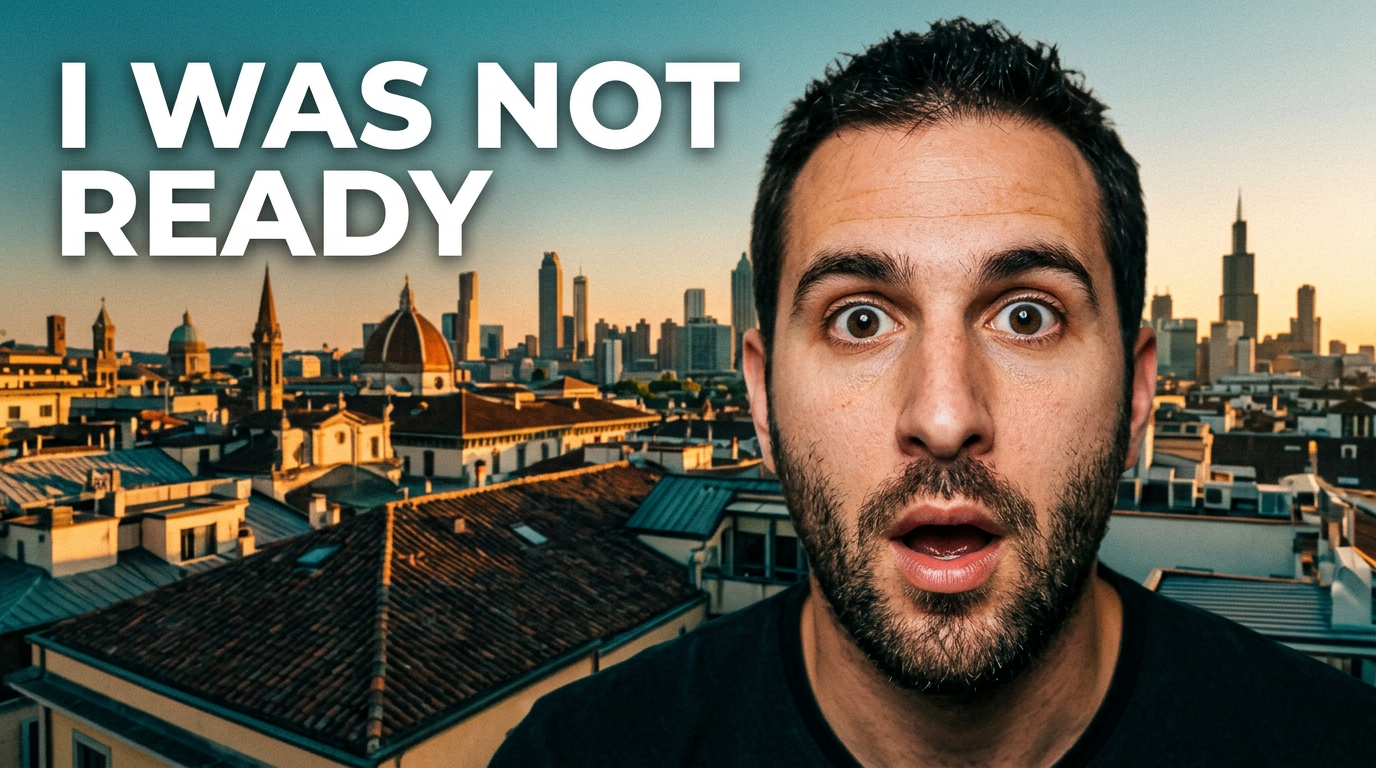
Male travel vlogger reacting in front of a dramatic city skyline at golden hour

Make every destination recognizable before viewers press play

Travel videos compete with endless beaches, skylines, resorts, street-food stalls, and airport shots. A strong thumbnail gives the trip a clear angle at a glance: the surprising cost, the hidden place, the honest reaction, the itinerary challenge, or the can’t-miss experience. Thumbnail.AI helps you create a custom thumbnail around your real face and source images, then revise the composition, mood, emphasis, and wording in plain language until it fits the video.

Built for solo travelers, couples, backpackers, luxury travel creators, city-break channels, cruise vloggers, and destination storytellers who want thumbnails that still feel like their channel.

Three thumbnail ideas for travel vloggers

Each example explores a different visual direction and can be adapted with your own face, images, wording, and brand.

Male travel vlogger reacting in front of a dramatic city skyline at golden hour

First-time city reaction

A big first-impression reaction anchored by an unmistakable destination.

See the visual approach

Close-up of the supplied male travel vlogger with a wide-eyed, astonished expression in the foreground; dramatic recognizable city skyline and layered rooftops behind him at golden hour; warm cinematic light, clean separation between subject and background, destination kept highly recognizable, energetic first-arrival mood, open negative space for short headline.

Make a thumbnail like this
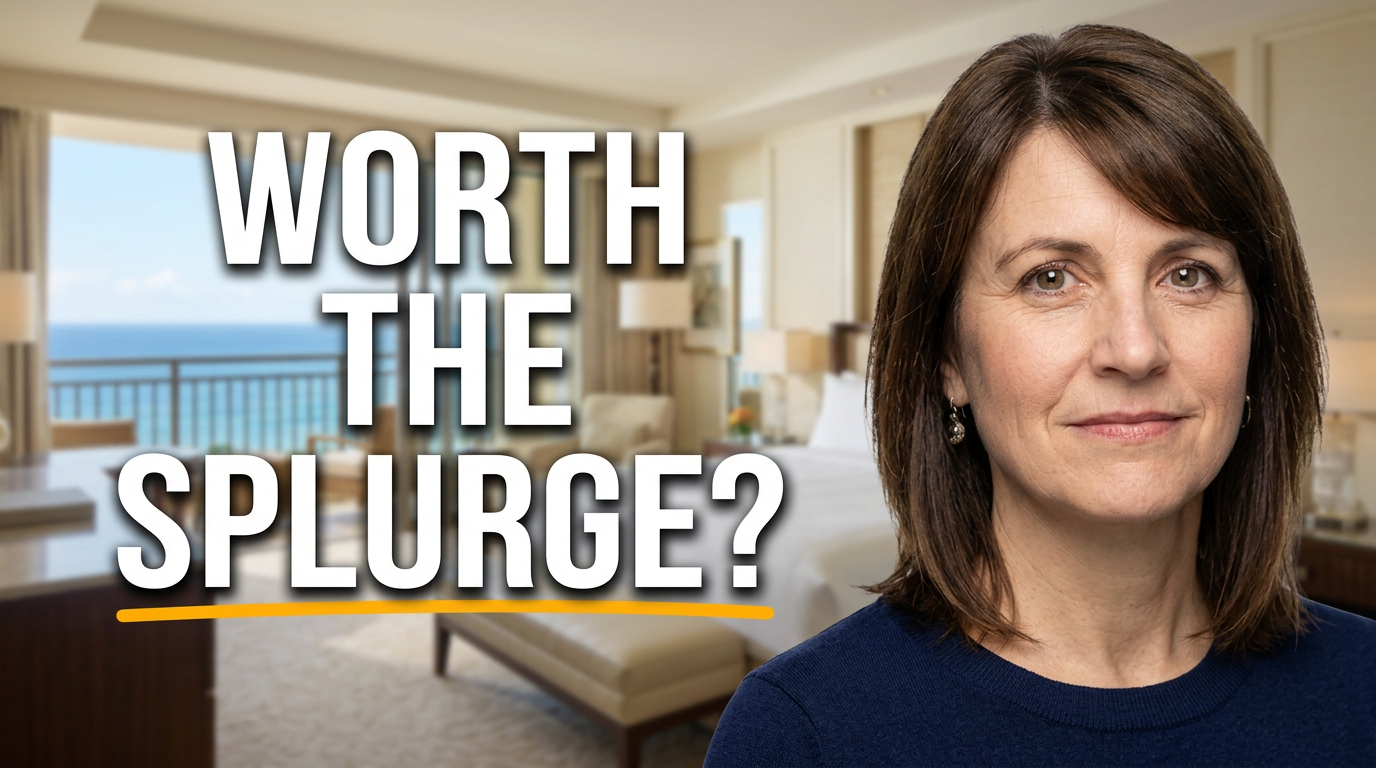
Female travel vlogger evaluating a stylish hotel room with a panoramic ocean view

Honest hotel stay review

A polished property scene that frames an honest review question.

See the visual approach

Supplied female travel vlogger in the foreground with a thoughtful, skeptical expression; upscale hotel suite with a panoramic ocean view, neatly framed bed and balcony visible behind her; premium but candid travel-review mood, bright natural daylight, clear emphasis on the room and view, uncluttered composition with room for short headline.

Make a thumbnail like this
Male travel vlogger holding local street food in a vibrant night market

Street food discovery

A vivid food-market scene for a destination-specific discovery video.

See the visual approach

Supplied male travel vlogger smiling with an excited food reaction while holding a colorful local street-food dish; vibrant night market stall, steam, warm lanterns, and softly blurred vendor activity in the background; the dish large and appetizing in the foreground, lively authentic atmosphere, strong color contrast, clear space for short headline.

Make a thumbnail like this

These examples are starting points. Results vary based on your images, wording, and creative direction.

Travel video thumbnail ideas that fit the footage

Use your strongest trip visual as the anchor, then give viewers one immediate reason to care about this particular video.

  • First impressions of a new city or country
  • Budget breakdowns, travel costs, and expensive surprises
  • Hotel, resort, airline, cruise, and tour reviews
  • Food markets, local dishes, and street-food discoveries
  • Packing, airport, visa, and long-haul travel updates
  • Hidden gems, tourist traps, and honest destination advice
  • Road trips, train journeys, hikes, and adventure travel
  • Itinerary recaps and first-time visitor plans

A simple workflow you can reuse

  1. 1

    Start with the trip’s clearest hook

    Choose the moment that best summarizes the video: your reaction at an overlook, a dramatic hotel view, a crowded market, a memorable meal, or a recognizable landmark.

  2. 2

    Add your real travel assets

    Upload a face photo and destination images you own. Thumbnail.AI can build the scene around the places, props, and travel context viewers should recognize.

  3. 3

    Direct the layout in plain language

    Ask for a closer expression, a larger landmark, a cleaner background, stronger contrast, room for wording, or a more premium, adventurous, or candid feel.

Frequently asked questions

Answers for building a useful, repeatable thumbnail workflow—not just generating one image.

Browse all thumbnail makers
What makes a travel vlog thumbnail different from a generic vacation photo?

A vacation photo can be beautiful without explaining the video. A travel thumbnail should pair one recognizable place or travel moment with a clear emotional or practical angle, such as surprise, value, difficulty, luxury, or discovery.

Can I use my own destination photos and face in Thumbnail.AI?

Yes. Upload your own face photo and trip imagery, then direct how they should be featured. This is useful when the landmark, hotel room, meal, vehicle, or landscape is central to the video.

How much text should a travel thumbnail have?

Keep visible wording short enough to read on a phone, usually a few words. Let the destination, your expression, and one defining visual do most of the storytelling.

What should I show for a hotel or resort review?

Use your face with the most revealing property visual: a room view, pool, beach access, lobby, cabin, or amenity. Emphasize the aspect being reviewed rather than trying to show every feature at once.

Can I revise a thumbnail after I see the first version?

Yes. You can give follow-up direction such as making the skyline larger, shifting your expression, simplifying the scene, using a warmer sunset mood, or creating more space around the headline.

Make the trip the reason to click

Create a travel thumbnail from your own photos, face, destination context, and exact on-image wording—then refine it until it matches the story in your video.

Create a thumbnail in Thumbnail.AI