Sports News Thumbnails Built for the Story Moving Fast

Create YouTube-style visuals for trade reactions, injury updates, postgame analysis, roster moves, and the sports debates your audience wants to see now.

  • Your face
  • Your source images
  • Plain-language edits
Sports commentator reacting beside a basketball player in a dramatic trade-news thumbnail

Make every sports update instantly readable

Sports news moves quickly, but a thumbnail still needs to communicate the story before a viewer reads the title. Thumbnail.AI helps sports creators build custom thumbnail concepts around their own face, approved player or team imagery, exact on-image wording, and a clear editorial angle. Start with the news, then direct the visual: stunned reaction, breaking-update urgency, matchup tension, or a calm analysis look for a deeper report.

Made for sports reporters, fan channels, beat commentators, newsroom teams, fantasy hosts, and creators covering leagues, teams, athletes, and major events.

Three thumbnail ideas for sports news

Each example explores a different visual direction and can be adapted with your own face, images, wording, and brand.

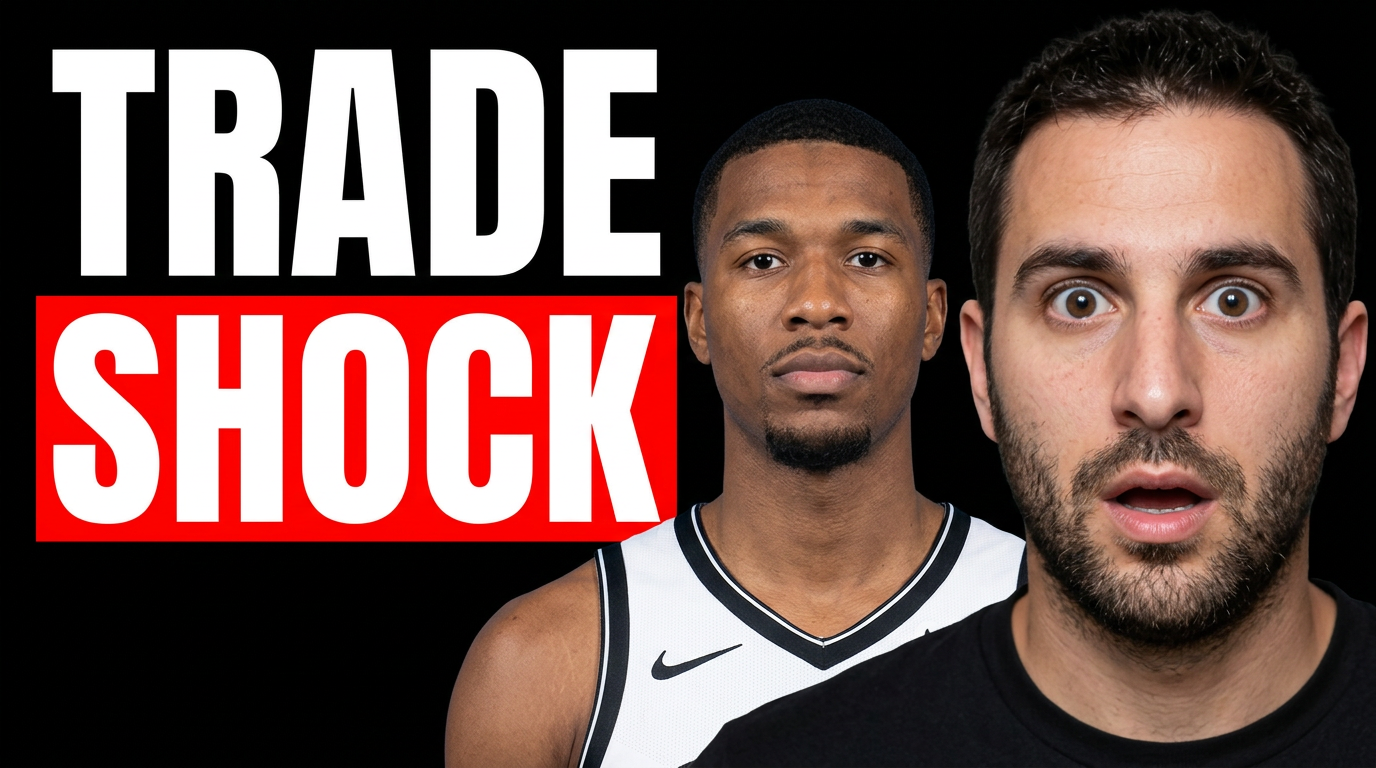
Sports commentator reacting beside a basketball player in a dramatic trade-news thumbnail

Major trade reaction

Put your reaction and the player at the center of a major roster-move story.

See the visual approach

A male sports commentator in the foreground with a wide-eyed, stunned expression, positioned beside an approved basketball player source image. Dark arena background with blurred court lights, bold team-color accents, subtle breaking-news visual energy, strong separation between the host and athlete, open space reserved for short headline wording, high-contrast editorial composition.
Make a thumbnail like this
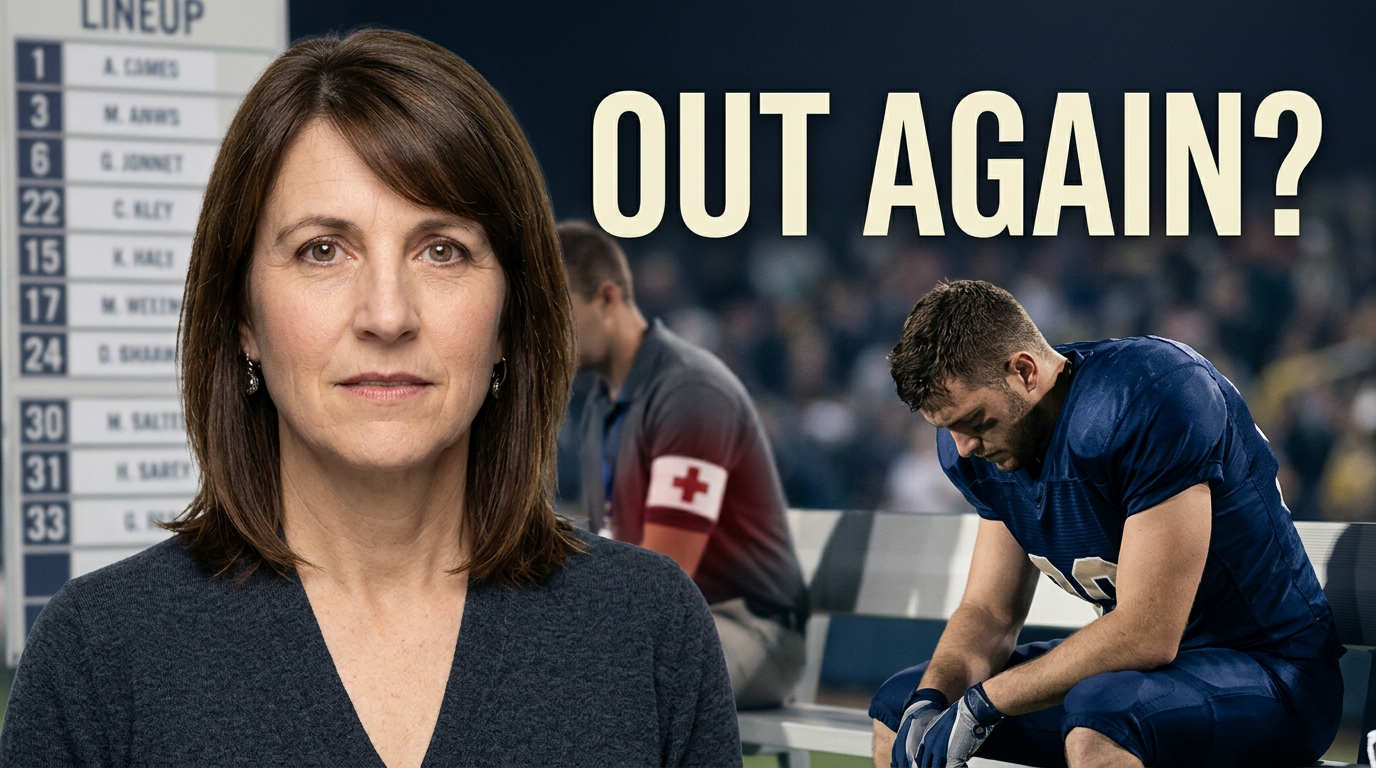
Female sports host discussing an athlete injury update in a newsroom-style thumbnail

Injury update analysis

Frame an injury update with concern and a clear analytical point of view.

See the visual approach

A female sports host facing camera with a concerned, analytical expression, alongside an approved athlete source image in a muted sideline or stadium setting. Include a softly blurred medical-report or lineup-board atmosphere without readable details, restrained team-color accents, clear focal lighting on the host and athlete, clean open area for short headline wording, credible sports-news mood.

Make a thumbnail like this
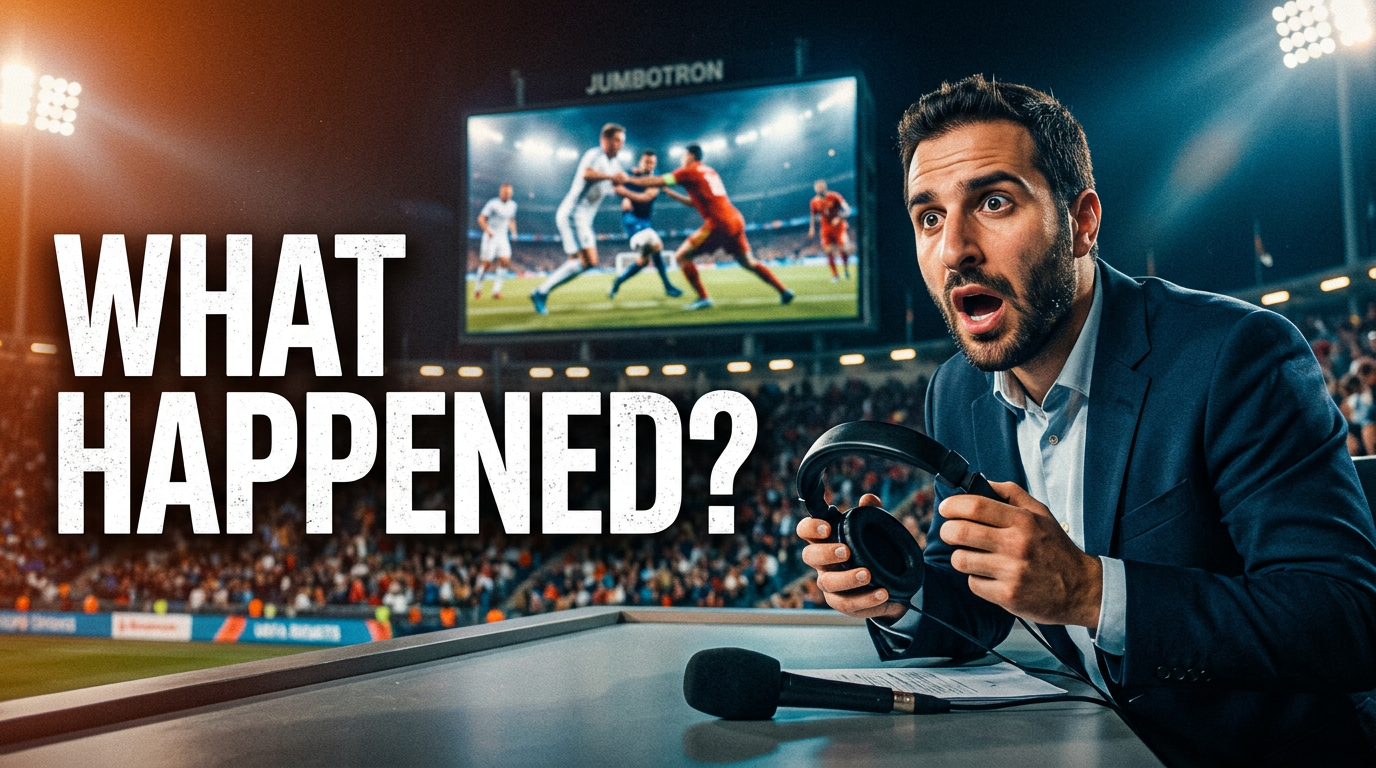
Sports commentator reacting to a disputed call with game action behind him

Postgame controversy

Make a controversial finish feel immediate without overcrowding the frame.

See the visual approach

A male sports commentator leaning forward with an incredulous reaction, paired with approved game-action source imagery showing a tense disputed moment. Night-game stadium environment, dramatic directional lighting, one emphasized action focal point, subtle replay-screen framing, energetic but uncluttered composition, space reserved for short headline wording, urgent postgame commentary mood.

Make a thumbnail like this

These examples are starting points. Results vary based on your images, wording, and creative direction.

Sports stories that need a clear thumbnail angle

Use a distinct visual treatment for the type of update you are publishing, while keeping your channel recognizable across a busy news cycle.

  • Breaking trades, signings, releases, and retirements
  • Injury reports, return timelines, and lineup changes
  • Postgame reactions and controversial calls
  • Transfer rumors and free-agency developments
  • Draft picks, roster projections, and deadline coverage
  • Game previews, rivalry matchups, and tournament updates
  • Fantasy football, basketball, baseball, and waiver analysis
  • Press-conference reactions and athlete statements

A simple workflow you can reuse

  1. 1

    Choose the news angle

    Decide what viewers should feel first: urgency, surprise, concern, disbelief, celebration, or informed analysis. That reaction should lead the composition.

  2. 2

    Add the people and imagery that matter

    Use your own headshot alongside relevant approved source images, such as an athlete, coach, team mark, stadium, press conference, or game action.

  3. 3

    Keep the visible wording short

    Enter the exact few words that identify the update. Strong thumbnail wording clarifies the news without repeating the full video title.

Frequently asked questions

Answers for building a useful, repeatable thumbnail workflow—not just generating one image.

Browse all thumbnail makers
What should a sports news thumbnail say?

Use a short news hook tied to the update, such as “TRADE SHOCK,” “OUT AGAIN,” “DEADLINE MOVE,” or “WHAT HAPPENED?” Save names, dates, and detailed context for the video title when the thumbnail is already visually busy.

Can I use my face with player or team images?

Yes. Upload your own headshot and the source images you are permitted to use, then specify who should be most prominent. A presenter reaction paired with the central athlete or coach can make the editorial point easy to scan.

How do I make breaking sports coverage look urgent without becoming confusing?

Prioritize one event, one primary subject, and one short line of on-image wording. Use a clear focal point and leave enough negative space for the wording rather than crowding in every player, stat, and logo.

Can these thumbnails work for different sports and leagues?

Yes. Describe the sport, league, teams, and story context, then tailor the mood to the coverage. A football injury update, NBA trade reaction, soccer transfer report, and baseball postgame breakdown can each use a different visual hierarchy.

Should I use a player photo, game action, or a press-conference image?

Match the source image to the story. Use a player portrait for an individual development, game action for a result or key moment, and a press-conference setting for quotes, accountability, or coaching decisions.

Turn the latest sports story into a custom thumbnail

Upload your face and source imagery, enter the exact wording you want shown, and describe the editorial mood for your next sports video in Thumbnail.AI.

Create a thumbnail in Thumbnail.AI