YouTube Thumbnails for SEO Consultants

Turn audits, SERP insights, technical fixes, and growth strategy into thumbnails that look analytical, credible, and unmistakably yours.

  • Your face
  • Your source images
  • Plain-language edits
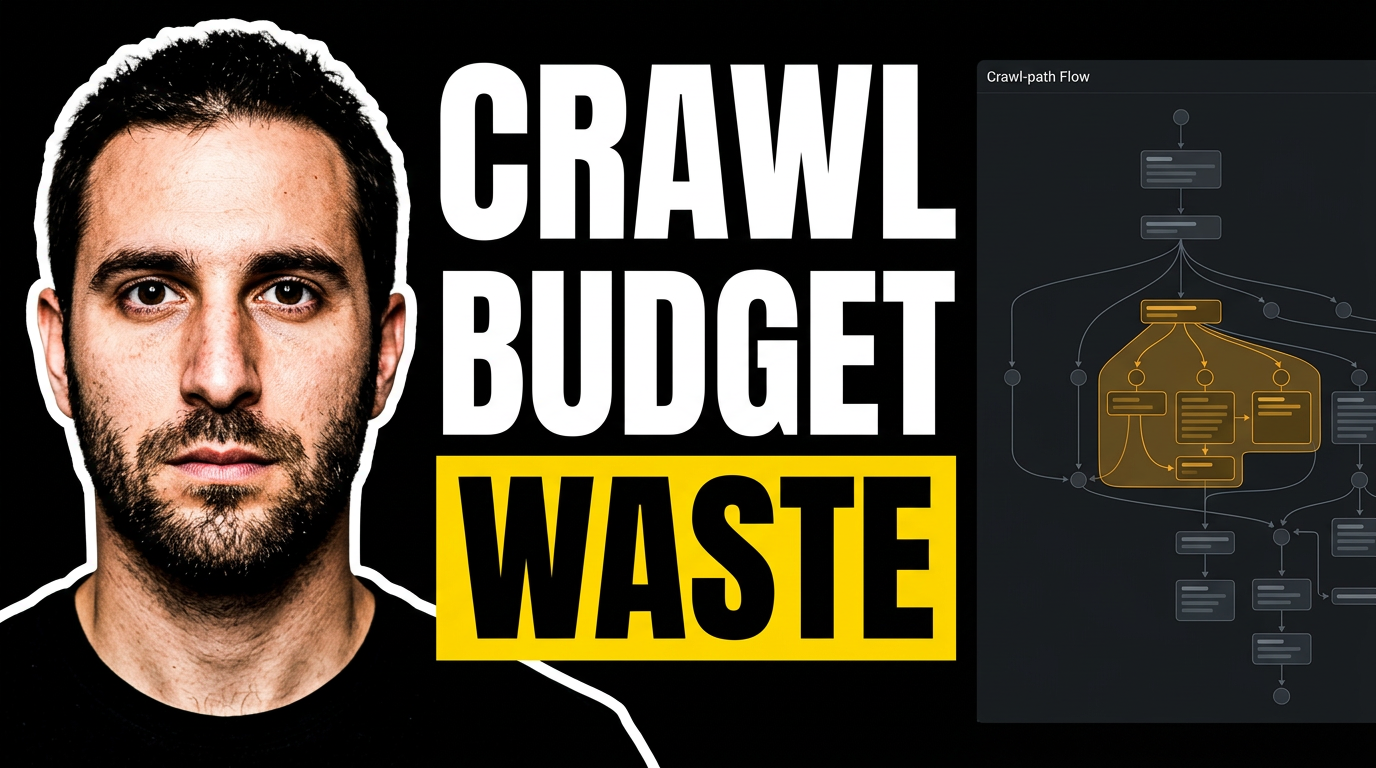
SEO consultant beside a crawl-path visualization with an oversized warning area

Make SEO expertise easy to recognize before the click

SEO videos often compete with loud promises and generic search-bar graphics. A strong thumbnail gives your analysis a more specific visual hook: your face, a recognizable reporting screen or site issue, one focused idea, and short wording that frames the stakes. Thumbnail.AI helps SEO consultants create and revise custom YouTube-style thumbnail concepts from their own headshots, audit screenshots, client-safe source material, and plain-language creative direction.

Built for independent SEO consultants, technical SEO specialists, fractional search leads, and agencies publishing educational or client-facing video content.

Three thumbnail ideas for seo consultants

Each example explores a different visual direction and can be adapted with your own face, images, wording, and brand.

SEO consultant beside a crawl-path visualization with an oversized warning area

Technical audit diagnosis

Make a technical issue feel immediate without relying on generic search graphics.

See the visual approach

Include a male SEO consultant using a supplied headshot, positioned on the left with a focused analytical expression. On the right, show a dark crawl-path visualization and a client-safe site architecture diagram with one congested section emphasized in amber. Use a clean technical dashboard environment, deep navy and charcoal tones, and a precise investigative mood. Preserve room for a short text treatment without reproducing it in the visual scene. Use supplied audit imagery where available.

Make a thumbnail like this
Female SEO consultant reacting to a downward organic traffic chart

Traffic decline analysis

Frame a ranking or traffic investigation around the moment a client needs answers.

See the visual approach

Include a female SEO consultant using a supplied headshot in the foreground, looking concerned but composed toward a sharply descending organic-performance chart. Place a client-safe analytics interface behind her with a date-range comparison, subtle red decline indicators, and one highlighted inflection point. Use crisp lighting, a restrained white and dark-blue workspace, and an urgent professional mood. Leave clear negative space for a short text treatment without rendering any words. Use supplied reporting screenshots where available.

Make a thumbnail like this
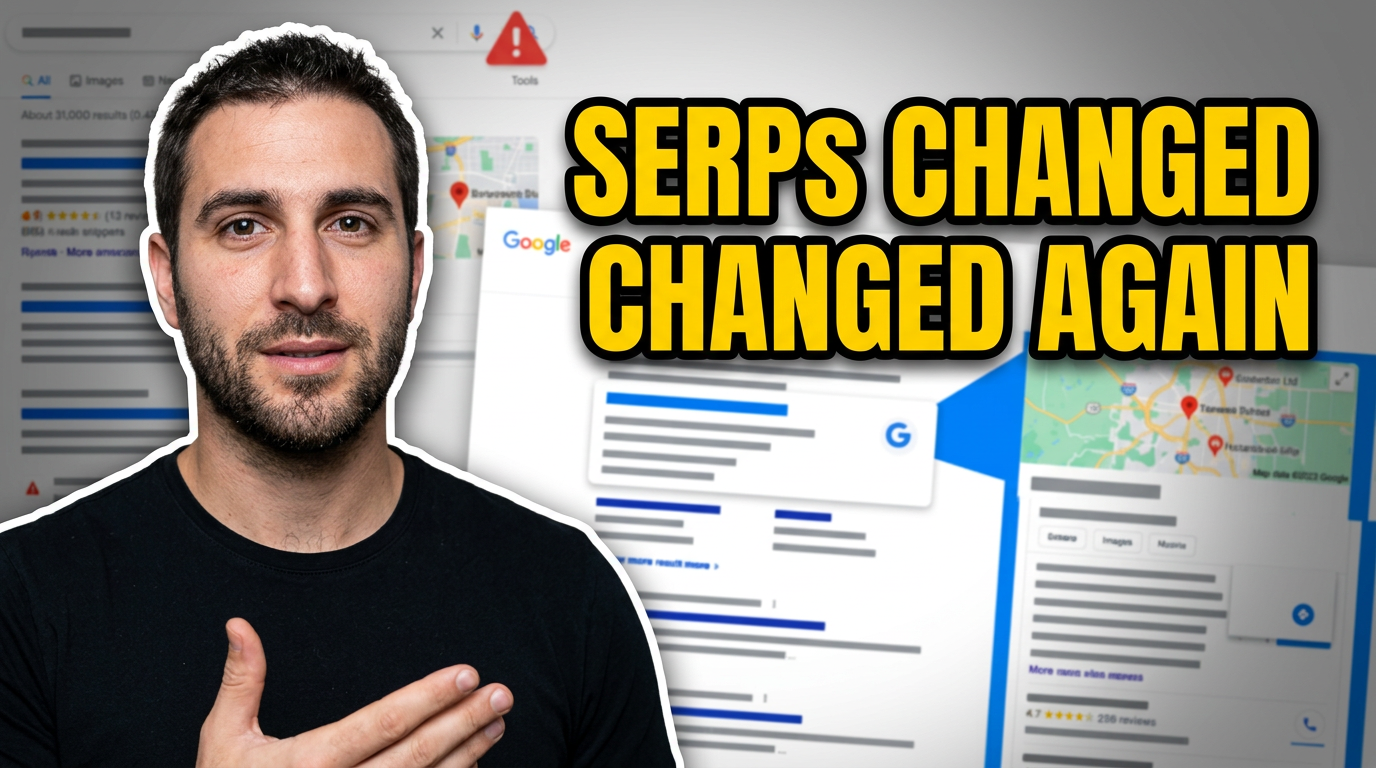
SEO consultant in front of a layered search results page with shifting result blocks

Search update commentary

Give search-update commentary a timely visual structure anchored in real SERP context.

See the visual approach

Include a male SEO consultant using a supplied headshot, centered with a confident explanatory expression and a subtle hand gesture. Build a layered background from a client-safe search-results-page capture, with result blocks shifting, map and rich-result elements visually rearranged, and a small alert motif in the corner. Use high-contrast blue, white, and yellow accents, clean editorial composition, and a timely but measured mood. Reserve space for a short text treatment without showing any text. Use supplied SERP reference material where available.

Make a thumbnail like this

These examples are starting points. Results vary based on your images, wording, and creative direction.

Thumbnail directions for SEO content

Use a visual treatment that matches the question your video answers, whether you are diagnosing a site problem or explaining a change in search.

  • Technical SEO audits and crawl issues
  • Google algorithm and SERP updates
  • Keyword research and content planning
  • Traffic decline and ranking recovery analysis
  • Local SEO and Google Business Profile strategy
  • E-commerce category, product, and faceted-navigation fixes
  • Client reporting, forecasting, and SEO roadmaps
  • AI search, structured data, and schema discussions

A simple workflow you can reuse

  1. 1

    Start with the SEO question

    Choose the single problem, update, or insight the video addresses. A thumbnail for a traffic drop should feel different from one explaining internal links or local pack visibility.

  2. 2

    Add your real visual evidence

    Upload a headshot plus a client-safe Search Console chart, crawl report, SERP capture, annotated page, or branded slide. Thumbnail.AI can make these materials part of the composition.

  3. 3

    Direct the revision in plain language

    Ask for a more serious audit feel, a clearer chart focus, less clutter, stronger contrast, or a different facial expression. Keep refining until the idea reads at thumbnail size.

Frequently asked questions

Answers for building a useful, repeatable thumbnail workflow—not just generating one image.

Browse all thumbnail makers
What should an SEO consultant put on a YouTube thumbnail?

Center the thumbnail on one concrete SEO tension: a declining chart, an indexing warning, a crowded SERP, a crawl issue, or a clear before-and-after result. Pair it with your face or a relevant screen capture and keep visible wording short enough to scan quickly.

Can I use Search Console or client audit screenshots?

Yes, when you have permission and the material is safe to share. Redact client names, URLs, revenue, user data, or sensitive query information before uploading. You can also use a cropped, anonymized chart or a recreated slide as source material.

How do I make technical SEO thumbnails feel credible rather than clickbait?

Use the actual diagnostic context—such as a crawl visualization, indexation report, page markup, or ranking chart—and avoid oversized claims. A concerned or analytical expression, restrained color contrast, and a single highlighted issue usually fit technical content well.

What wording works for an SEO audit video thumbnail?

Use a compact phrase that names the issue or stakes, such as “Why Pages Vanish,” “Traffic Drop Audit,” or “Fix This Crawl.” Let the video title carry the fuller explanation, including tools, methodology, and outcomes.

Can Thumbnail.AI keep my personal brand consistent across videos?

Yes. Use the same headshots, color direction, logo treatment, and layout preferences as source material and instructions. You can then vary the focal SEO problem from video to video without losing visual continuity.

Create your next SEO video thumbnail

Bring your audit visuals, reporting screenshots, brand assets, and headshot together in a thumbnail tailored to the SEO question you are covering.

Create a thumbnail in Thumbnail.AI