Restaurant thumbnails that make diners want to watch

Turn your food photography, chef portraits, dining-room shots, and menu visuals into custom YouTube-style thumbnails with clear wording and a look that fits your restaurant.

  • Your face
  • Your source images
  • Plain-language edits
Chef presenting a glossy signature pasta dish in a warm restaurant kitchen

Create thumbnails for restaurant videos without losing the flavor of your brand

A restaurant video needs a thumbnail that communicates the reason to click in an instant: a new dish, a chef’s story, a behind-the-scenes prep moment, a dining-room reveal, or a local food feature. Thumbnail.AI helps restaurant owners, chefs, hospitality marketers, and food creators combine their own source images with precise on-image wording and plain-language creative direction. Start with the people, plates, and spaces diners should recognize, then revise the composition until the thumbnail feels appetizing, legible, and true to your restaurant.

Built for independent restaurants, restaurant groups, chefs, caterers, food halls, and hospitality teams publishing video on YouTube and social channels.

Three thumbnail ideas for restaurants

Each example explores a different visual direction and can be adapted with your own face, images, wording, and brand.

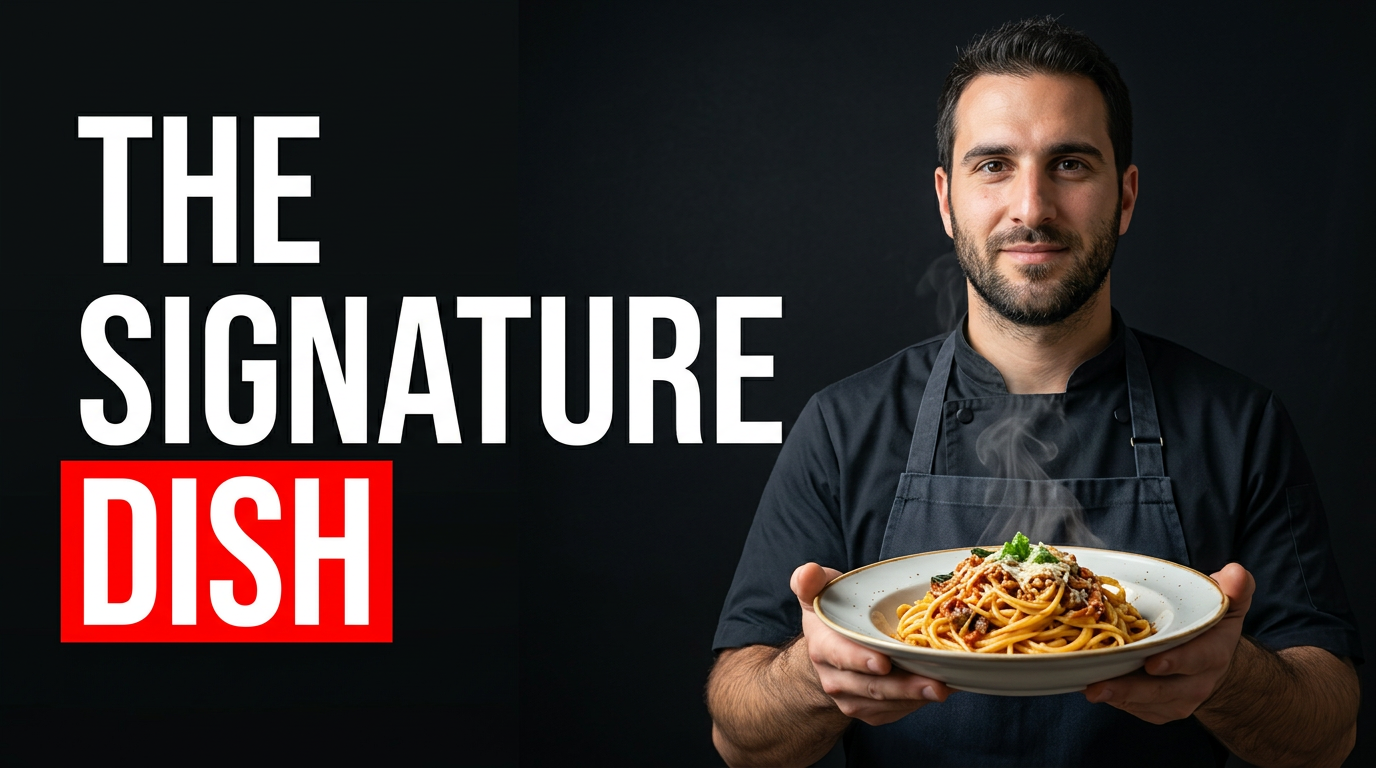
Chef presenting a glossy signature pasta dish in a warm restaurant kitchen

Signature dish reveal

Put the hero plate and the chef behind it at the center of a signature-dish reveal.

See the visual approach

A male chef in a dark apron presenting one meticulously plated pasta dish toward the camera in a warm open restaurant kitchen; the dish dominates the foreground with visible texture and steam, softly blurred copper cookware and prep lights behind him, confident welcoming expression, rich amber lighting, premium editorial food focus.
Make a thumbnail like this
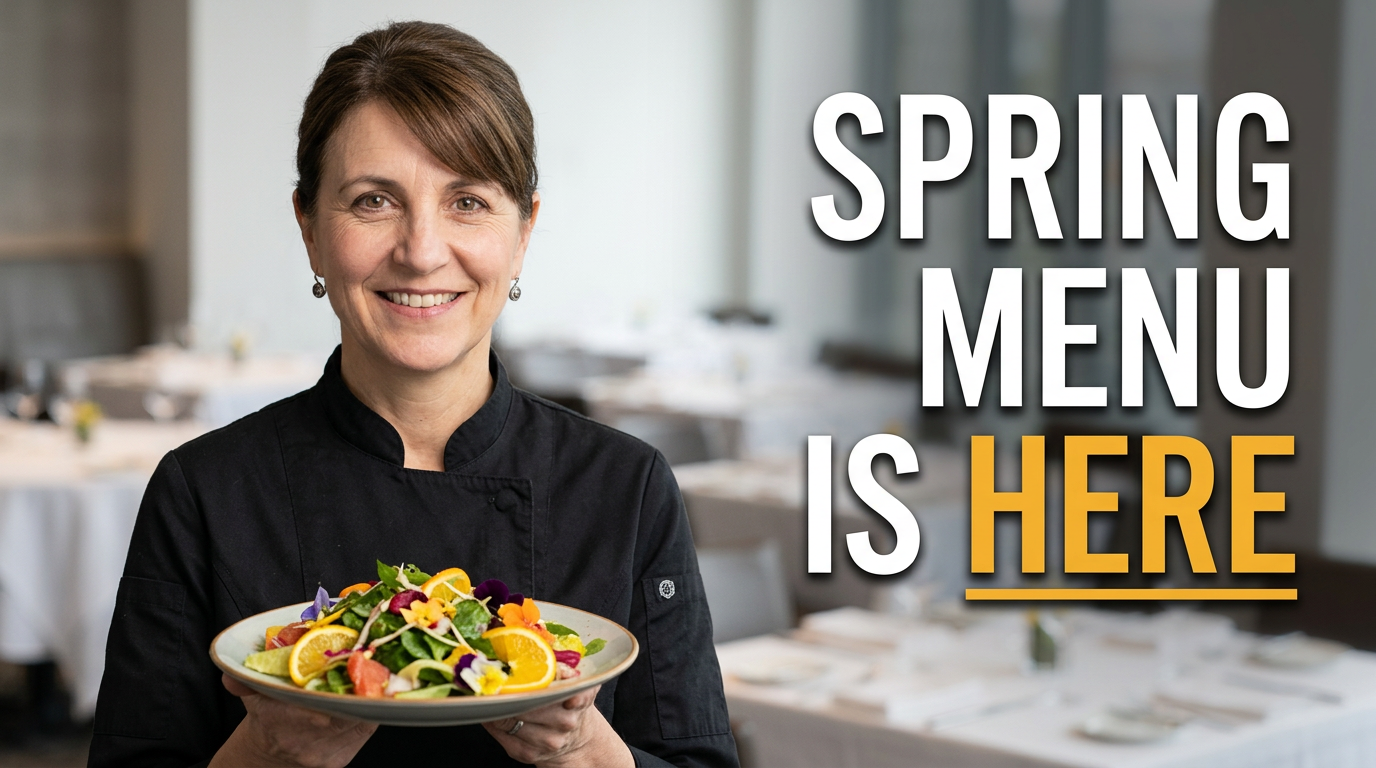
Female chef holding a colorful seasonal plate in a bright restaurant dining room

New menu announcement

Pair a seasonal plate with the person bringing the new menu to life.

See the visual approach

A female chef holding a colorful seasonal plate at chest height in a bright modern restaurant dining room; fresh greens, citrus, and edible flowers create the visual emphasis, airy window light, neatly set tables softly blurred in the background, upbeat polished hospitality mood, clear face and food presentation.

Make a thumbnail like this
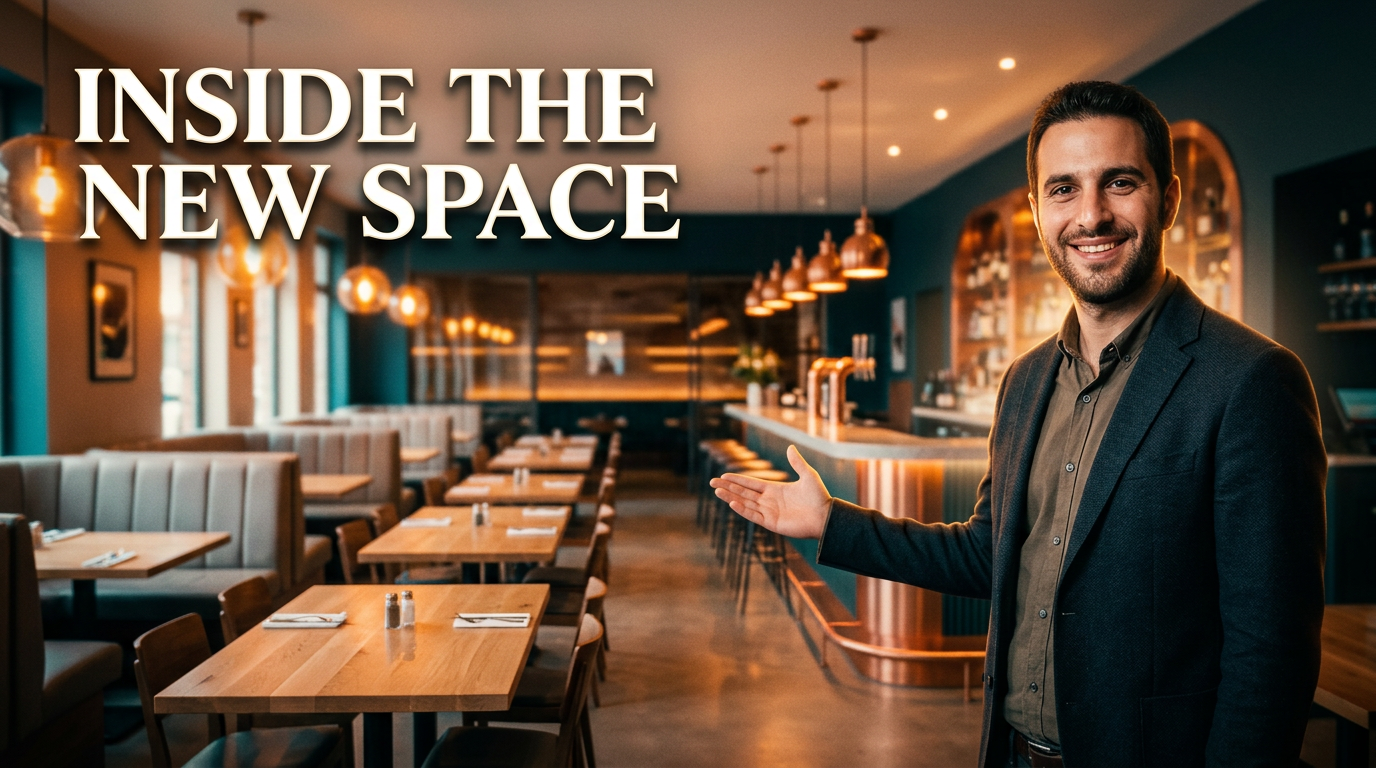
Restaurant owner standing in a newly redesigned dining room with a wide view of the interior

Restaurant renovation reveal

Show the owner and the transformed dining room for a renovation or reopening video.

See the visual approach

A male restaurant owner standing just inside a newly redesigned dining room, gesturing toward the space with a proud expression; wide composition showing warm pendant lighting, banquettes, natural wood tables, and an inviting bar in the background, clean architectural lines, cinematic depth, transformation and reopening energy.

Make a thumbnail like this

These examples are starting points. Results vary based on your images, wording, and creative direction.

Restaurant content that deserves a stronger first impression

Use custom thumbnails to give each restaurant video a distinct visual hook while keeping the food, people, and setting central to the story.

  • New menu and seasonal dish reveals
  • Chef profiles and kitchen prep videos
  • Restaurant tours and dining-room updates
  • Local food reviews and neighborhood features
  • Behind-the-scenes service and sourcing stories
  • Grand openings, renovations, and special-event recaps
  • Recipe demonstrations and signature-dish videos
  • Catering, private dining, and event venue showcases

A simple workflow you can reuse

  1. 1

    Upload the visuals diners should see

    Bring in a plated dish, chef portrait, restaurant exterior, dining-room photo, menu detail, or other source image that makes the video immediately recognizable.

  2. 2

    Add the exact message for the video

    Set concise thumbnail wording that highlights the hook, such as a menu launch, signature plate, renovation, or chef-led moment.

  3. 3

    Describe the restaurant look you want

    Use plain language to direct focus, mood, framing, color energy, background treatment, and how prominently the food or people should appear.

Frequently asked questions

Answers for building a useful, repeatable thumbnail workflow—not just generating one image.

Browse all thumbnail makers
What makes a restaurant thumbnail effective?

Put one clear subject first: an exceptional dish, a recognizable chef, or a compelling restaurant space. Pair it with short, high-contrast wording that states the video’s main reason to watch. Avoid trying to show every menu item or service in one image.

Can I use my own food photos and staff portraits?

Yes. Upload your plated-food photography, chef portraits, team images, dining-room shots, exterior signage, menu imagery, and other approved restaurant assets so the thumbnail reflects your actual venue and offerings.

What wording works for a new menu video?

Keep it specific and brief. Phrases such as “Spring Menu Reveal,” “New Tasting Menu,” or “Our Signature Ramen” give viewers a clear expectation. Match the wording to what is genuinely shown in the video.

How should I make a chef video thumbnail?

Feature the chef’s face clearly, then support the story with a finished plate, open kitchen, ingredient, or flame detail. Use one dominant focal point rather than making the kitchen background compete with the person.

Can restaurant groups keep thumbnails consistent across locations?

Yes. Reuse a recognizable visual direction across location videos, such as a consistent color treatment, framing approach, logo placement in your source artwork, or chef-and-dish composition, while adapting the imagery and wording for each restaurant.

Are these thumbnails only for YouTube?

They are designed in a YouTube-style format, making them especially useful for long-form restaurant videos. The same visual concepts can also inform promotional video covers and social posts, with final sizing adjusted for the destination platform.

Make your next restaurant video impossible to overlook

Create a custom thumbnail from your own food, chef, and restaurant imagery—then refine it with the exact wording and direction your video needs.

Create a thumbnail in Thumbnail.AI