Plumbing Thumbnails That Make the Problem Clear

Turn your repair footage, jobsite photos, and on-camera expertise into custom YouTube-style thumbnails with your face, the exact words you want, and directions that fit your plumbing channel.

  • Your face
  • Your source images
  • Plain-language edits
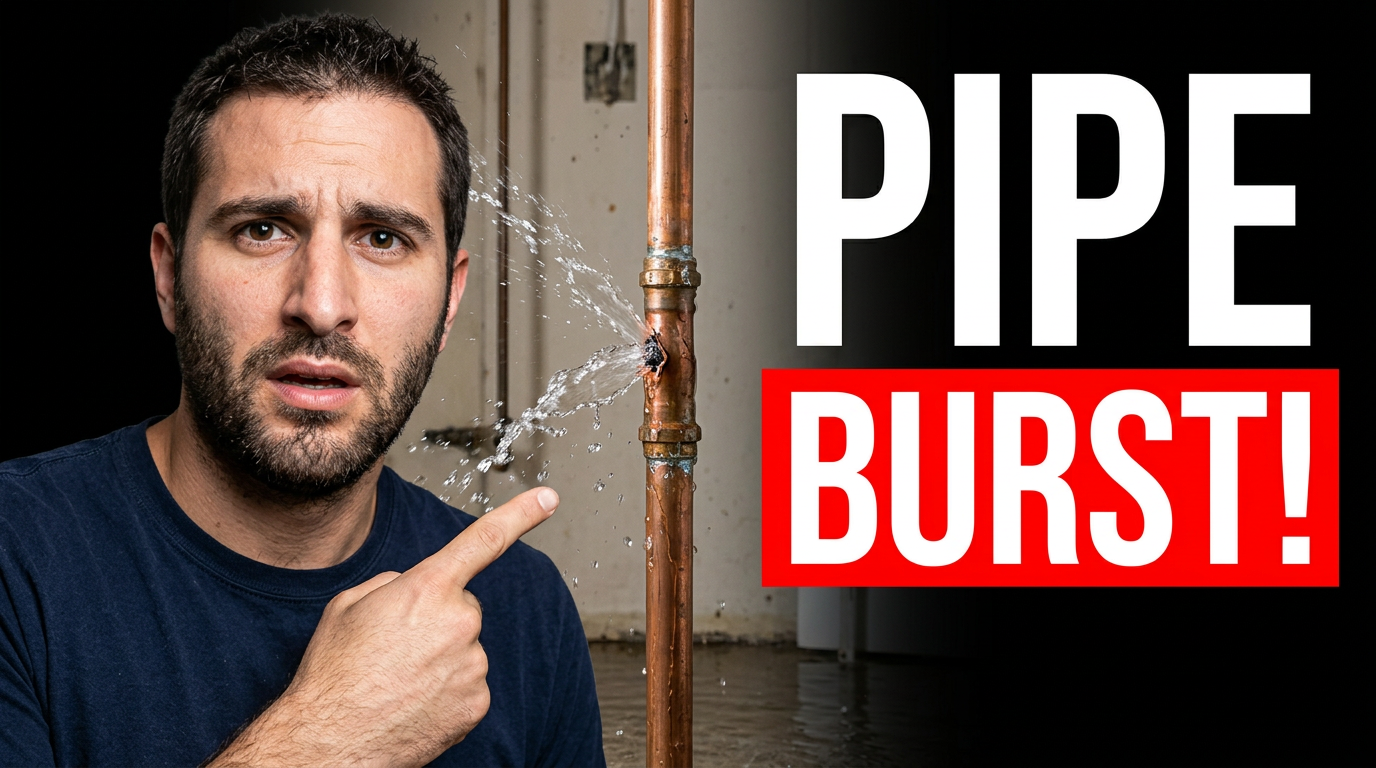
Plumber reacting beside a burst copper pipe spraying water in a utility room

Custom thumbnails for plumbing videos

A plumbing thumbnail has one job: show homeowners what is wrong and why they should watch. Thumbnail.AI helps you build visual concepts around a burst pipe, clogged drain, water heater, leak inspection, fixture install, or repair result. Upload a photo from the job, add your own face if you want, specify the wording, and refine the layout in plain language until it looks right for your channel.

Built for independent plumbers, plumbing companies, drain-cleaning specialists, and trade educators publishing homeowner-focused video content.

Three thumbnail ideas for plumbers

Each example explores a different visual direction and can be adapted with your own face, images, wording, and brand.

Plumber reacting beside a burst copper pipe spraying water in a utility room

Emergency leak repair video

Make an urgent repair topic instantly visible with the failure point front and center.

See the visual approach

Close composition of a male plumber in clean workwear reacting with urgency beside a visibly spraying burst copper pipe and shutoff valve in a residential utility room. Emphasize the water spray, wet floor, and pipe failure point; use strong contrast, a clean uncluttered layout, and an immediate emergency mood. Include the supplied plumber face and jobsite source material.

Make a thumbnail like this
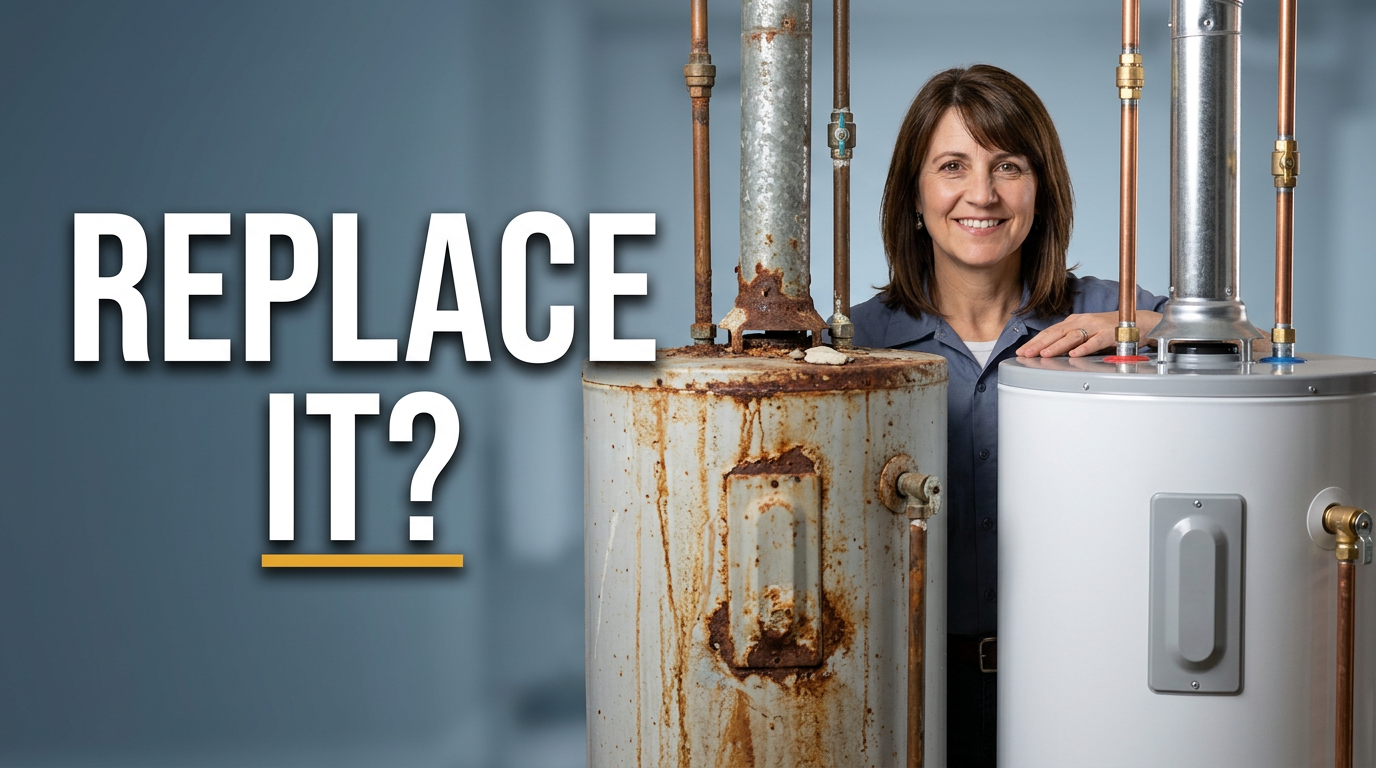
Female plumber pointing toward an old rusted water heater and a new installed water heater

Water heater replacement comparison

Frame a replacement decision around a clear old-versus-new comparison.

See the visual approach

Female plumber with a confident, helpful expression positioned between an older rusted water heater and a clean newly installed water heater in a bright basement mechanical room. Use a clear side-by-side comparison, emphasize corrosion on the old unit and the tidy installation on the new unit, and keep the mood professional and reassuring. Include the supplied plumber face and relevant water-heater source photos.

Make a thumbnail like this
Male plumber examining a drain camera monitor beside a clogged kitchen sink drain

Hidden drain clog diagnosis

Use the inspection moment to make a hidden plumbing problem feel concrete.

See the visual approach

Male plumber leaning toward a drain inspection camera monitor beside a kitchen sink drain setup, showing focused concentration during a difficult clog diagnosis. Emphasize the camera cable, monitor detail, sink plumbing, and investigative atmosphere; use dramatic but realistic workshop lighting and a tight composition. Include the supplied plumber face and drain-camera source material.

Make a thumbnail like this

These examples are starting points. Results vary based on your images, wording, and creative direction.

Plumbing content that benefits from a stronger thumbnail

Make the subject immediately recognizable before viewers read the title. These formats work especially well when the image focuses on one visible problem, tool, fixture, or result.

  • Emergency leak and burst-pipe repairs
  • Drain clogs, sewer backups, and hydro-jetting
  • Water heater troubleshooting and replacement
  • Toilet, faucet, garbage disposal, and fixture repairs
  • Camera inspections and difficult diagnoses
  • Before-and-after repair reveals
  • Homeowner maintenance tips and seasonal checklists
  • Plumbing estimate, material, and repair-cost explanations

A simple workflow you can reuse

  1. 1

    Start with the job homeowners recognize

    Upload a jobsite photo, repair still, tool image, fixture photo, or a clear photo of yourself. Choose one central issue, such as a leaking valve, corroded water heater, or overflowing drain.

  2. 2

    Set the exact message

    Add short wording that matches the promise of the video. Keep it practical and specific, such as a repair warning, diagnosis, or cost question, rather than trying to explain the whole job.

  3. 3

    Direct the visual in plain language

    Ask for a close-up of the failure point, a split before-and-after layout, a clean basement utility-room setting, or your reaction beside the plumbing issue. Thumbnail.AI can revise the composition around your direction.

Frequently asked questions

Answers for building a useful, repeatable thumbnail workflow—not just generating one image.

Browse all thumbnail makers
What should a plumbing thumbnail show?

Show the visible problem or outcome first: active water damage, a clogged drain, a failed water heater, a cracked pipe, a new fixture, or a clean repair result. If you appear in the image, use a clear expression that supports the situation without hiding the plumbing detail.

Can I use photos from an actual plumbing job?

Yes. You can use your own jobsite photos and source images as the basis for a thumbnail. Before publishing, avoid showing client addresses, family photos, account details, or other identifying information visible in the background.

How much text belongs on a plumbing thumbnail?

Usually a short phrase works best. Aim for a few large words that clarify the stakes or topic, while the image shows the pipe, fixture, drain, or equipment involved. Save detailed diagnosis and pricing context for the video title and description.

Can I make thumbnails for water heater and drain-cleaning videos?

Yes. Give Thumbnail.AI the relevant source image and describe the focus: rusted tank, pilot-light issue, drain cable, sewer camera, standing water, or the finished installation. You can also request a specific layout and add your exact wording.

Can I use my own face in a plumbing thumbnail?

Yes. Upload a clear photo of yourself and request a composition that includes you beside the repair issue, tool, or finished work. This is useful for channels where homeowners recognize the plumber presenting the advice.

How do I keep repair thumbnails credible?

Use visuals that fit the actual job and avoid implying a diagnosis, price, emergency, or result the video does not cover. A focused real-world problem, readable wording, and a clean composition generally communicate expertise more clearly than exaggerated clutter.
Make your next plumbing thumbnail

Bring your job photos, your face, and the repair topic. Tell Thumbnail.AI what the thumbnail should emphasize, then refine it into a clear visual for your next video.

Create a thumbnail in Thumbnail.AI