Mental Health Wellness Thumbnails That Feel Safe and Worth Clicking

Create custom YouTube-style thumbnails for grounding practices, therapy conversations, stress support, and emotional wellness videos—using your own face, exact wording, and visual direction.

  • Your face
  • Your source images
  • Plain-language edits
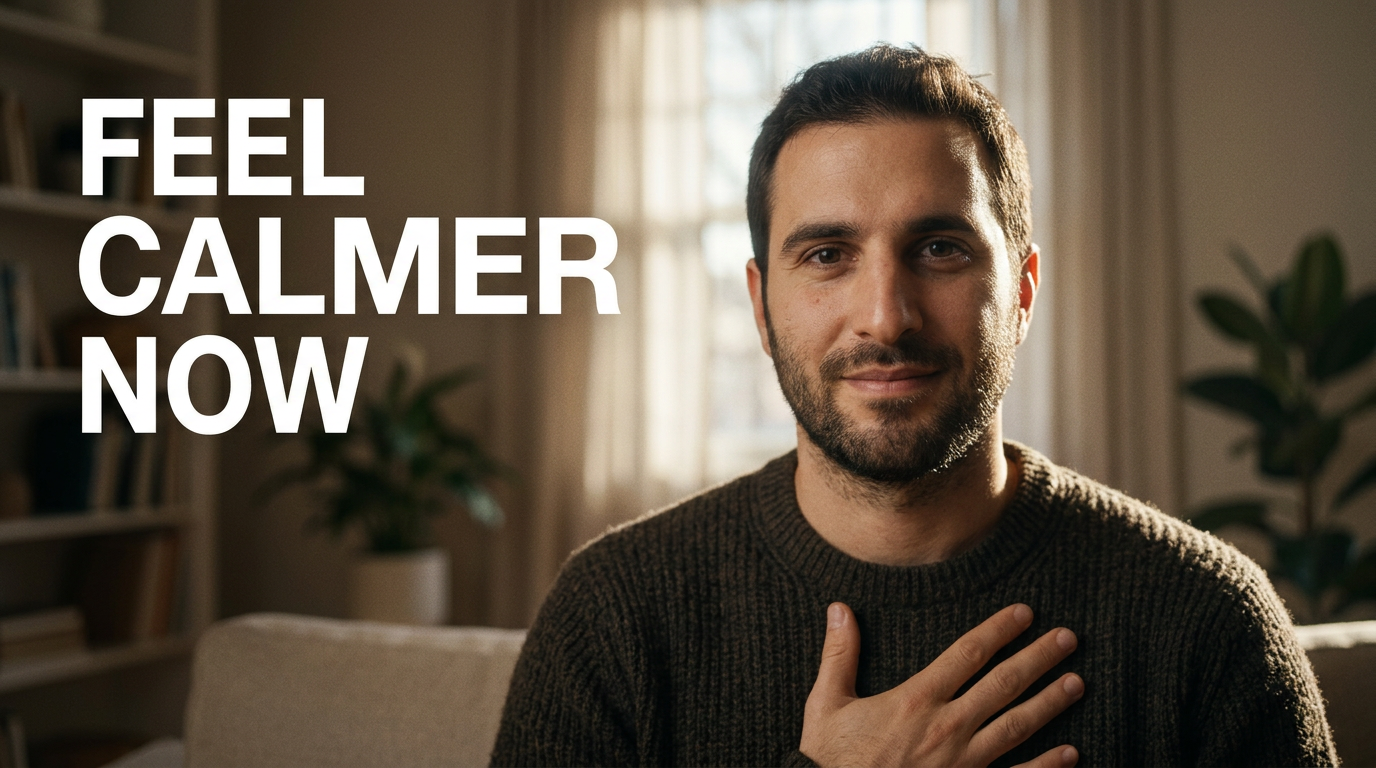
Wellness creator with a calm expression seated in a softly lit room for a grounding exercise thumbnail

Make thoughtful mental health wellness thumbnails without losing the human tone

Mental health wellness content needs a thumbnail that is clear without being alarmist. Thumbnail.AI helps you turn your topic, source photo, and short on-image wording into a visual that feels steady, personal, and easy to understand at a glance. Direct the mood in plain language, keep your recognizable face in the frame, and revise the result until it fits the care you bring to your channel.

Built for therapists who create educational content, wellness coaches, mindfulness teachers, peer-support creators, and thoughtful channels discussing stress, anxiety, burnout, boundaries, and emotional well-being.

Three thumbnail ideas for mental health wellness

Each example explores a different visual direction and can be adapted with your own face, images, wording, and brand.

Wellness creator with a calm expression seated in a softly lit room for a grounding exercise thumbnail

Grounding exercise video

A steady, reassuring visual for a practical anxiety-support video.

See the visual approach

Include the assigned male creator in a close, reassuring portrait with relaxed eye contact and one hand resting gently over his chest. Place him in a softly sunlit, uncluttered living room with subtle warm neutral colors. Use a calm, spacious composition with room for concise wording and emphasize safety, presence, and practical support. Use the creator's uploaded source photo as the facial reference.

Make a thumbnail like this
Female wellness creator looking reflective beside a desk in a burnout discussion thumbnail

Burnout discussion

A compassionate contrast to self-criticism for a burnout-focused video.

See the visual approach

Include the assigned female creator in a reflective but composed portrait, seated beside a simple home-work desk with a closed laptop, a mug, and soft morning light. Use muted warm colors, gentle shadows, and an uncluttered frame. Emphasize the transition from exhaustion to self-understanding, with visual space for concise wording. Use the creator's uploaded source photo as the facial reference.

Make a thumbnail like this
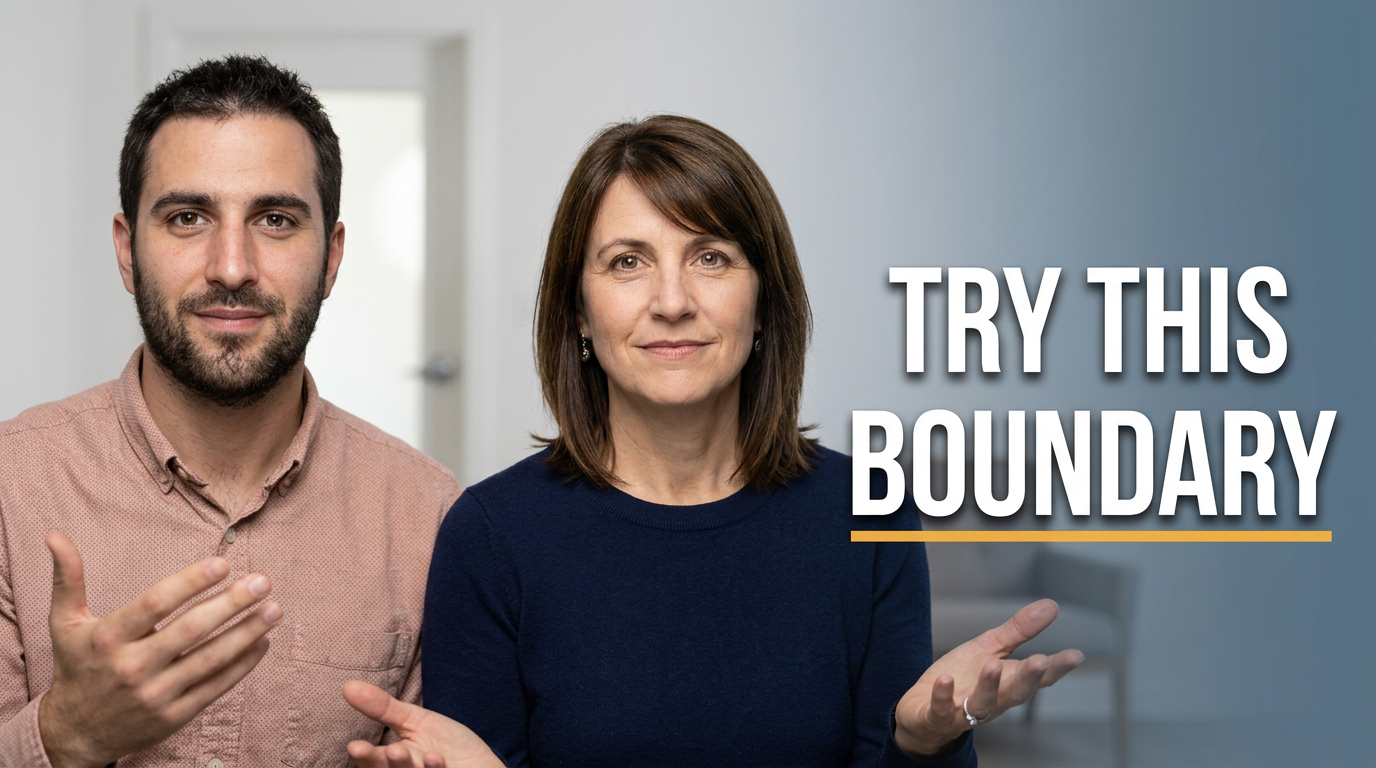
Male mental health wellness creator in a clear direct portrait for a boundary-setting thumbnail

Boundary-setting conversation

A direct, practical look for communication and boundary content.

See the visual approach

Include the assigned male creator in a confident, approachable close portrait with an open hand gesture and calm direct eye contact. Set the scene in a bright, minimal indoor space with a subtle doorway or conversational seating in the background. Use clean contrast and a structured composition that emphasizes a practical communication takeaway. Use the creator's uploaded source photo as the facial reference.

Make a thumbnail like this

These examples are starting points. Results vary based on your images, wording, and creative direction.

Thumbnail ideas for supportive wellness content

Use a focused visual promise that matches what viewers will find in the video. These topics work well with expressive portraits, simple environments, and restrained visual contrast.

  • Anxiety grounding exercises and nervous-system regulation
  • Burnout, rest, and rebuilding sustainable routines
  • Boundaries in family, friendship, work, and dating
  • Therapy-informed explanations of emotions and coping skills
  • Mindfulness, meditation, and self-compassion practices
  • Stressful life transitions, grief, and emotional resilience
  • Healthy communication and relationship well-being
  • Mental health myths, encouragement, and check-in conversations

A simple workflow you can reuse

  1. 1

    Start with the emotional outcome

    Describe the specific support your video offers, such as feeling calmer after a hard day, recognizing burnout, or preparing for a boundary-setting conversation.

  2. 2

    Add a recognizable source photo

    Upload a portrait or supporting image you have permission to use. A direct, grounded expression can build familiarity while keeping the subject human.

  3. 3

    Choose concise on-image wording

    Use a short phrase that names the moment or benefit. Keep the wording readable and let the title and video provide the fuller context.

Frequently asked questions

Answers for building a useful, repeatable thumbnail workflow—not just generating one image.

Browse all thumbnail makers
What should a mental health wellness thumbnail communicate?

It should quickly signal the topic and emotional tone: practical support, reflection, reassurance, or a clear educational explanation. A calm expression, uncluttered setting, and a few precise words are often more fitting than dramatic imagery.

Can I use my own photo in a wellness thumbnail?

Yes. Upload your source photo and direct how you want to appear, such as calm and attentive, reflective, or gently encouraging. This is useful for creators whose audience recognizes and trusts their on-camera presence.

How much text should I put on a mental health thumbnail?

Aim for a short, high-contrast phrase—usually two to six words. Use it to frame the central feeling or situation, while the video title handles details and nuance.

Should anxiety or burnout thumbnails use intense facial expressions?

Usually, restraint is a better fit. An expression that shows recognition or concern can communicate the subject without turning distress into spectacle. Match the visual intensity to the actual tone of your video.

Can I revise a thumbnail if the mood feels too dramatic?

Yes. Give Thumbnail.AI plain-language feedback such as “make the expression more grounded,” “use a brighter, calmer background,” or “reduce the visual intensity,” then refine the direction.

Create a more thoughtful thumbnail

Bring your voice, source images, and wellness topic together in a custom thumbnail that feels clear, calm, and recognizably yours.

Create a thumbnail in Thumbnail.AI