Interior Design Thumbnails That Make Rooms Impossible to Ignore

Turn your own room photos, before-and-afters, material swatches, and on-camera images into custom thumbnails for home decor videos—then refine the layout, mood, and wording in plain language.

  • Your face
  • Your source images
  • Plain-language edits
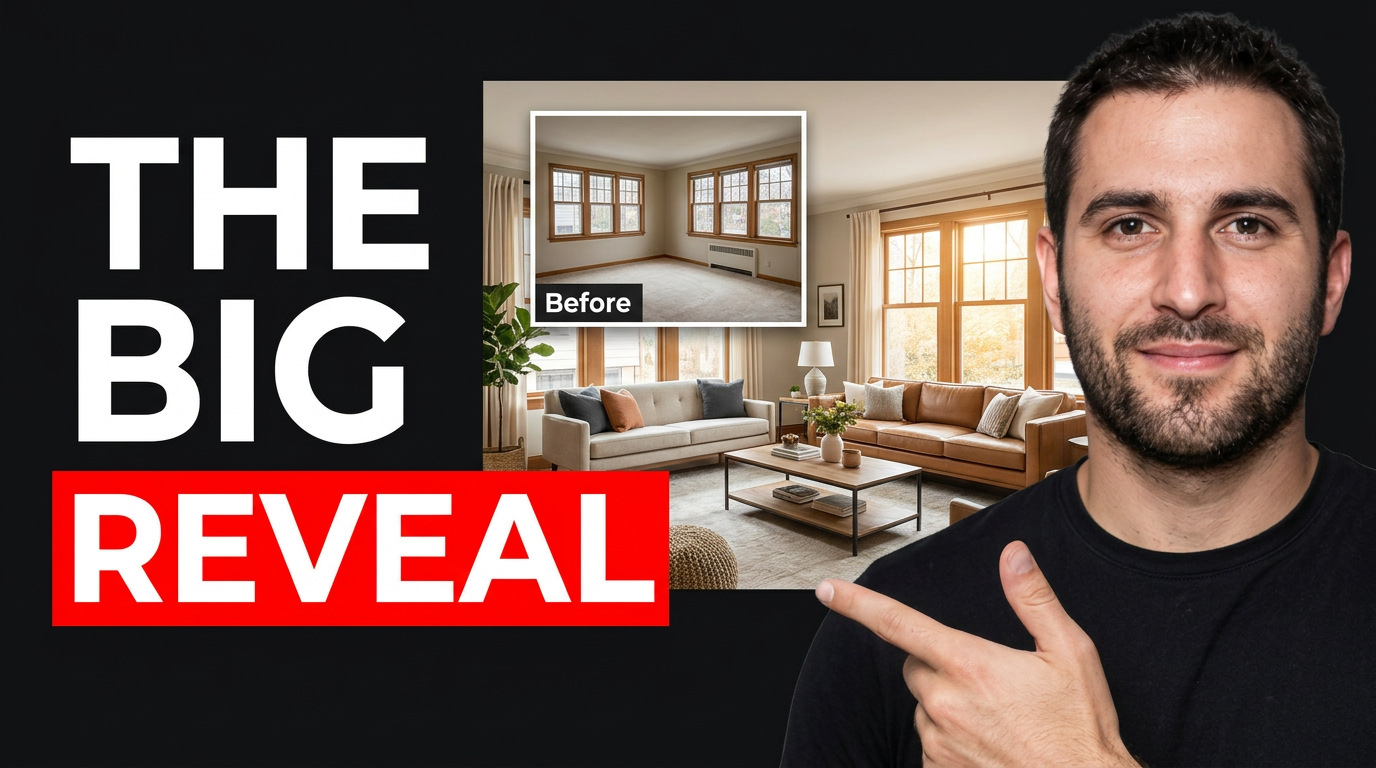
Interior design creator presenting a bright finished living room with a dramatic before inset

Create custom thumbnails for home decor videos

A strong interior design thumbnail makes the transformation or design decision clear at a glance. Use Thumbnail.AI to build around your real space: upload a before photo and finished room, add your face when your channel is personality-led, specify the exact words you want visible, and direct the visual focus toward the feature that matters—paint color, layout, lighting, storage, styling, or budget. Revise until the composition reflects the polished, approachable point of view of your content.

Made for interior designers, decorators, DIY home creators, real estate stylists, renovation channels, and anyone sharing practical ideas for more beautiful rooms.

Three thumbnail ideas for interior design & home decor

Each example explores a different visual direction and can be adapted with your own face, images, wording, and brand.

Interior design creator presenting a bright finished living room with a dramatic before inset

Living room makeover reveal

Put the finished room and transformation contrast at the center of a reveal video.

See the visual approach

Wide polished finished living room as the dominant scene, with a male interior design creator standing in the foreground and gesturing toward the seating area; small clearly separated inset showing the same room before renovation; warm natural window light, elevated but approachable mood, strong emphasis on the contrast between dated and finished space, using supplied room photos and creator portrait.

Make a thumbnail like this
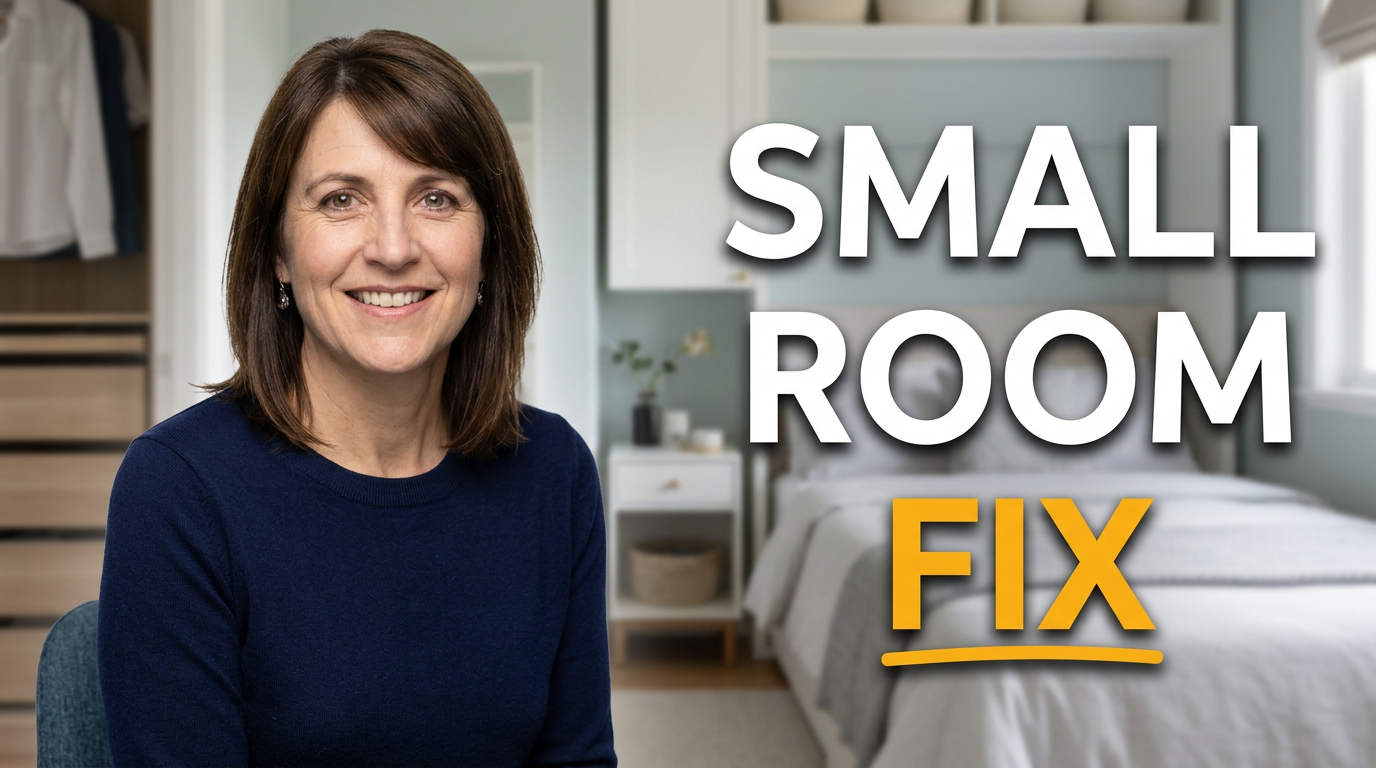
Female home decor creator in a compact, organized bedroom with furniture layout emphasis

Small bedroom layout advice

Make a practical small-space solution feel instantly visual and personal.

See the visual approach

Female home decor creator seated beside a compact, beautifully organized bedroom; angled composition showing a bed, narrow nightstand, and smart vertical storage in one readable view; calm bright daylight, clean editorial mood, emphasis on the efficient furniture arrangement and open walkway, using supplied bedroom photo and creator portrait.

Make a thumbnail like this
Interior design creator comparing warm and cool neutral wall paint swatches in a styled room

Paint color decision

Frame a design decision around the material or color viewers are trying to choose.

See the visual approach

Male interior design creator in a thoughtfully styled living room, holding two large neutral paint swatches toward the camera; wall and furnishings visible behind him with balanced warm and cool visual cues; close, decisive composition, sophisticated natural light, emphasis on the paint comparison and the creator's evaluative expression, using supplied room image, paint references, and creator portrait.

Make a thumbnail like this

These examples are starting points. Results vary based on your images, wording, and creative direction.

Thumbnail ideas for design content

Shape the visual story around the detail viewers want to evaluate before they click.

  • Before-and-after room makeovers that clearly show the change
  • Living room, bedroom, kitchen, and bathroom refreshes
  • Budget decor challenges and affordable look-for-less projects
  • Small-space layouts, storage solutions, and renter-friendly updates
  • Paint color, lighting, furniture placement, and styling decisions
  • Home tours, renovation reveals, and designer commentary videos
  • Seasonal decorating, tabletop styling, and holiday home updates
  • Thrift flips, vintage finds, and custom furniture projects

A simple workflow you can reuse

  1. 1

    Start with the room or transformation

    Upload your finished space, before image, mood board, product photo, or renovation progress shot. Choose the image that makes the room’s key change easiest to see.

  2. 2

    Add your on-camera presence when it helps

    Include your own portrait or pose for advice, reactions, reveal moments, and opinion-led content. Keep the room feature visible so the thumbnail still communicates the design topic.

  3. 3

    Set the exact visual message

    Enter a short, readable phrase and describe the intended hierarchy: emphasize the new kitchen island, make the paint color stand out, or place the before-and-after comparison front and center.

Frequently asked questions

Answers for building a useful, repeatable thumbnail workflow—not just generating one image.

Browse all thumbnail makers
What should an interior design thumbnail show?

Show one immediate design payoff: a finished room, a dramatic before-and-after contrast, a standout feature such as a fireplace or built-in, or a specific decision such as paint color. Avoid trying to show every corner of the room at once.

Can I use my own room photos and face?

Yes. Upload your room photos, renovation images, product shots, and your own portrait or source image. Thumbnail.AI can use those materials as the basis for a custom thumbnail direction.

How much text works on a home decor thumbnail?

Keep it brief—usually a clear outcome, budget hook, room name, or design question. A few large words are easier to read than a full project title, especially when the room itself needs visual space.

How do I make a before-and-after makeover thumbnail clear?

Use a clean split or a highly distinct contrast between the old and finished space. Make the upgraded element visually obvious, such as brighter walls, new flooring, revised furniture placement, or improved lighting.

Can I make thumbnails for vertical room tours or short-form decor videos?

Yes. Provide the source images and describe the platform format and focal point. For vertical content, prioritize one strong room feature, a face or reaction if relevant, and concise wording that remains legible in a narrow frame.

Make your next room reveal thumbnail

Bring your real space, your point of view, and your exact thumbnail wording together in Thumbnail.AI. Create a design that puts the transformation in focus.

Create a thumbnail in Thumbnail.AI