Insurance Agent Thumbnails That Make Coverage Feel Clear

Create custom YouTube-style thumbnails for quote comparisons, policy explainers, claims updates, and client education videos—using your own headshot, office photos, wording, and direction.

  • Your face
  • Your source images
  • Plain-language edits
Insurance agent reviewing a homeowners policy folder with a concerned homeowner in a bright office

Build recognizable thumbnails for insurance content

Insurance videos often cover decisions people put off: deductibles, exclusions, premium changes, claims, and coverage gaps. A strong thumbnail gives viewers one clear reason to click without making the subject feel confusing or alarmist. Thumbnail.AI helps insurance agents turn a headshot, carrier-neutral visuals, local office imagery, and precise wording into polished thumbnail directions that fit the topic and your professional voice.

Made for independent agents, agency owners, producers, brokers, and advisors publishing educational videos for personal lines, commercial clients, and local communities.

Three thumbnail ideas for insurance agents

Each example explores a different visual direction and can be adapted with your own face, images, wording, and brand.

Insurance agent reviewing a homeowners policy folder with a concerned homeowner in a bright office

Coverage review video

A calm, credible concept for policy review and coverage-gap videos.

See the visual approach

Professional male insurance agent seated across from a homeowner at a clean consultation desk, open policy folder and subtle house reference in the foreground, agent clearly visible with an attentive reassuring expression, bright modern local office, organized composition, practical and trustworthy mood, emphasis on the policy discussion and the agent’s face, use the agent's supplied headshot as the face reference.

Make a thumbnail like this
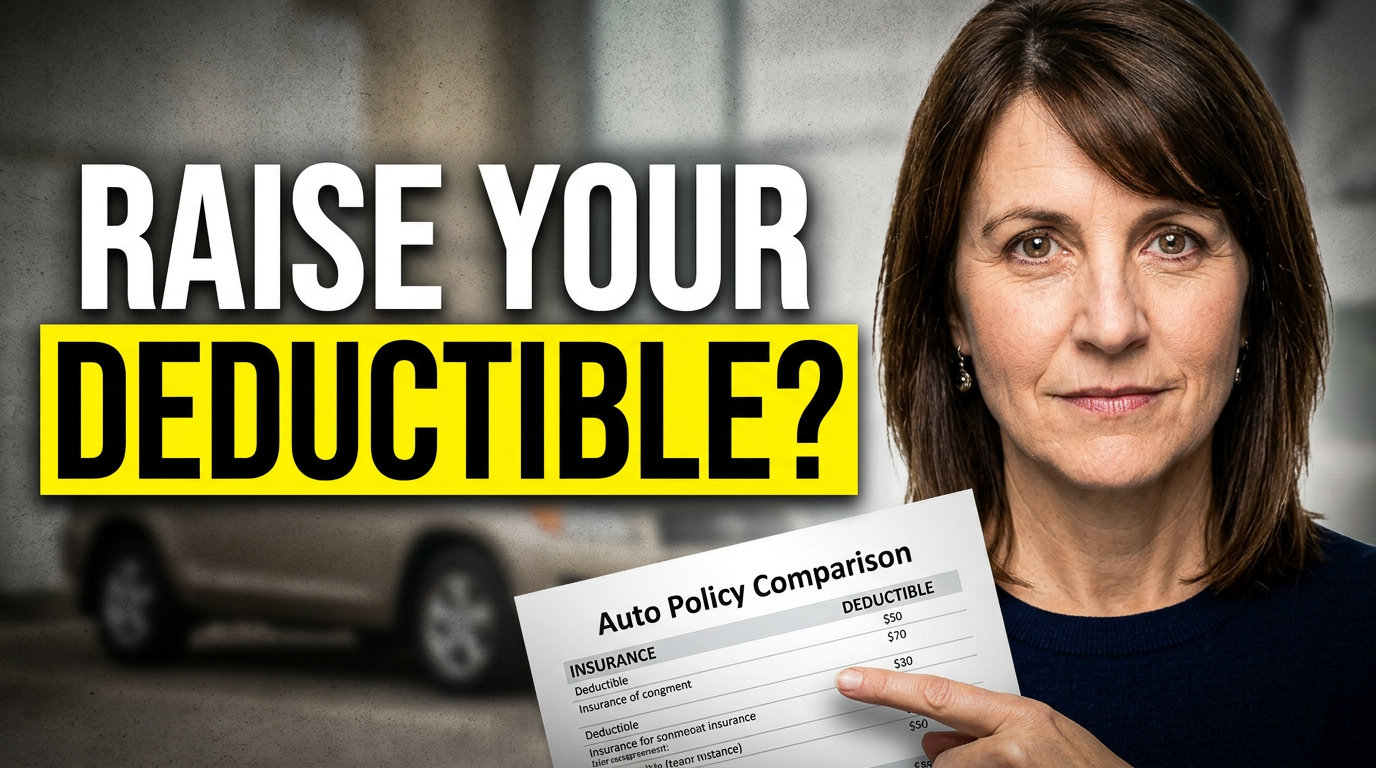
Female insurance agent beside a clean auto insurance comparison document and a car in the background

Auto policy explainer

A direct setup for deductible, premium, and auto policy comparison content.

See the visual approach

Confident female insurance agent standing beside a simple auto policy comparison document, parked car softly visible in the background, agent clearly visible and gesturing toward the document, clean high-contrast composition, approachable expert mood, emphasis on the tradeoff between cost and protection, use the agent's supplied headshot as the face reference.

Make a thumbnail like this
Male insurance agent talking with a small business owner inside a workshop

Small business coverage video

A conversation-led concept for commercial insurance and business-owner coverage reviews.

See the visual approach

Male insurance agent in conversation with a small business owner inside a tidy workshop, both people clearly visible, clipboard and subtle business equipment in the environment, agent positioned as a helpful advisor, natural candid interaction, warm professional lighting, emphasis on the business-owner conversation and real-world commercial setting, use the agent's supplied headshot as the face reference.

Make a thumbnail like this

These examples are starting points. Results vary based on your images, wording, and creative direction.

Thumbnail ideas for insurance agent videos

Create a visual system that helps viewers quickly recognize whether a video answers a pricing question, explains a policy, or addresses a timely risk.

  • Auto insurance quote comparisons and deductible choices
  • Homeowners coverage gaps, renewals, and storm preparation
  • Life insurance basics for young families and business owners
  • Commercial coverage explainers for local industries
  • Medicare, health insurance, and enrollment reminders
  • Claims preparation, policy reviews, and annual coverage checklists
  • Local weather, seasonal risks, and community-specific insurance questions
  • Agency introductions, team spotlights, and client education series

A simple workflow you can reuse

  1. 1

    Start with the viewer’s insurance question

    Lead with the decision behind the video: whether a limit is enough, why a premium changed, what a policy excludes, or when to request a review.

  2. 2

    Add the people and materials that make it yours

    Upload your headshot, team photo, office image, or relevant source material. Keep the agent visible when personal credibility is central to the video.

  3. 3

    Set the visual emphasis in plain language

    Ask for an approachable consultation feel, a clear document-focused layout, a local storm-preparation scene, or a business-owner conversation. Thumbnail.AI can revise the direction as the video changes.

Frequently asked questions

Answers for building a useful, repeatable thumbnail workflow—not just generating one image.

Browse all thumbnail makers
What should an insurance agent put on a YouTube thumbnail?

Use a short, specific promise tied to the viewer’s decision, such as a coverage gap, deductible question, renewal issue, or claims concern. Pair it with a clear face, policy-related visual, or relevant setting rather than trying to show every coverage detail.

Can I use my own headshot and agency photos?

Yes. You can provide your own headshot, team image, office photo, vehicle, property image, or other approved source material so the thumbnail feels connected to your agency.

How can I make insurance thumbnails feel trustworthy instead of clickbait?

Use direct wording, calm expressions, legible visual hierarchy, and imagery that supports the actual topic. Avoid implying guaranteed savings, universal coverage, or a claims outcome that the video cannot substantiate.

What thumbnails work for local insurance content?

Use recognizable local context when it matters: seasonal weather, neighborhood homes, small-business settings, or a clear agency presence. The central visual should still point to the coverage question, not just the location.

Can Thumbnail.AI help revise a thumbnail for a different line of insurance?

Yes. You can change the direction, wording, source image, emphasis, or scene to adapt a concept from auto or home insurance to life, commercial, health, or Medicare-focused content.

Create your next insurance video thumbnail

Bring your expertise, your face, and the coverage question your viewers are already asking. Use Thumbnail.AI to shape a thumbnail that looks professional and stays true to the video.

Create a thumbnail in Thumbnail.AI