Hunting thumbnails built for the story behind the shot

Turn your hunt recap, gear test, scouting update, or trail-camera reveal into a custom YouTube-style thumbnail using your own face, field photos, and exact words.

  • Your face
  • Your source images
  • Plain-language edits
Hunter reacting in a wooded deer stand setting with a whitetail buck visible behind him

Make hunting video thumbnails that show what happened

A strong hunting thumbnail makes the subject of the video obvious at a glance: the animal, the terrain, the gear, the trail-camera evidence, or the moment the plan came together. Thumbnail.AI helps hunting creators combine their own field images with a clear expression, a focused composition, and short wording that fits the video’s real story. Upload your photos, specify what matters, and revise the result in plain language until it matches your channel.

For deer hunters, turkey hunters, waterfowl channels, western big-game creators, public-land hunters, bowhunters, and outdoor storytellers.

Three thumbnail ideas for hunting

Each example explores a different visual direction and can be adapted with your own face, images, wording, and brand.

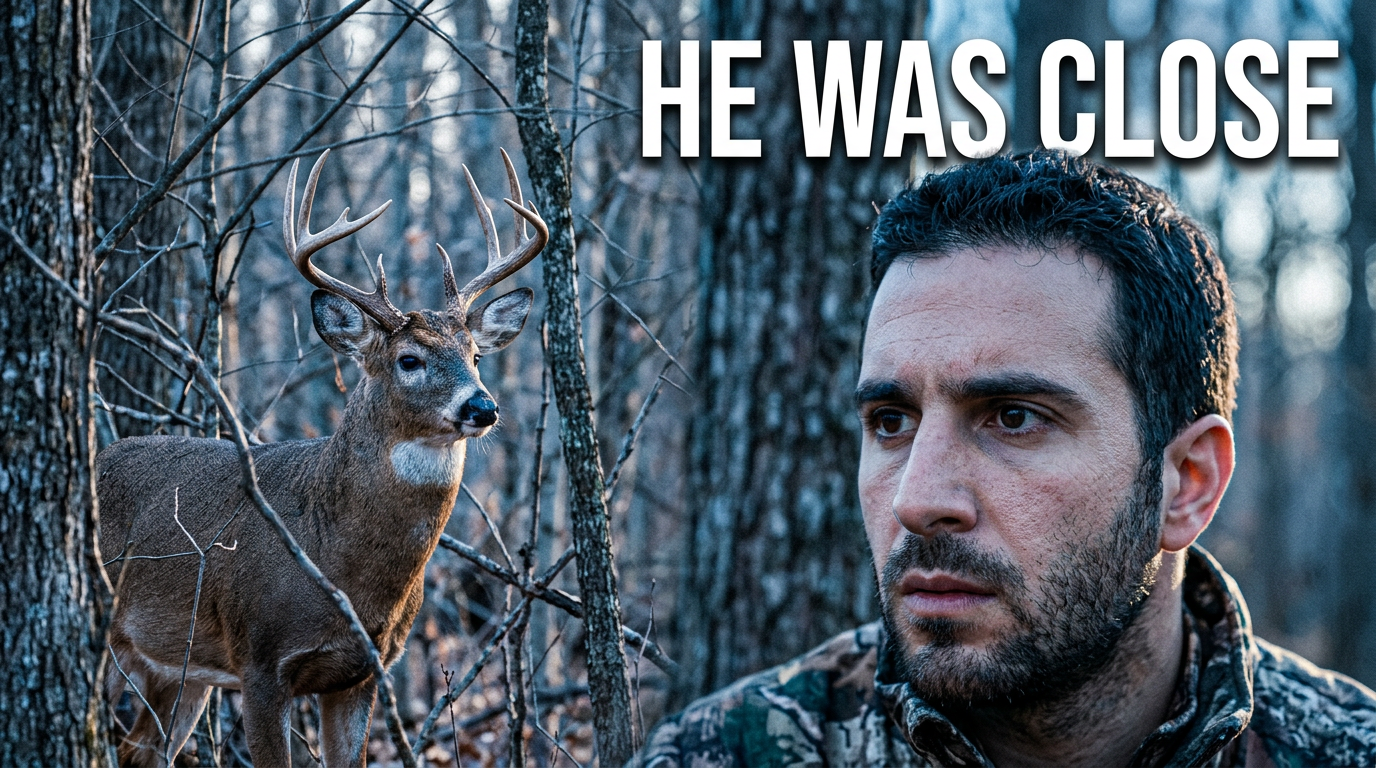
Hunter reacting in a wooded deer stand setting with a whitetail buck visible behind him

Whitetail encounter recap

Build tension around a close-range deer encounter.

See the visual approach

Use the creator’s supplied face as a large, alert foreground cutout with a quiet deciduous woods and elevated deer-stand perspective behind him. Include the supplied whitetail buck source image at mid-distance, positioned as the clear secondary focal point. Use cool early-morning light, shallow depth, and a tense, realistic hunting-story mood. Keep the composition uncluttered with open space for short wording.

Make a thumbnail like this
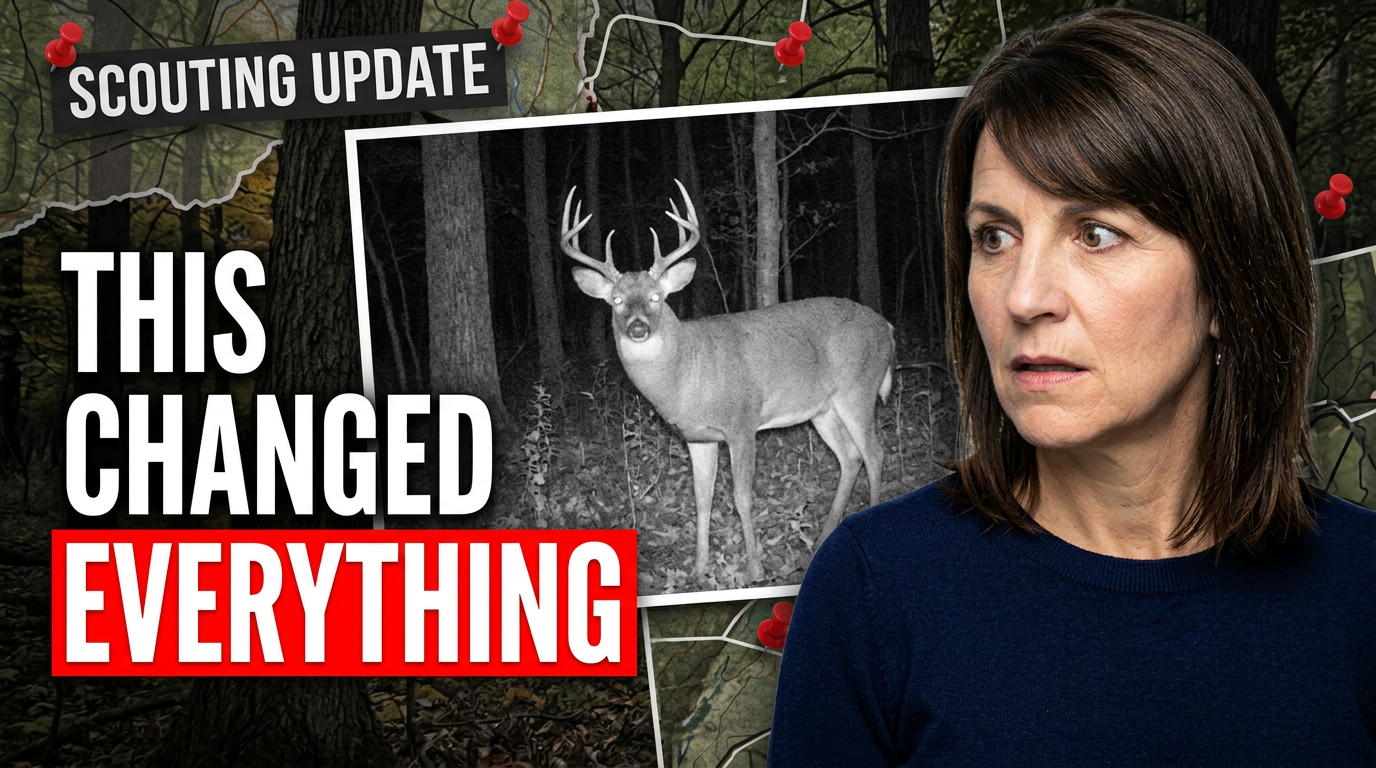
Female hunter studying a large trail-camera buck image in a dark wooded setting

Trail-camera scouting update

Make a trail-camera discovery feel like a meaningful scouting development.

See the visual approach

Use the creator’s supplied face with an intent, surprised expression in the foreground, angled toward a prominent supplied trail-camera buck photo. Set the scene in a shadowy hardwood edge with subtle map-like scouting context and late-evening woodland color. Make the buck photo the evidence at the center of the composition, with strong contrast and a clean layout for a scouting update.

Make a thumbnail like this
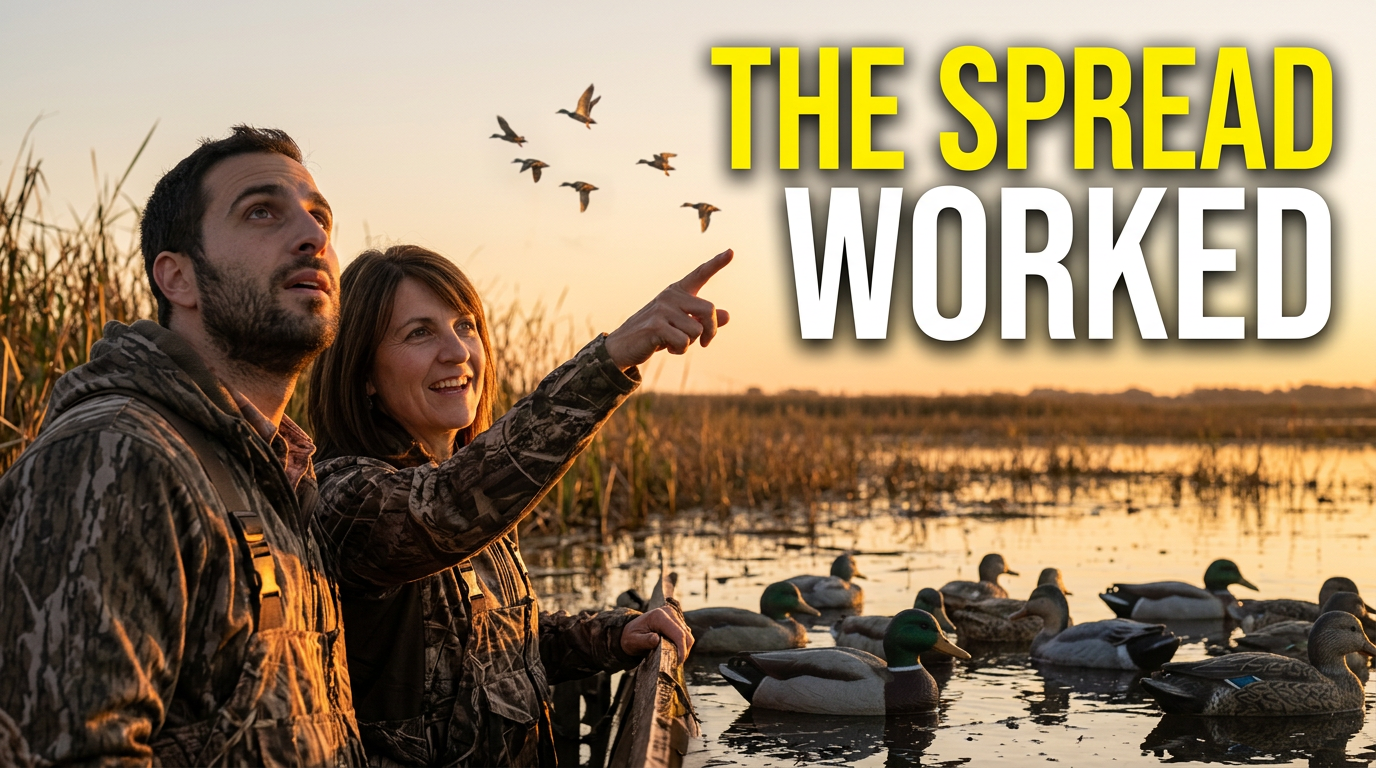
Two waterfowl hunters in a marsh blind with ducks approaching over decoys

Duck hunt with a partner

Show the payoff of a carefully planned waterfowl setup.

See the visual approach

Feature two supplied creator faces in a natural marsh blind scene, one watching overhead and one reacting with excitement. Show a convincing decoy spread across shallow water and a small group of ducks approaching in the dawn sky. Use warm sunrise light against cool marsh shadows, action-oriented framing, and visual emphasis on the decoy spread and incoming birds. Leave clear negative space for short wording.

Make a thumbnail like this

These examples are starting points. Results vary based on your images, wording, and creative direction.

Thumbnails for the hunting content you publish

Build a recognizable look across the videos your audience comes back for, while giving each hunt or field update its own clear visual hook.

  • Whitetail hunt recaps and buck encounters
  • Turkey hunting mornings, calling setups, and close calls
  • Waterfowl hunts, decoy spreads, and dog retrieves
  • Trail-camera reveals and preseason inventory updates
  • Public-land scouting, map breakdowns, and access plans
  • Bowhunting gear tests, broadhead comparisons, and setup videos
  • Western elk, mule deer, or antelope hunt stories
  • Food plots, habitat work, and land-management updates
  • Rifle, optics, saddle, pack, and field-gear reviews

A simple workflow you can reuse

  1. 1

    Upload the photos that prove the story

    Add your field selfie, harvest photo, trail-camera image, gear shot, map screenshot, or landscape image. Use the source material that viewers will recognize from the video.

  2. 2

    State the hunt’s main moment

    Describe the situation in everyday language: a first daylight encounter, an unexpected trail-camera buck, a missed opportunity, a new bedding-area discovery, or a gear result worth discussing.

  3. 3

    Set the wording and direction

    Provide the exact short phrase you want visible, then ask for the mood and composition you need—tense pre-shot anticipation, a practical gear-review look, or a high-contrast reveal.

Frequently asked questions

Answers for building a useful, repeatable thumbnail workflow—not just generating one image.

Browse all thumbnail makers
Can I use my own harvest, trail-camera, and field photos?

Yes. Upload the photos you want represented in the thumbnail and direct Thumbnail.AI to emphasize the relevant person, animal, gear item, terrain, or image detail.

Can I make a thumbnail for a hunt where there was no harvest?

Yes. Many hunting videos are about scouting, close encounters, missed shots, weather changes, access problems, calling tactics, or what was learned in the field. Center the thumbnail on the real turning point rather than forcing a harvest image.

How much wording should a hunting thumbnail use?

Keep it short—usually a few words that add context to the image. Let a trail-camera buck, a spread of decoys, your reaction, or a distinctive piece of terrain do most of the visual work.

Can I create matching thumbnails for a deer season series?

Yes. Reuse your preferred face image, color treatment, framing, or text placement while changing the featured buck, location clue, hunt moment, and wording for each video.

Can Thumbnail.AI help with gear-review thumbnails for hunting channels?

Yes. Upload a clear photo of the bow, optic, pack, blind, broadhead, or other item, then describe the field setting and the result or question the review addresses.

Can I revise a thumbnail after I see the first version?

Yes. Ask for specific changes in plain language, such as making the buck more prominent, moving your face away from the trail-camera image, using a colder dawn feel, or simplifying the background.
Put your next hunt story in the frame

Create a custom thumbnail with your field photos, your face, and wording that fits the video you actually made.

Create a thumbnail in Thumbnail.AI