Hiking & Backpacking Thumbnails Built for the Trail Story

Turn summit photos, tent camps, trail maps, gear shots, and your own face into custom YouTube-style thumbnails that make the stakes of each adventure easy to see.

  • Your face
  • Your source images
  • Plain-language edits
Backpacker standing on a rocky ridge beneath a steep mountain summit

Make every hiking video look like an adventure worth clicking

A strong hiking or backpacking thumbnail should show the payoff, the challenge, or the question behind the trip at a glance. Use Thumbnail.AI to combine your source photos with exact headline wording and plain-language direction—whether the video covers a difficult route, an overnight camp, a gear test, a navigation mistake, or a first look at an unforgettable view. Keep the trail, weather, pack, and human reaction central so viewers immediately understand what kind of outdoor story awaits.

Made for hiking channels, backpacking creators, thru-hikers, outdoor educators, weekend trail explorers, and gear reviewers who want visuals that still feel true to their trip.

Three thumbnail ideas for hiking & backpacking

Each example explores a different visual direction and can be adapted with your own face, images, wording, and brand.

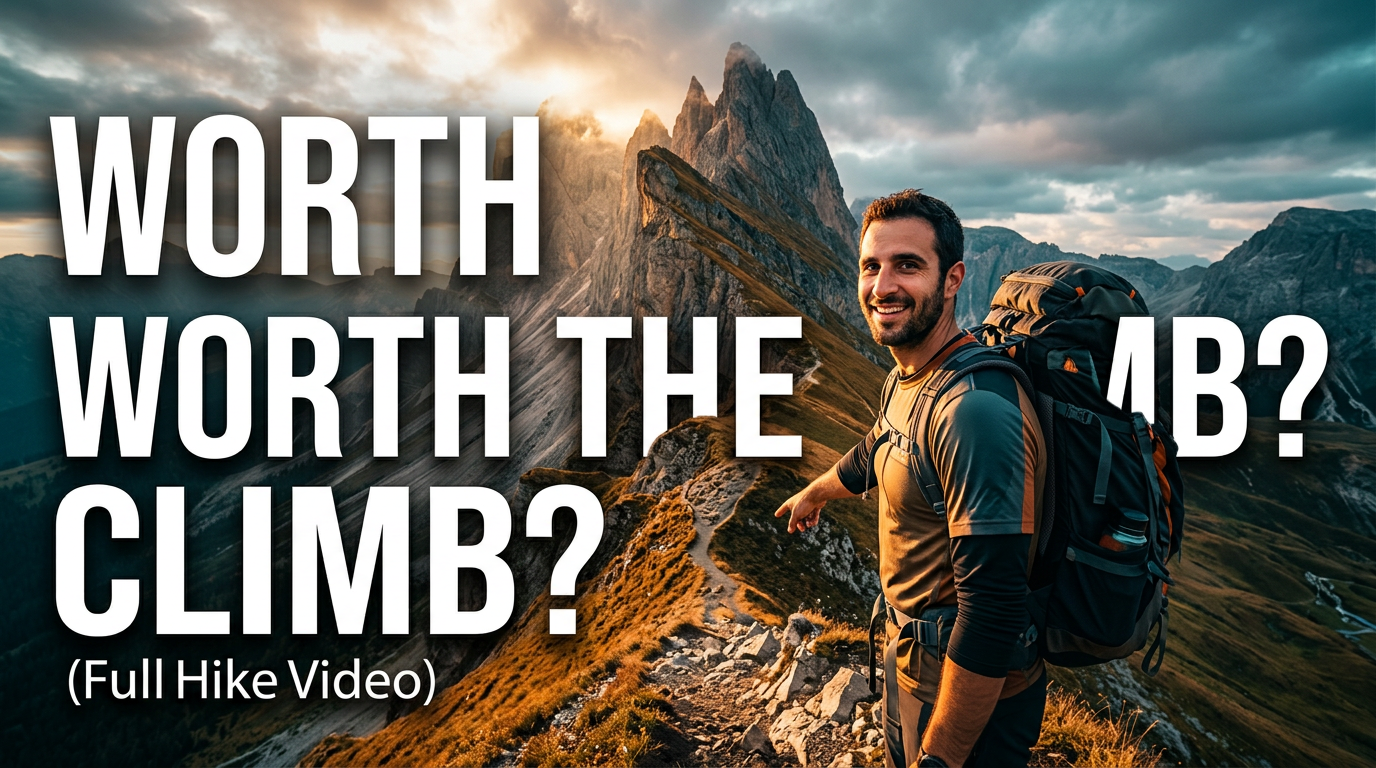
Backpacker standing on a rocky ridge beneath a steep mountain summit

Demanding summit challenge

Frame the effort and the destination in one glance.

See the visual approach

A male hiker wearing a loaded backpack stands on a rugged alpine ridge in the foreground, looking toward a steep dramatic summit in the distance. Emphasize the vertical climb, exposed rocky terrain, and a moody cloud break with sunlight on the peak. Use the creator's supplied face and hiking photo as relevant source material. High-energy outdoor composition with clear separation between person and mountain.

Make a thumbnail like this
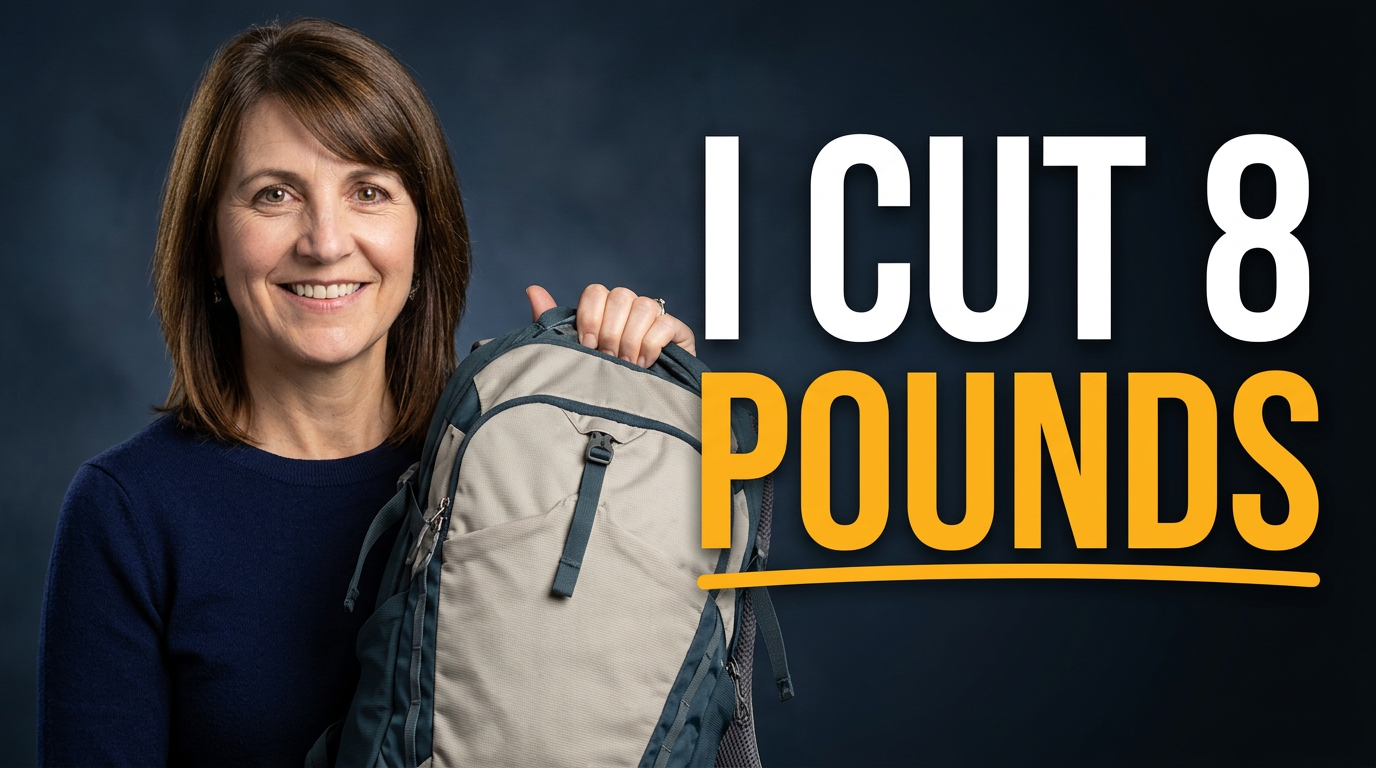
Female backpacker holding a lightweight pack beside organized hiking gear

Backpacking gear weight test

Make the pack-weight change immediately understandable.

See the visual approach

A female backpacker with an expressive confident reaction holds a compact hiking backpack beside a neatly arranged spread of lightweight backpacking gear on a campsite table. Include a tent and soft forest background, with emphasis on the visibly streamlined pack and the comparison between packed gear and empty space. Use the creator's supplied face and gear photos as relevant source material. Clean, practical, high-contrast composition.

Make a thumbnail like this
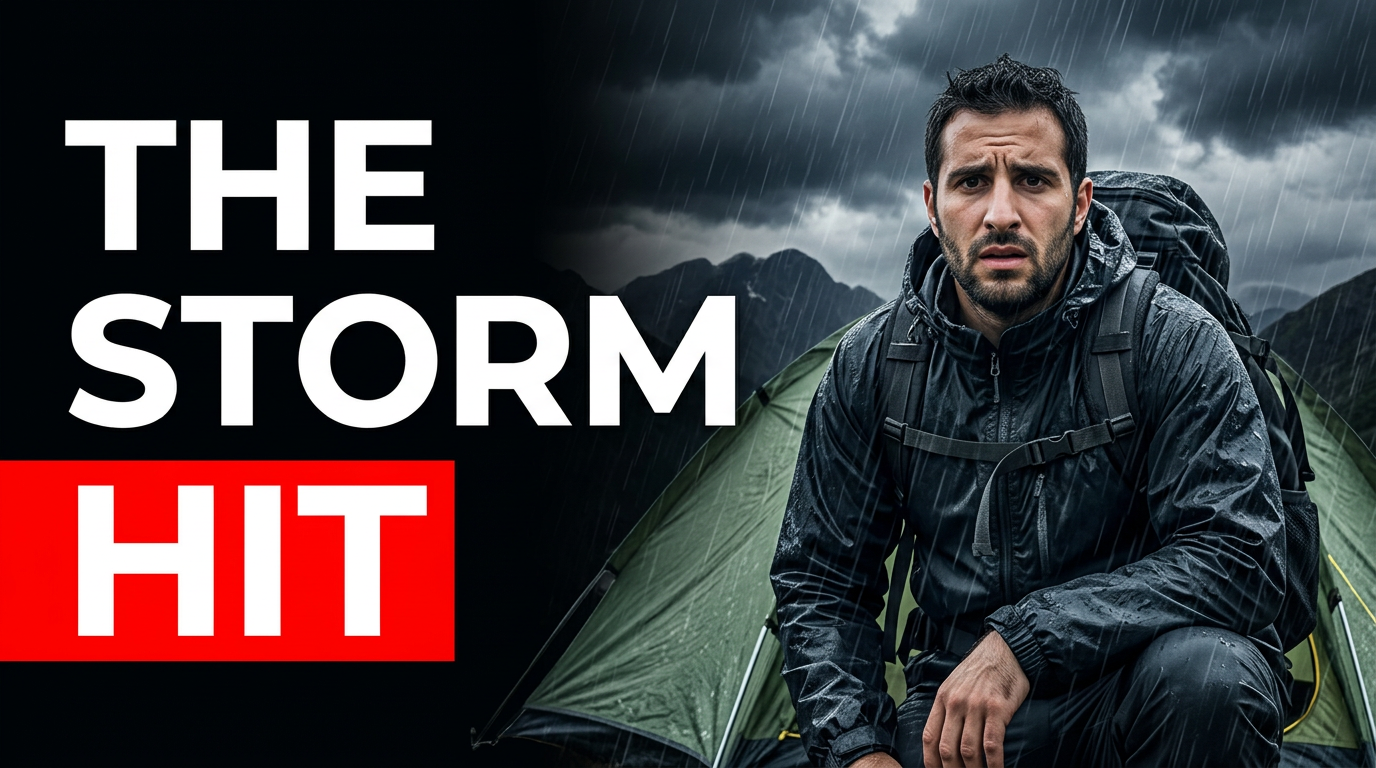
Hiker outside a tent during a rainy mountain campsite storm

Stormy overnight on trail

Put weather, shelter, and vulnerability at the center of the overnight story.

See the visual approach

A male backpacker in rain gear crouches beside a small tent at a mountain campsite as dark storm clouds and rain sweep across the scene. Emphasize wet gear, the tent as a fragile point of shelter, and the hiker's concerned facial expression. Use the creator's supplied face, tent, and campsite photos as relevant source material. Dramatic weather-focused framing with the person and tent clearly visible.

Make a thumbnail like this

These examples are starting points. Results vary based on your images, wording, and creative direction.

Thumbnail ideas for hiking and backpacking content

Build a recognizable visual system across trail reports, route planning videos, outdoor lessons, and field-tested gear coverage.

  • Summit attempts, long-distance routes, and memorable trail days
  • Overnight backpacking trips, tent setups, and camp cooking
  • Trail conditions, weather shifts, river crossings, and route setbacks
  • Packing lists, lightweight gear comparisons, and field reviews
  • Beginner backpacking lessons, safety planning, and navigation tips
  • National park hikes, hidden trails, and destination-focused adventures
  • Thru-hiking updates, resupply stops, and trail-life stories
  • Before-and-after transformations, from packed bag to mountain camp

A simple workflow you can reuse

  1. 1

    Add the photos that carry the story

    Upload a summit reaction, wide trail scene, camp photo, map, backpack, or gear close-up. Include a clear photo of yourself when your expression or presence is part of the hook.

  2. 2

    Name the video’s central pull

    Tell Thumbnail.AI what viewers should notice first: a brutal climb, unexpected storm, remote campsite, pack-weight experiment, gear failure, or route decision.

  3. 3

    Set the wording exactly

    Enter a short, readable phrase that matches your title and angle. Thumbnail.AI keeps the visible wording distinct from the visual direction.

Frequently asked questions

Answers for building a useful, repeatable thumbnail workflow—not just generating one image.

Browse all thumbnail makers
What should a hiking thumbnail show?

Prioritize one clear story element: a dramatic viewpoint, difficult terrain, a weather problem, a loaded pack, a campsite, or your reaction on the trail. A wide scenic image works best when there is also a strong focal point, such as a hiker on a ridge or a clearly visible destination.

Can I use photos from my own hike?

Yes. Upload your own trail, camp, gear, and portrait photos as source material. This is especially useful for keeping the route, landscape, clothing, and equipment accurate to the video.

How much text belongs on a backpacking thumbnail?

Usually a short phrase is easiest to read at small sizes. Use wording that adds tension or context, such as a mileage challenge, a surprising condition, or the central question, while letting the image show the rest.

How do I make gear-review thumbnails feel different from trail vlogs?

For a gear review, make the item large and unmistakable, then support it with a relevant outdoor setting or your reaction. For a trail video, let the route, landscape, conditions, or moment of difficulty take the lead.

Can Thumbnail.AI help with a recurring hiking channel look?

Yes. Reuse the same type of portrait, color treatment, text placement, and framing direction across related videos, while changing the trail, gear, destination, or challenge that makes each upload distinct.
Create your next trail thumbnail

Bring your hike, campsite, gear, and point of view together in a thumbnail that clearly frames the adventure.

Create a thumbnail in Thumbnail.AI