Golf Thumbnails That Make the Shot Worth Clicking

Create custom YouTube-style thumbnails for golf lessons, club reviews, course vlogs, and challenge videos—using your own face, course photos, product images, and exact wording.

  • Your face
  • Your source images
  • Plain-language edits
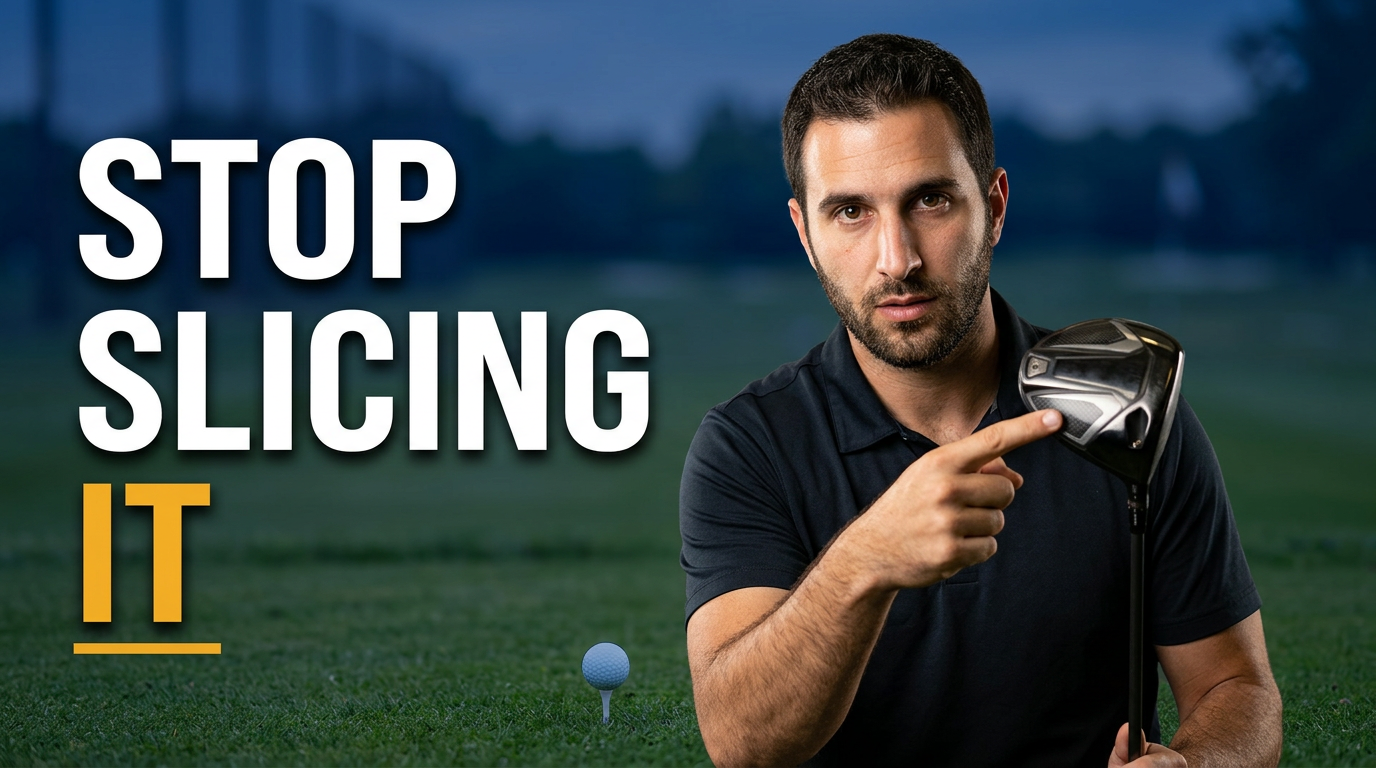
Golf instructor pointing at a driver face with a golf course in the background

Custom thumbnails for golf creators

Golf content needs to communicate the promise before viewers see the first swing. Thumbnail.AI helps you turn a lesson, equipment test, course day, or on-course challenge into a clear thumbnail built around your actual photos and direction. Upload a face photo, club or ball image, and course backdrop; then specify the feeling and words you want featured. Revise details in plain language until the composition matches your video.

Built for golf coaches, club fitters, PGA professionals, golf vloggers, course channels, equipment reviewers, and players sharing their progress.

Three thumbnail ideas for golf

Each example explores a different visual direction and can be adapted with your own face, images, wording, and brand.

Golf instructor pointing at a driver face with a golf course in the background

Slice-fix lesson

Make the swing problem unmistakable before viewers press play.

See the visual approach

Male golf instructor in the foreground holding a driver toward the camera and pointing to the clubface, golf ball on a tee near the lower frame, softly blurred driving range and fairway behind him, focused coaching expression, clean high-contrast composition with emphasis on the clubface and instructor.

Make a thumbnail like this
Female golfer holding a modern driver beside a launch monitor on a practice range

New driver review

Center the club and a confident reviewer reaction for a focused equipment test.

See the visual approach

Female golf reviewer on a premium practice range, holding a driver prominently across the frame, visible launch monitor setup and neatly arranged golf balls in the background, confident evaluative expression, polished daylight, product-forward composition with emphasis on the driver head and reviewer.

Make a thumbnail like this
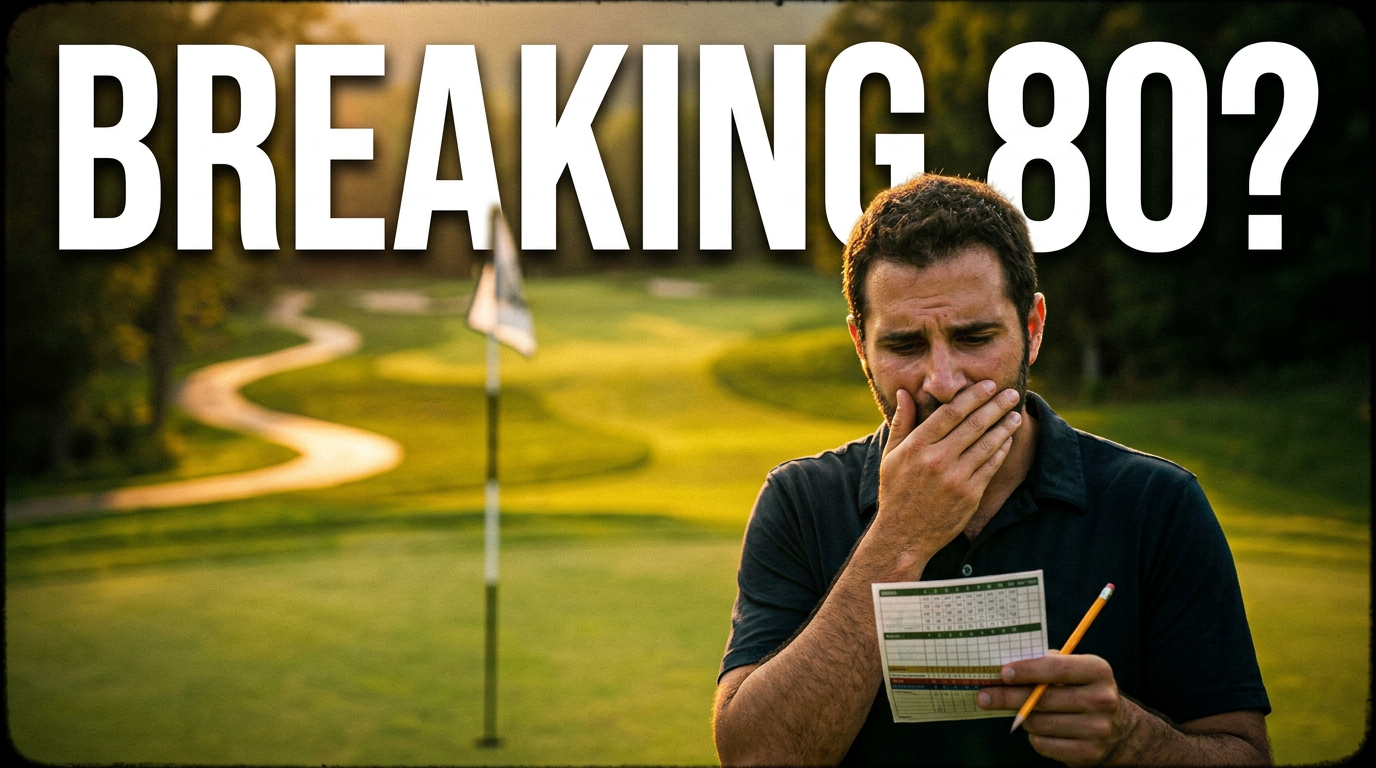
Golfer reacting beside a scorecard on a dramatic golf hole

Breaking 80 challenge

Turn a score target into an on-course moment with stakes.

See the visual approach

Male golfer on a dramatic green-side golf hole at golden hour, expressive anxious reaction after a putt, scorecard and pencil visible in one hand, flagstick and sweeping fairway behind him, cinematic depth and warm light, composition emphasizing the golfer’s face, scorecard, and high-stakes course setting.

Make a thumbnail like this

These examples are starting points. Results vary based on your images, wording, and creative direction.

Thumbnail ideas for golf content

Give each upload an instant visual angle that fits what golfers came to learn, compare, or watch unfold.

  • Swing-fix lessons for slices, hooks, contact, tempo, and distance
  • Driver, iron, wedge, putter, ball, rangefinder, and launch-monitor reviews
  • Club-fitting results, bag updates, and equipment comparisons
  • Course vlogs, destination golf, hole flyovers, and course strategy
  • On-course challenges, match-play rounds, and scorecard goals
  • Practice routines, drills, warm-ups, and player-improvement updates
  • Rules explainers, etiquette topics, and common golf mistakes
  • Beginner golf videos, first-round stories, and affordable gear picks

A simple workflow you can reuse

  1. 1

    Start with the video’s golf promise

    Name the outcome, comparison, mistake, course moment, or challenge that gives the video its reason to click. Keep the thumbnail focused on one clear angle.

  2. 2

    Add your real golf assets

    Upload a portrait, action shot, club photo, launch-monitor screen, product image, or course image. Your source material keeps the thumbnail tied to the player, gear, or venue in the video.

  3. 3

    Set the words and visual direction

    Enter short, exact thumbnail text and explain the composition you want—such as a close-up reaction, a club held toward camera, a visible ball flight, or a dramatic fairway backdrop.

Frequently asked questions

Answers for building a useful, repeatable thumbnail workflow—not just generating one image.

Browse all thumbnail makers
What makes a golf thumbnail clear at a small size?

Use one dominant subject: your face, a club, a ball, a launch-monitor result, or a recognizable hole. Pair it with short wording that states the lesson, verdict, or challenge rather than trying to summarize the whole video.

Can I use photos of my own clubs and course?

Yes. Upload your club photos, bag shots, course images, practice-range photos, and portraits so the thumbnail reflects the exact equipment and setting in your content.

How much text should a golf thumbnail have?

Usually two to six words works best. A phrase such as “STOP SLICING IT” or “DRIVER TESTED” gives viewers the main idea while leaving room for the swing, product, or reaction to do the visual work.

Can Thumbnail.AI make thumbnails for golf club reviews?

Yes. Provide a clear image of the club or related product, your face if you want to appear, and the review angle. You can direct the layout toward a verdict, comparison, distance test, forgiveness test, or fitting result.

Can I revise the wording or layout after I start?

Yes. Use plain-language revision requests to change the visible text, shift emphasis to the club or your reaction, swap a backdrop, simplify the layout, or adjust the overall mood.

What should a golf coach include in a lesson thumbnail?

Show the problem or movement being addressed, such as an open clubface, swing position, ball strike, or intended shot shape. Add a concise promise that matches the lesson without overloading the image.

Build your next golf thumbnail

Bring your swing photo, club image, course backdrop, and video angle. Thumbnail.AI helps you shape them into a thumbnail you can refine with clear, natural direction.

Create a thumbnail in Thumbnail.AI