Thumbnails That Make Your Renovation Work Look Worth Clicking

Create custom YouTube-style thumbnails for remodel reveals, jobsite walkthroughs, contractor advice, and before-and-after videos—using your face, project photos, and the words you want viewers to notice.

  • Your face
  • Your source images
  • Plain-language edits
Contractor pointing toward a bright finished kitchen beside a smaller dark dated kitchen view

Built for contractors who need to show the work clearly

A remodeling thumbnail has to do more than look polished. It needs to make the scope, transformation, or problem obvious in a split second. Thumbnail.AI helps general contractors and remodelers turn jobsite photos, finished-room images, material shots, and headshots into click-ready thumbnail concepts with direct visual direction. Upload the images you already have, specify the project angle and exact wording, then revise the composition until it fits your channel and the work you want to showcase.

Whether you publish project reveals for homeowners, practical renovation advice, or weekly jobsite updates, keep each video visually connected to the craftsmanship behind it.

Three thumbnail ideas for general contractors & remodelers

Each example explores a different visual direction and can be adapted with your own face, images, wording, and brand.

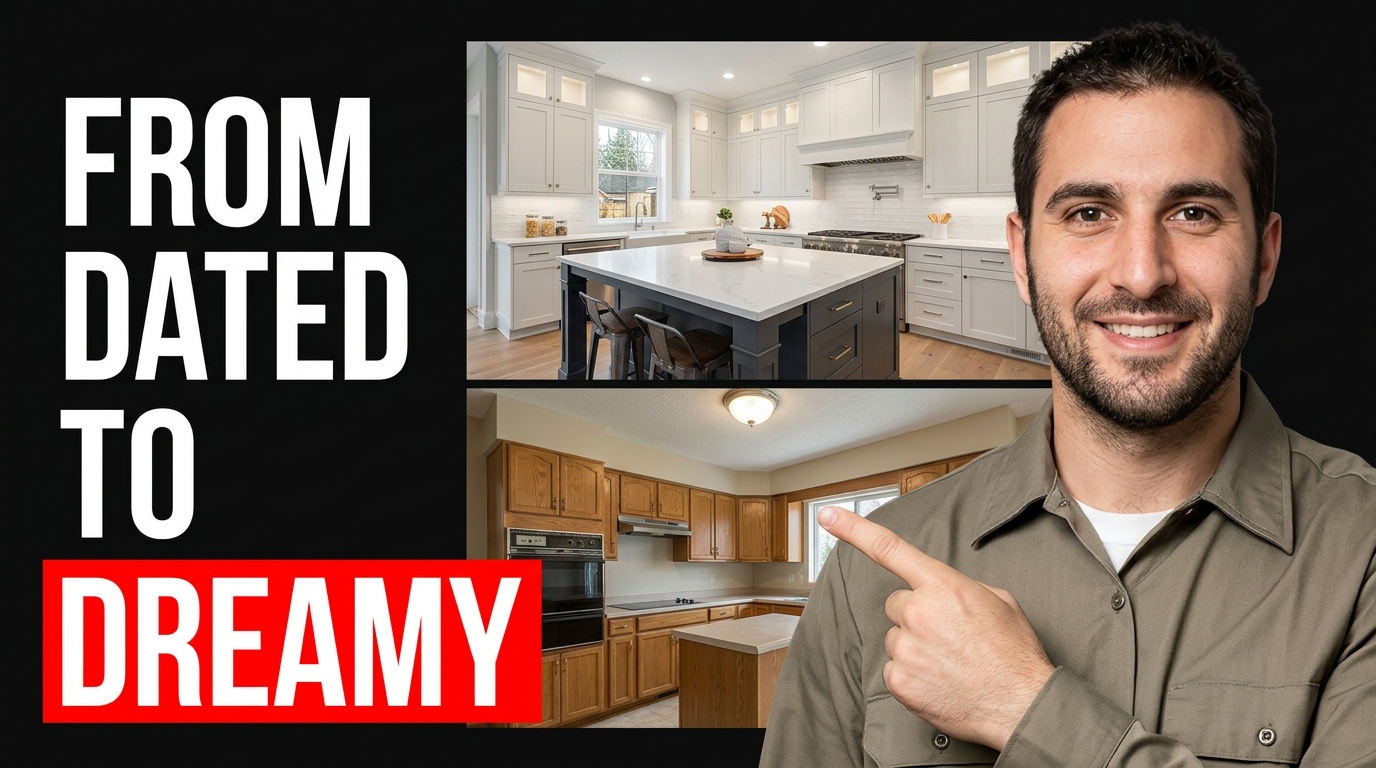
Contractor pointing toward a bright finished kitchen beside a smaller dark dated kitchen view

Kitchen transformation reveal

Show the contrast between the old space and the completed renovation.

See the visual approach

Split-screen renovation transformation with a male general contractor in a clean work shirt pointing toward a bright finished kitchen on one side and a visibly dated kitchen on the other; matched viewing angle, crisp cabinetry and island details, strong contrast, polished but authentic remodel portfolio mood, emphasis on the completed space and the contractor's confident expression; use supplied contractor headshot and supplied project photos.

Make a thumbnail like this
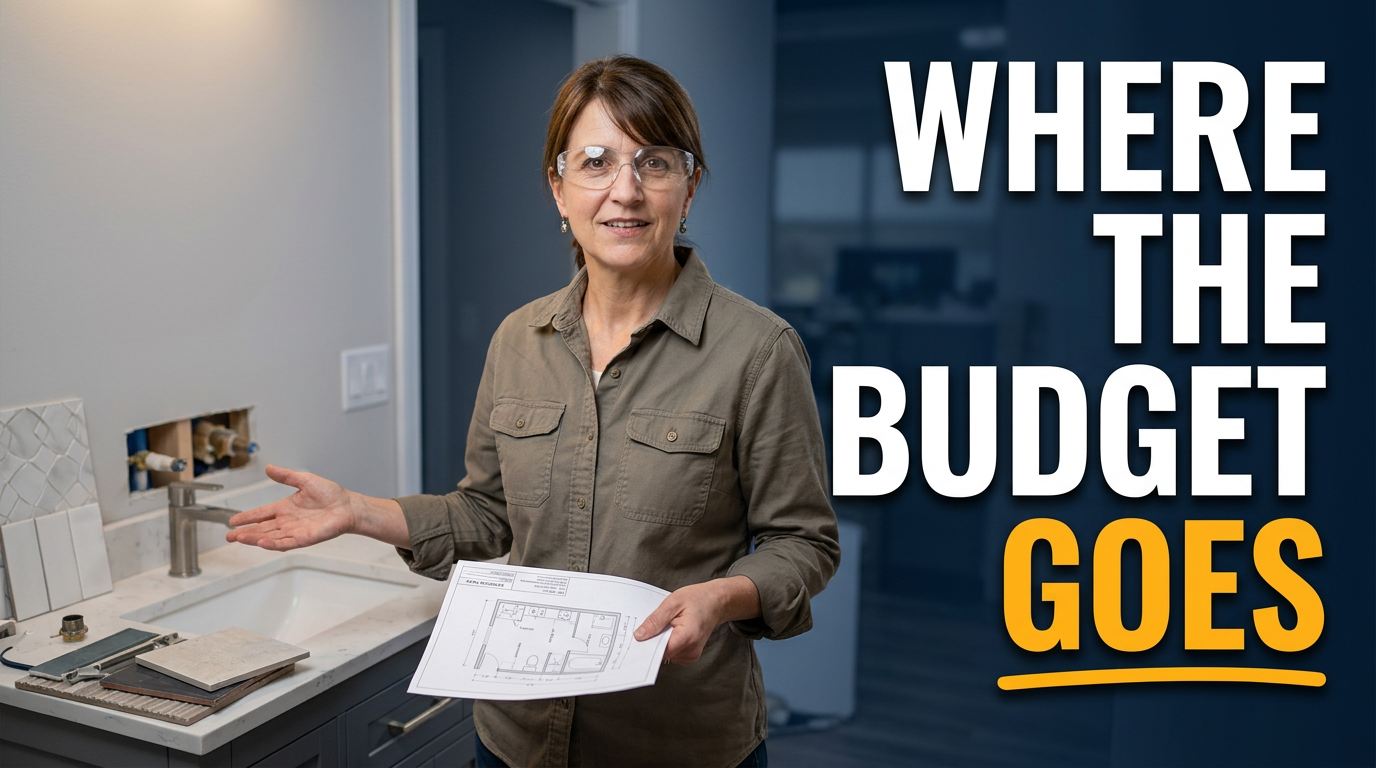
Female remodeler holding a bathroom fixture plan in a partially completed upscale bathroom

Bathroom budget explanation

Pair your expertise with visible fixtures and construction details for a cost-focused video.

See the visual approach

Female remodeler standing in a partially completed bathroom, holding a fixture plan and gesturing toward a vanity area; tile samples, plumbing rough-in, and selected fixtures visible, organized renovation site, approachable expert expression, practical homeowner-education mood, emphasis on the remodeler's explanation and the visible layers of the project; use supplied female headshot and bathroom jobsite images.

Make a thumbnail like this
Contractor and homeowner reviewing renovation plans in a sunlit unfinished living room

Homeowner renovation consultation

Make a planning video feel personal by showing the conversation before construction begins.

See the visual approach

Male general contractor and homeowner reviewing large renovation plans together in a sunlit unfinished living room, framing and protective floor covering visible, both leaning into the discussion, friendly collaborative body language, realistic residential jobsite environment, calm trustworthy mood, emphasis on the plans and the shared decision-making moment; use supplied contractor headshot and relevant project source images.

Make a thumbnail like this

These examples are starting points. Results vary based on your images, wording, and creative direction.

Thumbnail ideas for contractor videos

Use a different visual angle for the kind of project story your video tells.

  • Before-and-after kitchen, bathroom, basement, and exterior transformations
  • Jobsite walkthroughs that explain what is happening behind the walls
  • Cost, timeline, and planning videos for prospective remodeling clients
  • Material comparisons, fixture choices, and finish-selection advice
  • Common renovation mistakes, code considerations, and contractor perspective videos
  • Finished-project tours that spotlight layout, detail work, and craftsmanship
  • Team introductions, homeowner conversations, and behind-the-scenes updates
  • Storm damage, repairs, additions, and whole-home renovation case studies

A simple workflow you can reuse

  1. 1

    Start with the project proof

    Upload a strong finished-room photo, a dramatic before image, jobsite footage stills, or a headshot. The clearest visual evidence of the transformation should lead the design.

  2. 2

    Choose the viewer takeaway

    Tell Thumbnail.AI whether the video is about a reveal, a costly mistake, a planning decision, a timeline question, or the work happening on site. This sets the visual emphasis.

  3. 3

    Add the exact words you want shown

    Keep the on-image message short and specific, such as a room type, budget surprise, or renovation result. Use wording that supports the title without trying to repeat it.

Frequently asked questions

Answers for building a useful, repeatable thumbnail workflow—not just generating one image.

Browse all thumbnail makers
What photos work best for a remodeling thumbnail?

Wide finished-room shots with a clear focal point work well for reveals. For problem-solving videos, use a close, readable image of the issue—such as water damage, framing, tile work, or an unfinished space. A clean headshot can add a recognizable contractor presence.

Can I use before-and-after photos in the same thumbnail?

Yes. A split composition can quickly communicate a transformation, especially for kitchens, bathrooms, basements, and exteriors. Choose images taken from similar angles so the change is easy to understand.

How much text should a contractor thumbnail include?

Use a short phrase that can be read at small sizes. Focus on one idea, such as the project result, a budget issue, or a key decision. Let the room, jobsite detail, or your expression carry the rest of the message.

Can I make thumbnails using my own face and jobsite images?

Yes. Thumbnail.AI is designed for custom direction using your own source images. You can include your headshot, crew photos, finished-project photography, material images, and relevant jobsite visuals.

What should I highlight for videos aimed at homeowners?

Lead with the question a homeowner is likely asking: what changed, what went wrong, what it costs, how long it takes, or which option is better. Pair that angle with a specific room or construction detail rather than a generic stock-style image.
Make your next project video easier to recognize

Bring together your project photography, your contractor perspective, and concise on-image wording in a custom thumbnail direction.

Create a thumbnail in Thumbnail.AI