Gardening thumbnails that make the next project look worth watching

Turn your garden photos, before-and-afters, harvests, and on-camera reactions into custom YouTube-style thumbnails with the exact text and look you want.

  • Your face
  • Your source images
  • Plain-language edits
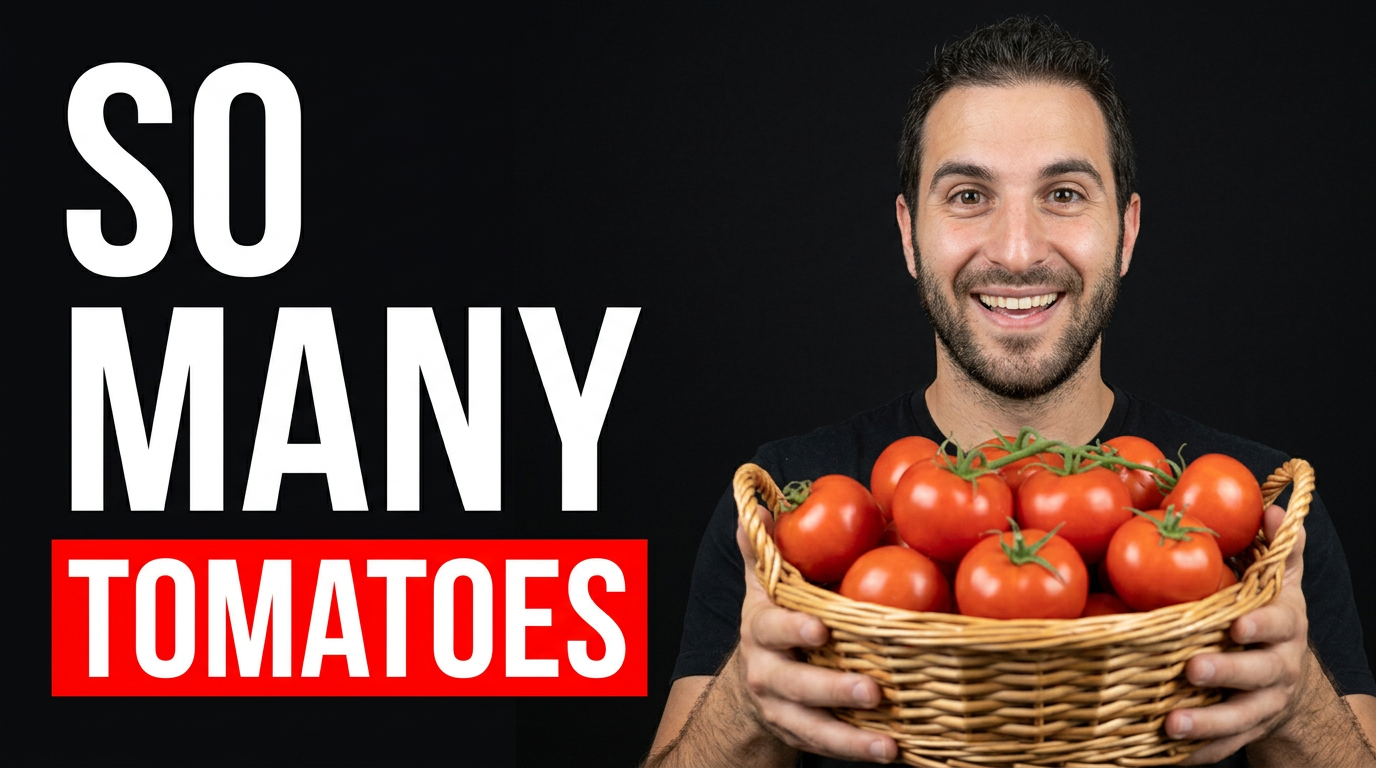
Gardener holding a large basket of ripe tomatoes in a sunny backyard vegetable garden

Make every gardening video easier to spot at a glance

Gardening viewers often decide quickly whether a video answers the problem in front of them: yellow leaves, a bare bed, a disappointing harvest, or a project they want to try this weekend. Thumbnail.AI helps you build a thumbnail around that clear promise. Upload your own face, garden, tools, plants, or progress photos; add the precise wording you want visible; then describe the composition in plain language. Revise the result until the plant, project, season, and emotion are unmistakable.

Built for home gardeners, allotment growers, homesteaders, landscape gardeners, plant educators, and garden-center creators publishing seasonal how-tos, updates, tours, and experiments.

Three thumbnail ideas for gardening

Each example explores a different visual direction and can be adapted with your own face, images, wording, and brand.

Gardener holding a large basket of ripe tomatoes in a sunny backyard vegetable garden

Big tomato harvest reveal

Put the harvest front and center for a summer garden update.

See the visual approach

A male home gardener standing in a lush backyard vegetable garden, holding an overflowing basket of ripe red tomatoes toward the camera; raised beds and tomato vines softly visible behind him; bright warm morning light; delighted expression; close framing with the tomatoes as the dominant focal point; use the supplied gardener portrait and harvest photo as source material.
Make a thumbnail like this
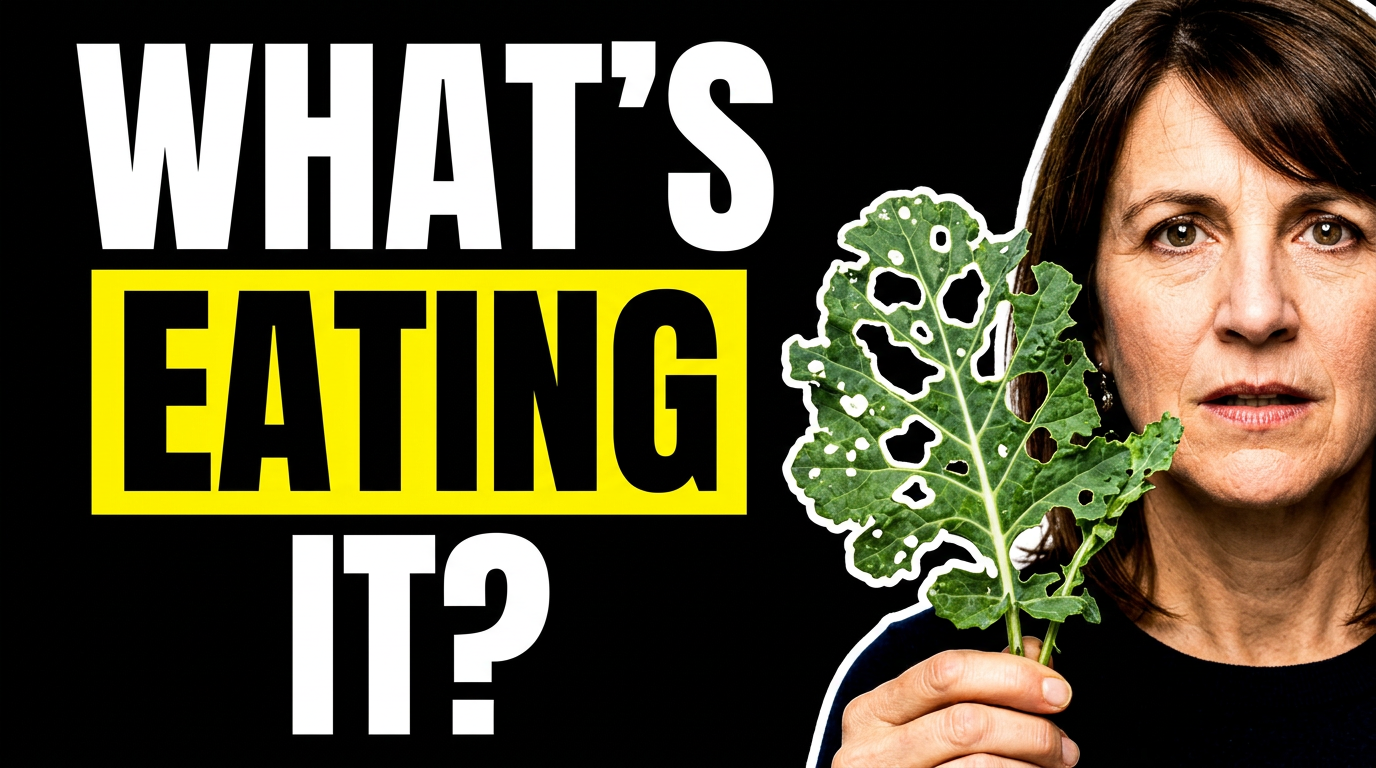
Female gardener inspecting a leaf with visible pest damage beside a healthy plant

Fixing damaged leaves

Make the plant symptom unmistakable for a troubleshooting video.

See the visual approach

A female gardener in a garden bed, looking concerned while holding one damaged leafy vegetable plant close to the camera; clear bite marks and holes on the foreground leaf, healthy foliage softly blurred behind; natural outdoor light; strong visual contrast between the damaged area and the green garden; use the supplied female portrait and plant close-up as source material.

Make a thumbnail like this
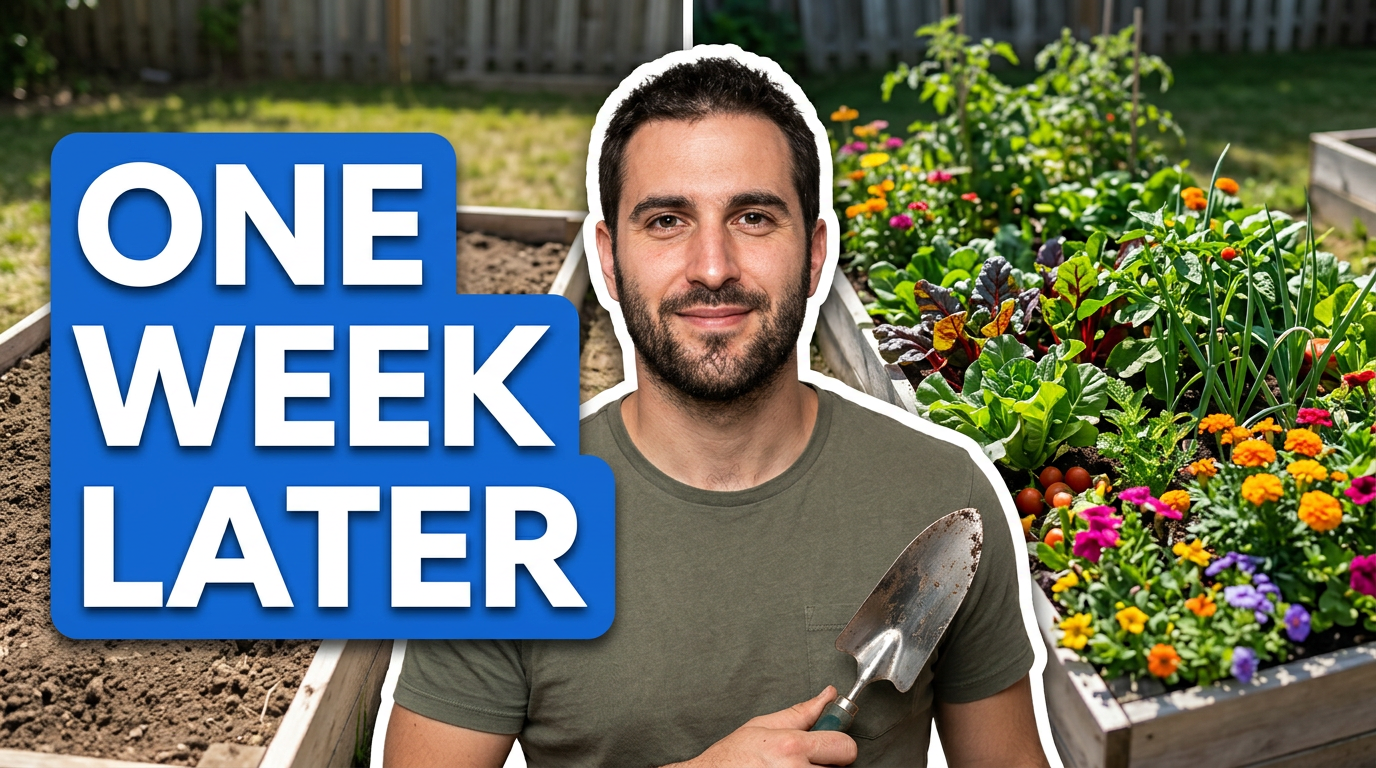
Gardener beside a split view of an empty raised bed and a thriving planted raised bed

Raised bed transformation

Show the satisfying change behind a quick garden makeover.

See the visual approach

A male gardener smiling beside a raised garden bed in a clean before-and-after split composition; one side shows bare soil and simple unfinished bed space, the other shows the same bed densely planted with vibrant vegetables and flowers; sunny backyard setting; clear progression from sparse to abundant; use the supplied gardener portrait and raised-bed photos as source material.

Make a thumbnail like this

These examples are starting points. Results vary based on your images, wording, and creative direction.

Gardening content that benefits from a clear thumbnail

Use custom thumbnail direction to keep the subject and stakes obvious, whether the video is practical, seasonal, or personal.

  • Vegetable garden tours and harvest updates
  • Tomato, pepper, cucumber, and herb growing tips
  • Raised-bed builds and backyard makeovers
  • Plant care troubleshooting and pest control
  • Before-and-after garden transformations
  • Container gardening for patios and balconies
  • Flower garden planning and cut-flower projects
  • Composting, soil amendments, and irrigation setups
  • Seed-starting and seasonal planting schedules
  • Budget garden challenges and tool reviews

A simple workflow you can reuse

  1. 1

    Start with the garden moment viewers should notice

    Choose the strongest source photo: a ripe harvest, a damaged leaf, an overflowing bed, a new build, or your reaction beside the result. A single clear focal point keeps a busy garden scene readable.

  2. 2

    Add short, exact thumbnail wording

    Use a concise promise or outcome that matches the video, such as a planting mistake, a surprising harvest result, or a practical fix. Thumbnail.AI lets you specify the wording instead of relying on generic text.

  3. 3

    Describe the composition in everyday language

    Ask for a close-up of the problem plant, a split before-and-after layout, a wide garden reveal, or you holding the key tool or harvest. Include the mood you want, from encouraging to urgent.

Frequently asked questions

Answers for building a useful, repeatable thumbnail workflow—not just generating one image.

Browse all thumbnail makers
What should a gardening thumbnail focus on?

Focus on one visible result, problem, or project. A huge tomato harvest, a chewed leaf, a flourishing raised bed, or a dramatic before-and-after is easier to understand than a wide image filled with unrelated plants and tools.

Can I use photos from my own garden in Thumbnail.AI?

Yes. Upload your own garden photos, plant close-ups, harvest images, tools, and portraits. Using your actual space and plants can help the thumbnail match the video viewers will see.

How much text works on a garden video thumbnail?

Keep it short enough to read quickly. A few words that state the outcome, question, or problem generally work better than repeating the full video title. Save detailed plant names and instructions for the title and description when needed.

How do I make a plant-problem thumbnail clear?

Show the affected leaf, fruit, or plant large in frame and pair it with your concerned or explanatory expression. Describe the symptom and desired emphasis so the composition does not bury the issue in a wide garden shot.

Can Thumbnail.AI help with seasonal gardening videos?

Yes. You can direct the scene around seasonal cues such as seed trays, spring planting, summer harvest baskets, autumn cleanup, frost protection, or winter planning materials, along with your own source images.

Create your next gardening thumbnail

Bring your garden photos, your face, and the exact promise of the video to Thumbnail.AI. Start with a clear direction, then refine the composition until it fits your channel.

Create a thumbnail in Thumbnail.AI