Food Truck Thumbnails That Make Hungry Viewers Click

Turn your best food shots, truck photos, and on-camera personality into bold YouTube-style thumbnails for menu reveals, event recaps, prep videos, and food truck updates.

  • Your face
  • Your source images
  • Plain-language edits
Food truck owner holding a large signature sandwich beside a close-up of the sandwich

Create food truck thumbnails with your real food, truck, and team

A great food truck thumbnail makes the food unmistakable at a glance, gives viewers one clear reason to watch, and still feels like your truck—not a generic restaurant ad. Upload a hero dish, a photo of your truck or serving window, and a photo of yourself when you want a recognizable face in the frame. Then tell Thumbnail.AI what the video is about, where you want the emphasis, and the exact short wording to feature. Revise the layout in plain language until the thumbnail fits your menu, route, and channel style.

Built for food truck owners, chefs, operators, and local food creators sharing service-day videos, menu launches, festival coverage, and behind-the-scenes kitchen content.

Three thumbnail ideas for food trucks

Each example explores a different visual direction and can be adapted with your own face, images, wording, and brand.

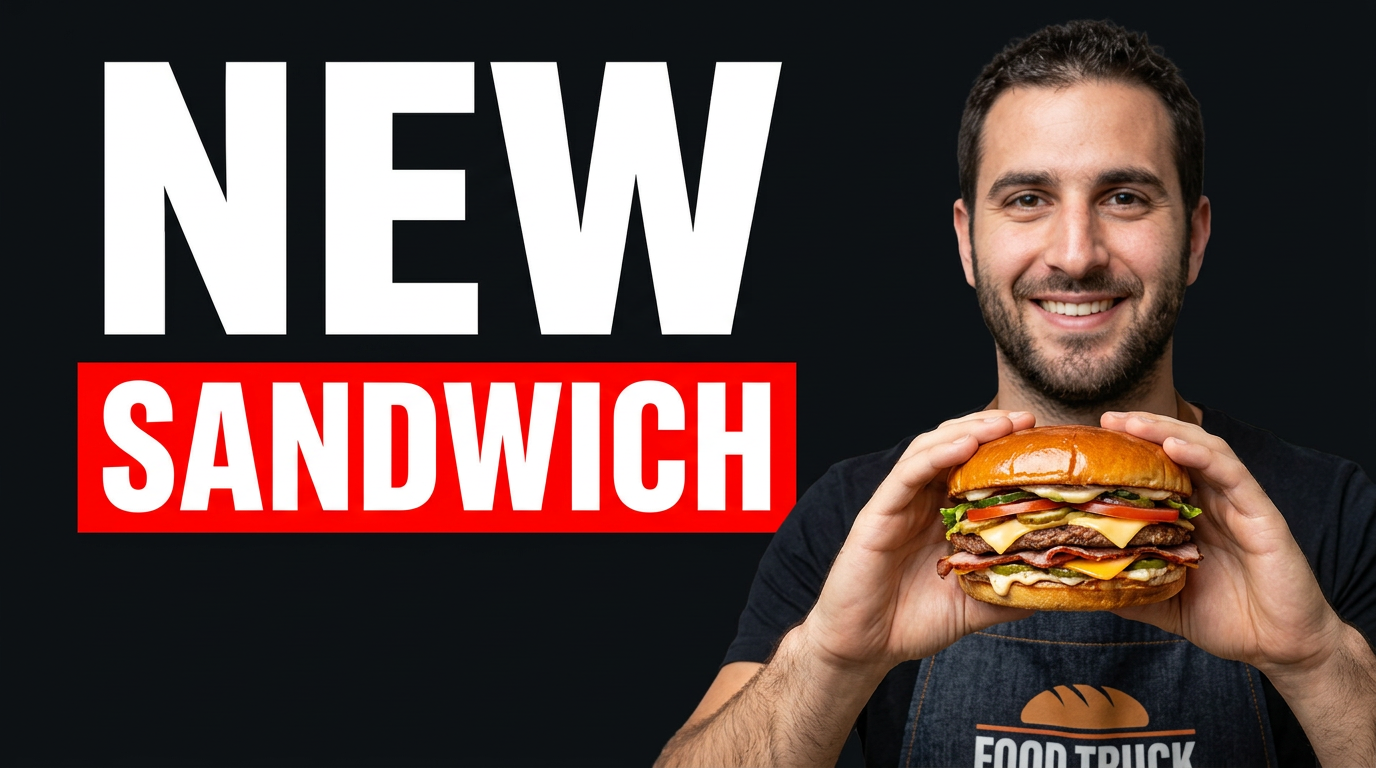
Food truck owner holding a large signature sandwich beside a close-up of the sandwich

Signature sandwich debut

Put the new menu item front and center while keeping the owner recognizable.

See the visual approach

Close-up hero composition of a stacked signature sandwich with glossy sauce and visible layers in the foreground; male food truck owner holding the sandwich and reacting with pride beside it; colorful truck serving window softly visible behind them; warm daylight, appetizing texture, energetic menu-launch mood; use the supplied sandwich and owner photos as source material.
Make a thumbnail like this
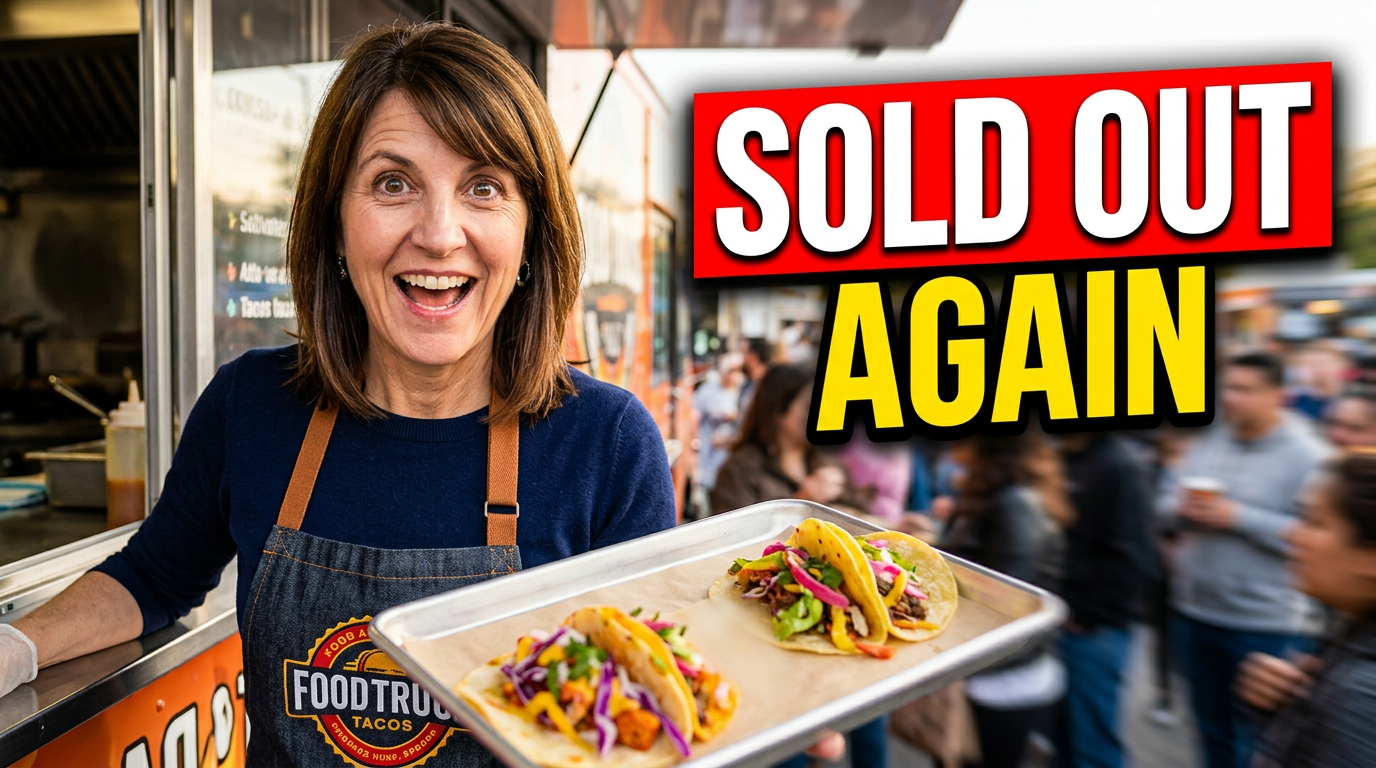
Female food truck operator at a busy serving window with a nearly empty tray of tacos

Sold-out service day

Use a real service-window moment to make a sellout update feel immediate.

See the visual approach

Female food truck operator at the serving window with an expressive surprised-and-happy reaction; a nearly empty tray with a few colorful tacos in the foreground, a soft crowd queue and truck details in the background; candid busy-service atmosphere, strong food detail, clear visual contrast; use supplied operator, taco, and truck photos as source material.

Make a thumbnail like this
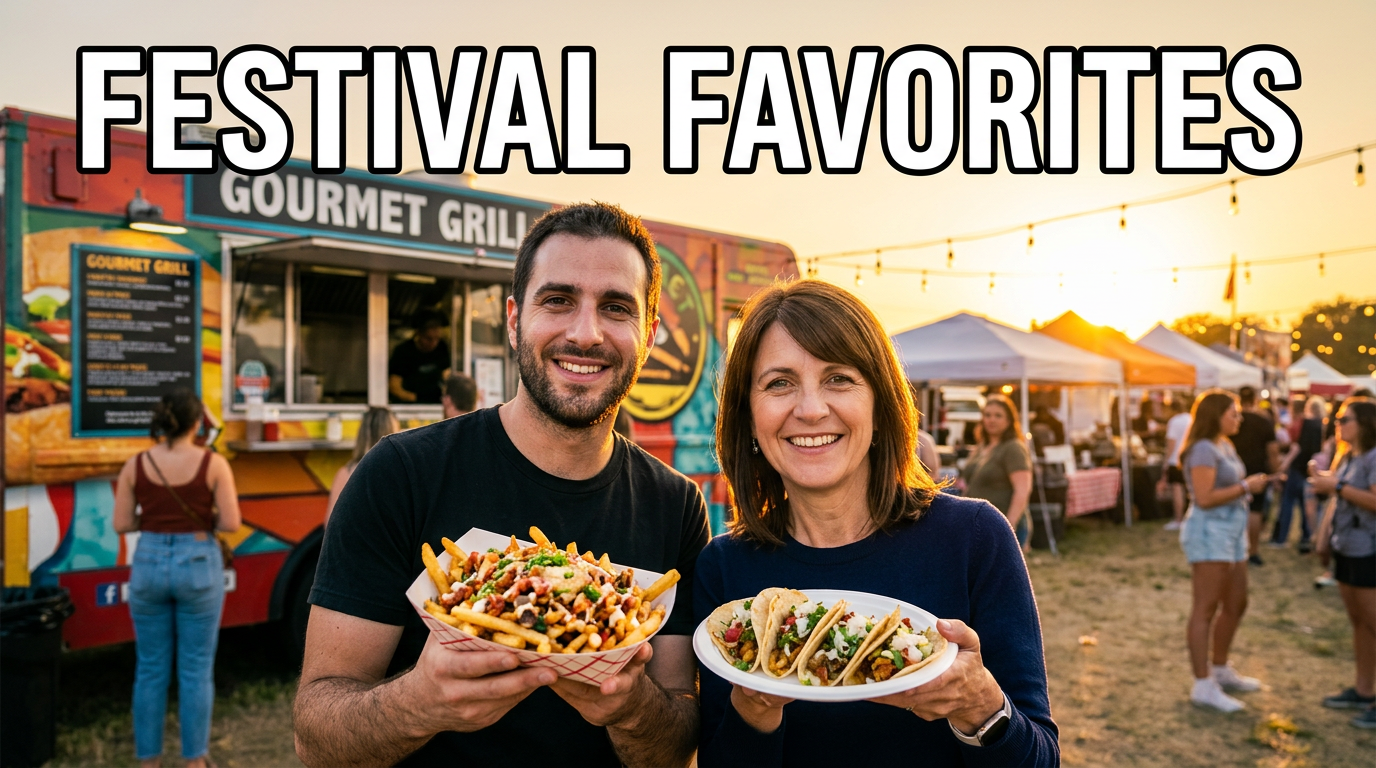
Two food truck hosts holding featured dishes at an outdoor food festival

Food truck festival recap

Pair the people behind the truck with the event atmosphere and featured dishes.

See the visual approach

Two food truck co-hosts standing outdoors at a lively local food festival, each holding a different featured dish toward the camera; their truck and festival tents visible in the background with a warm late-afternoon glow; welcoming celebratory mood, dishes and faces equally prominent; use supplied co-host, food, truck, and event photos as source material.

Make a thumbnail like this

These examples are starting points. Results vary based on your images, wording, and creative direction.

Thumbnail ideas for food truck content

Keep the visual focus on the dish, moment, or local event that gives each video its appetite appeal.

  • New menu item and limited-time special announcements
  • Service-day prep, commissary, and behind-the-window videos
  • Food truck festival, market, and event recaps
  • Sellout updates and high-demand menu moments
  • Truck build-outs, equipment upgrades, and route updates
  • Signature recipe stories and ingredient sourcing
  • Customer-favorite dishes and taste-test videos
  • Collaborations with breweries, markets, chefs, and local businesses

A simple workflow you can reuse

  1. 1

    Upload the food and truck photos that sell the story

    Start with a close, well-lit dish photo when the menu item is the hook. Add your truck, serving window, event crowd, or a photo of the person on camera to make the thumbnail feel tied to the video.

  2. 2

    Set one clear visual priority

    Tell Thumbnail.AI whether the hero should be a dripping sandwich, plated tacos, a packed service line, a festival setting, or your reaction. A single dominant subject keeps the image readable on mobile.

  3. 3

    Add short, menu-smart wording

    Use a few punchy words that support the visual, such as a sellout, debut, challenge, or event angle. Keep pricing, full menu details, and long explanations inside the video rather than on the thumbnail.

Frequently asked questions

Answers for building a useful, repeatable thumbnail workflow—not just generating one image.

Browse all thumbnail makers
What photos work best for a food truck thumbnail?

Use a sharp close-up of the finished dish, ideally with visible texture such as melted cheese, char, sauce, steam, or a clean cross-section. A second photo of the truck, service window, or operator can add local context without competing with the food.

Should I put my food truck logo on every thumbnail?

Use your logo when brand recognition is the main goal, but keep it small and out of the hero food area. For menu reveals and food-focused videos, the dish and a short message usually deserve the most space.

How much text should a food truck thumbnail have?

Aim for roughly two to six words. Viewers should be able to understand the main hook while scrolling. Let the title explain the route, ingredients, location, or full story.

Can I make thumbnails for food festivals and pop-up events?

Yes. Upload photos from the event, your truck setup, the featured dish, and any permitted collaborator imagery. Ask for a composition that balances the crowd or venue with a clearly visible food focal point.

Can I use my own face in the thumbnail?

Yes. Upload a photo of yourself and direct the composition around your expression, the dish, or the serving window. This is especially useful for owner-led updates, challenges, and behind-the-scenes videos.

Make your next food truck thumbnail

Upload your food, truck, and team photos, choose the words viewers should see, and shape the final look with simple revision requests in Thumbnail.AI.

Create a thumbnail in Thumbnail.AI