Fashion Thumbnails That Make the Look Click

Turn outfit formulas, wardrobe edits, trend breakdowns, and styling transformations into custom YouTube-style thumbnails that put your personal point of view front and center.

  • Your face
  • Your source images
  • Plain-language edits
Fashion creator in a neutral capsule wardrobe thumbnail concept

Create thumbnails for fashion content with your own style

Thumbnail.AI helps fashion creators turn a mirror photo, studio portrait, closet shot, flat lay, or lookbook image into a thumbnail built around the video’s real hook. Upload your source material, choose the words viewers should see, and describe the mood—from polished editorial to candid closet-confessional. Revise the composition in plain language until the outfit, face, color palette, and focal detail feel right for your channel.

Made for personal stylists, fashion YouTubers, outfit creators, wardrobe consultants, vintage sellers, and creators documenting their evolving style.

Three thumbnail ideas for fashion & styling

Each example explores a different visual direction and can be adapted with your own face, images, wording, and brand.

Fashion creator in a neutral capsule wardrobe thumbnail concept

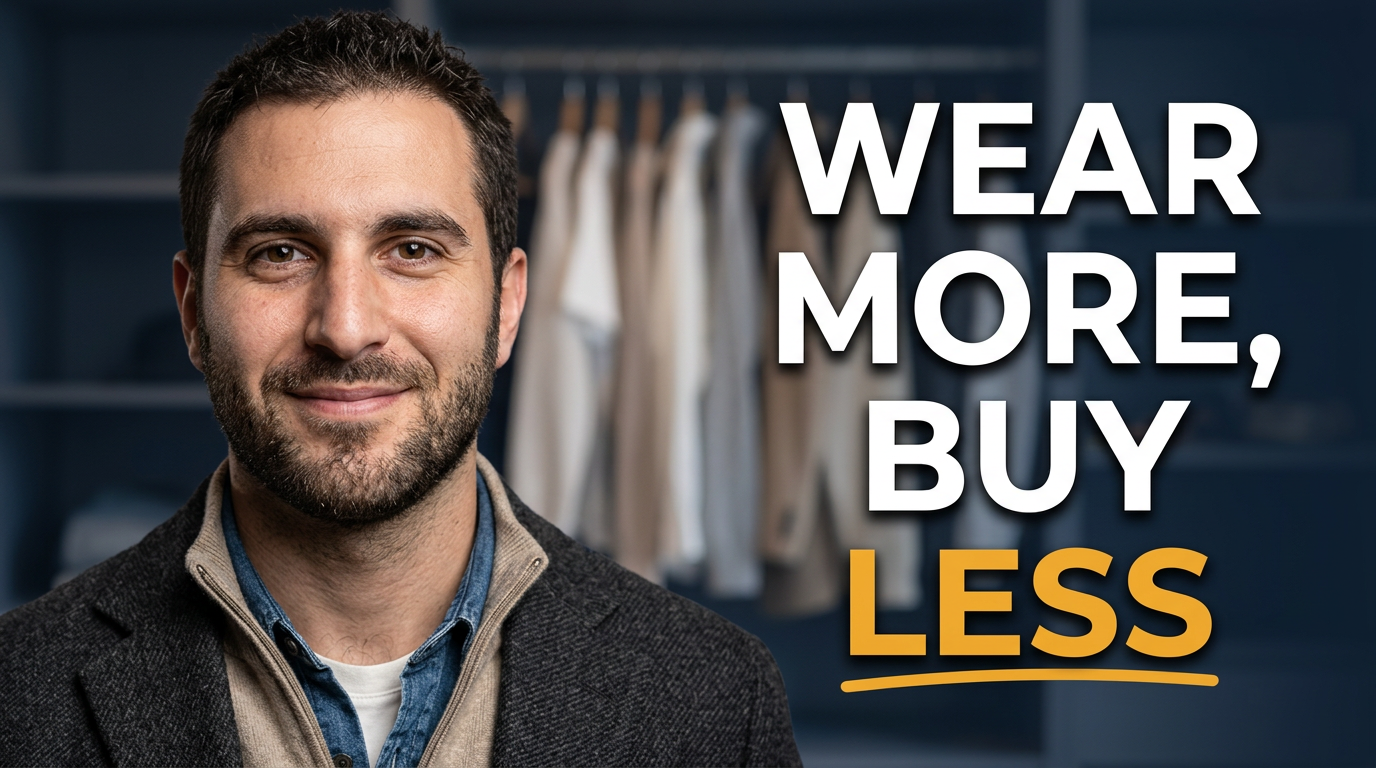
Capsule wardrobe reset

A calm, practical concept for a wardrobe reset or capsule closet video.

See the visual approach

A male fashion creator standing in front of an organized neutral-toned clothing rack, wearing a polished layered outfit with visible texture and a thoughtful confident expression. Editorial closet setting, clean negative space, soft daylight, a restrained beige and charcoal palette, with the creator and a small curated selection of garments as the visual emphasis.
Make a thumbnail like this
Female fashion creator reacting to a styling trend thumbnail concept

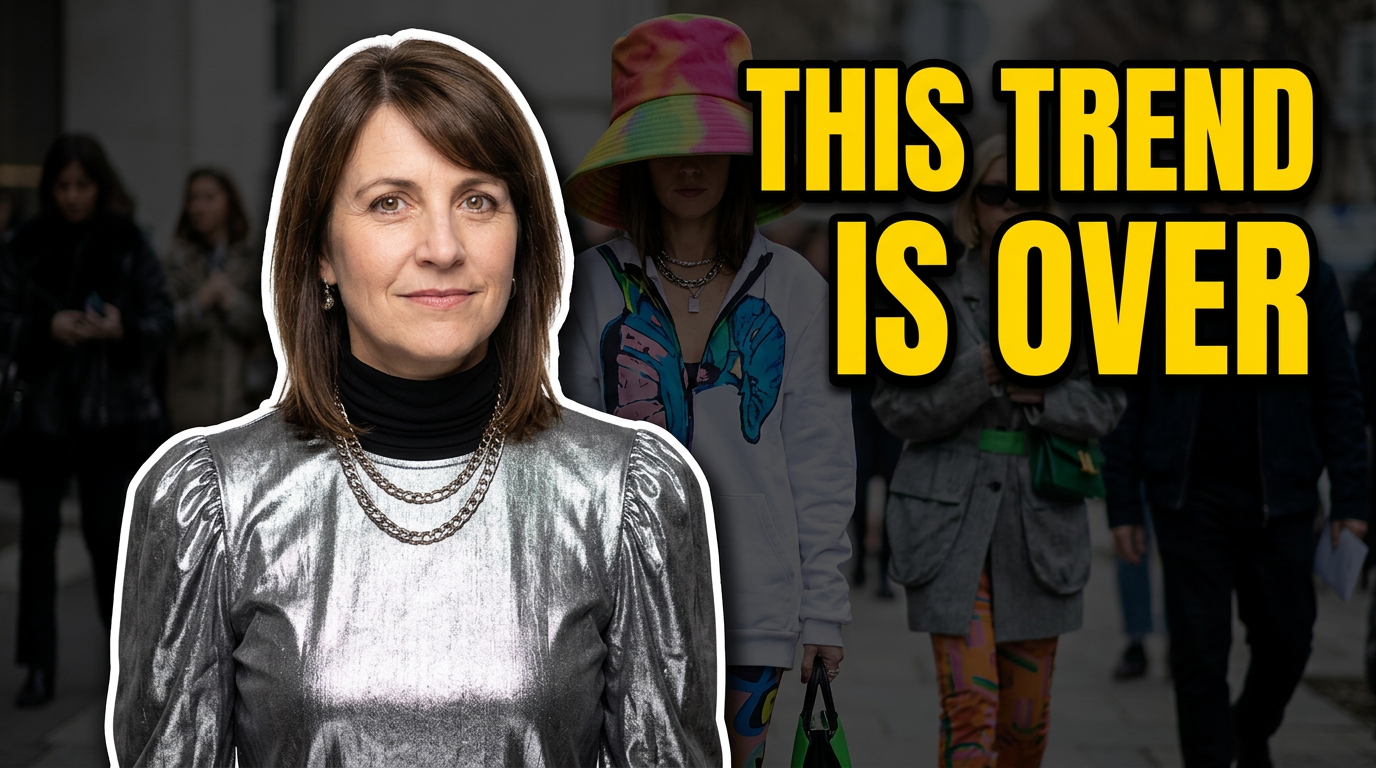
Trend verdict

A direct, personality-led concept for a trend critique or fashion opinion video.

See the visual approach

A female fashion creator in a striking contemporary outfit, posed in the foreground with an expressive skeptical reaction. Behind her, a blurred high-fashion street-style environment and a subtle contrasting garment detail suggest the trend under discussion. Crisp flash-inspired lighting, saturated accent color, bold editorial energy, with her face and outfit taking priority.

Make a thumbnail like this
Fashion creator showing three ways to style one dress thumbnail concept

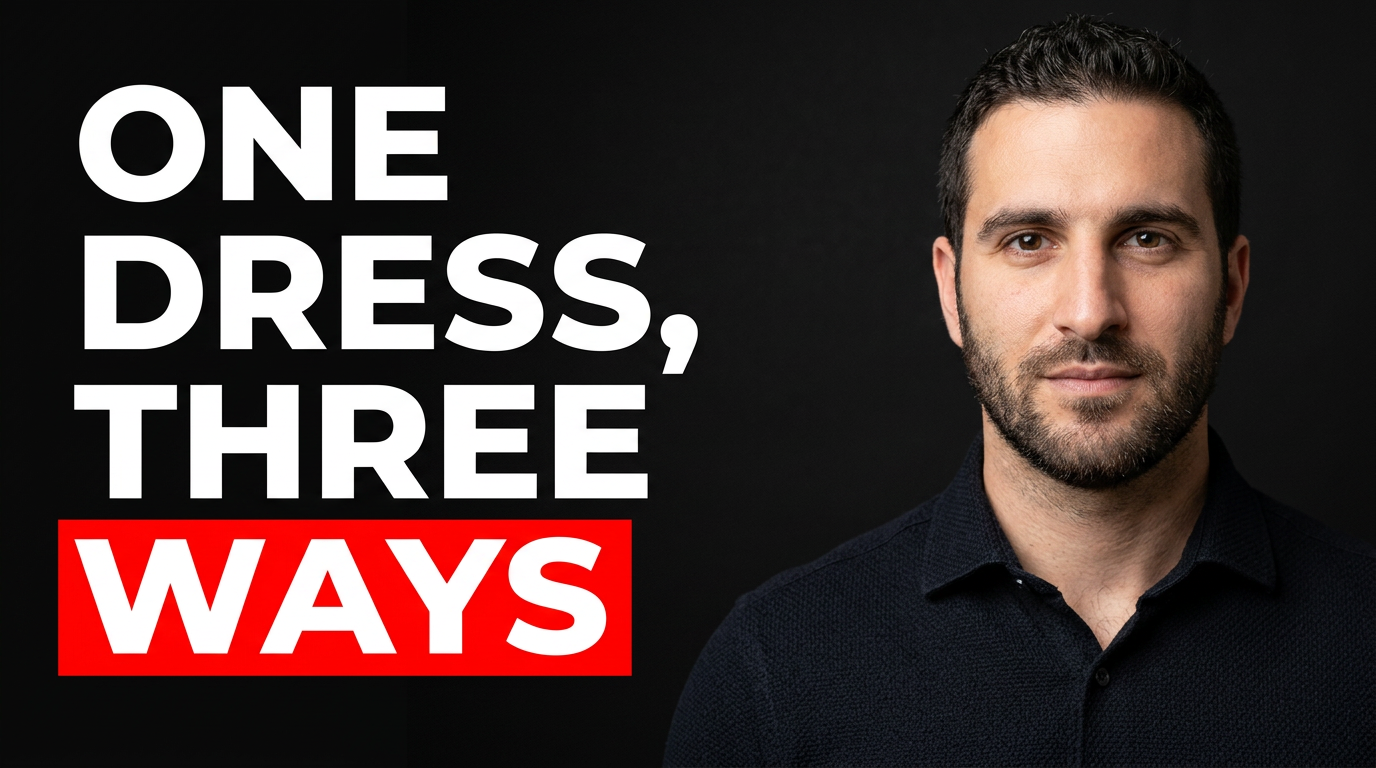
Style transformation

A clear outfit-formula concept for showing multiple ways to wear one piece.

See the visual approach

A male fashion creator presented in three coordinated full-body poses across a clean studio composition, each wearing the same base garment styled with different outerwear, shoes, and accessories. The central look is slightly larger, with clear silhouette differences between the looks. Bright refined fashion editorial lighting, structured composition, modern confident mood, and visible garment details.

Make a thumbnail like this

These examples are starting points. Results vary based on your images, wording, and creative direction.

Thumbnail ideas for fashion channels

Use a visual direction that makes the styling lesson or opinion immediately legible before a viewer reads the title.

  • Capsule wardrobe and closet-edit videos
  • Seasonal outfit formulas and what-to-wear videos
  • Trend reports, fashion hot takes, and runway reactions
  • Before-and-after styling transformations
  • Thrift, vintage, and secondhand shopping content
  • Color analysis, body-shape, and fit-focused styling advice
  • Packing, travel wardrobe, and occasion-dressing videos
  • Luxury-versus-affordable fashion comparisons

A simple workflow you can reuse

  1. 1

    Start with the strongest fashion image

    Upload a full-look photo, close-up portrait, mirror selfie, garment detail, closet image, or product shot. Keep the outfit silhouette, texture, or styling contrast visible at thumbnail size.

  2. 2

    Add the video’s clearest hook

    Use a short phrase that matches the promise of the video, such as a wardrobe problem, a decisive opinion, or a specific outfit outcome. Thumbnail.AI keeps your exact wording in the design.

  3. 3

    Direct the visual hierarchy

    Describe what should lead the eye: your expression, a statement coat, a split before-and-after look, a color palette, or a hero accessory. Ask for editorial polish, bold contrast, soft neutrals, flash photography, or a clean studio feel.

Frequently asked questions

Answers for building a useful, repeatable thumbnail workflow—not just generating one image.

Browse all thumbnail makers
What images work best for fashion and styling thumbnails?

A well-lit photo where your face and outfit are both readable is ideal. Full-body looks work well for outfit formulas and transformations, while a waist-up portrait or close crop can be stronger for style opinions and trend commentary. You can also include garment, accessory, closet, or product images as supporting material.

Can I use my own outfit photos and keep the clothing accurate?

Yes. Upload your own source images and direct Thumbnail.AI to emphasize specific pieces, colors, textures, or accessories. Reference the exact source image when you want a particular look to remain the visual focus.

How much text should a fashion thumbnail have?

Keep it short enough to scan quickly—usually two to six words. Let the outfit and your expression provide context, then use the text for the central promise, such as a wardrobe fix, a trend verdict, or a style challenge.

How do I make a before-and-after styling thumbnail clear?

Use two distinctly different looks or a visibly separated composition. Ask for the earlier look to feel simpler or less resolved and the finished look to have stronger posture, styling, color, or accessories. A single short phrase can reinforce the transformation without crowding the image.

Can I revise a thumbnail after I see the first version?

Yes. Give plain-language changes such as “make the blazer more prominent,” “move me to the left,” “use a cleaner neutral background,” “show more of the shoes,” or “make the mood more editorial.”

Style the first impression

Bring your outfit photos, fashion perspective, and exact thumbnail wording to Thumbnail.AI, then refine the visual until it fits the video and your channel.

Create a thumbnail in Thumbnail.AI