Dropshipping Thumbnails That Make the Offer Clear
Create YouTube-style thumbnails for product research, store builds, ad breakdowns, supplier lessons, and ecommerce updates—using your face, product photos, and precise on-image wording.
- personYour face
- add_photo_alternateYour source images
- edit_notePlain-language edits
Make every dropshipping video easier to understand at a glance
Dropshipping content often has to communicate a product, result, challenge, or business decision before someone reads the title. Thumbnail.AI helps you turn your own product images, screenshots, brand assets, and face into focused thumbnail concepts. Describe the angle in plain language, set the exact words viewers should see, and revise the layout until the key idea is unmistakable.
Built for store owners, product researchers, ecommerce educators, ad creatives, and creators documenting the day-to-day work behind a dropshipping business.
Three thumbnail ideas for dropshippers
Each example explores a different visual direction and can be adapted with your own face, images, wording, and brand.
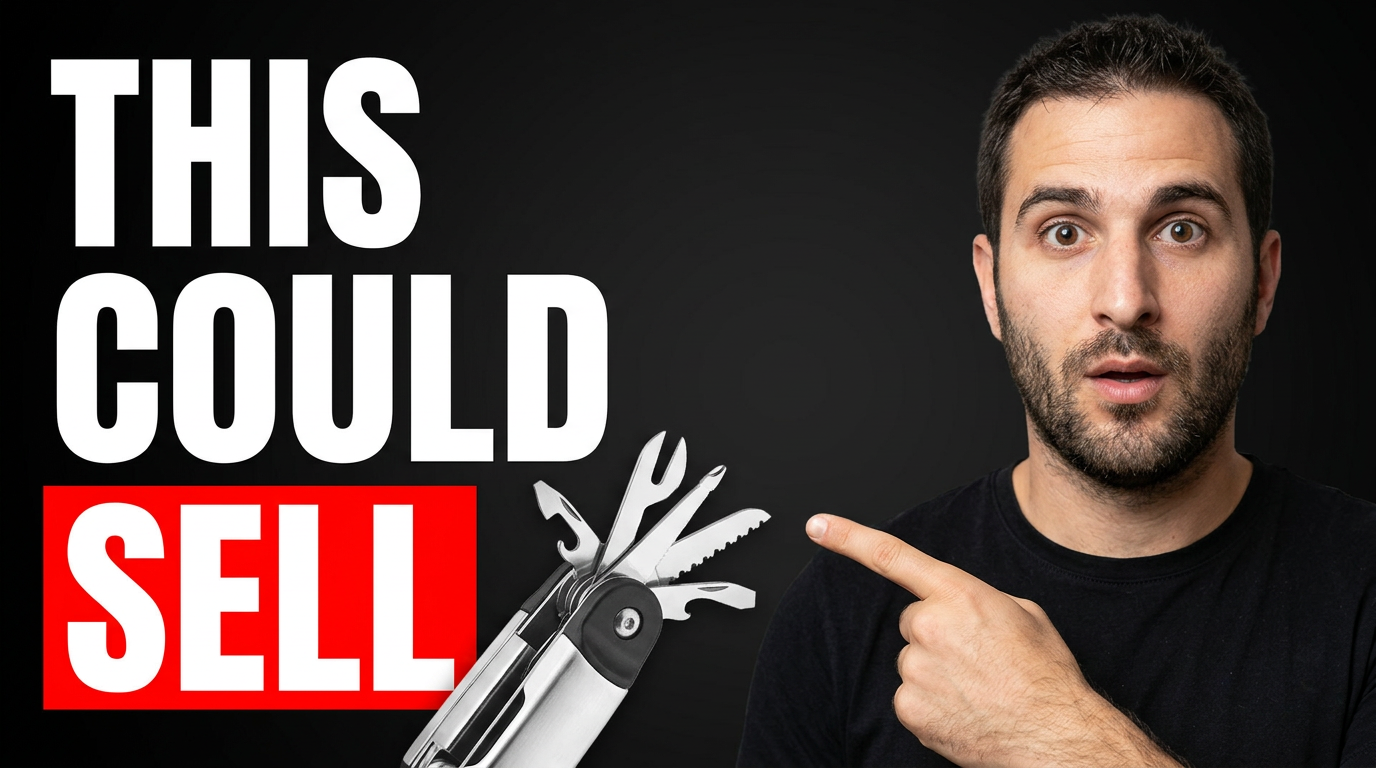
Product research reveal
Put the product at the center of a research-focused video while your reaction signals a promising find.
See the visual approach
A male dropshipper with an alert, intrigued expression pointing toward a supplied compact kitchen product photo enlarged in the foreground; clean ecommerce research workspace in the background with subtle abstract product cards; strong separation between the person and product; energetic, discovery-focused mood; prioritize the supplied product image and the creator's reaction.
Make a thumbnail like this →
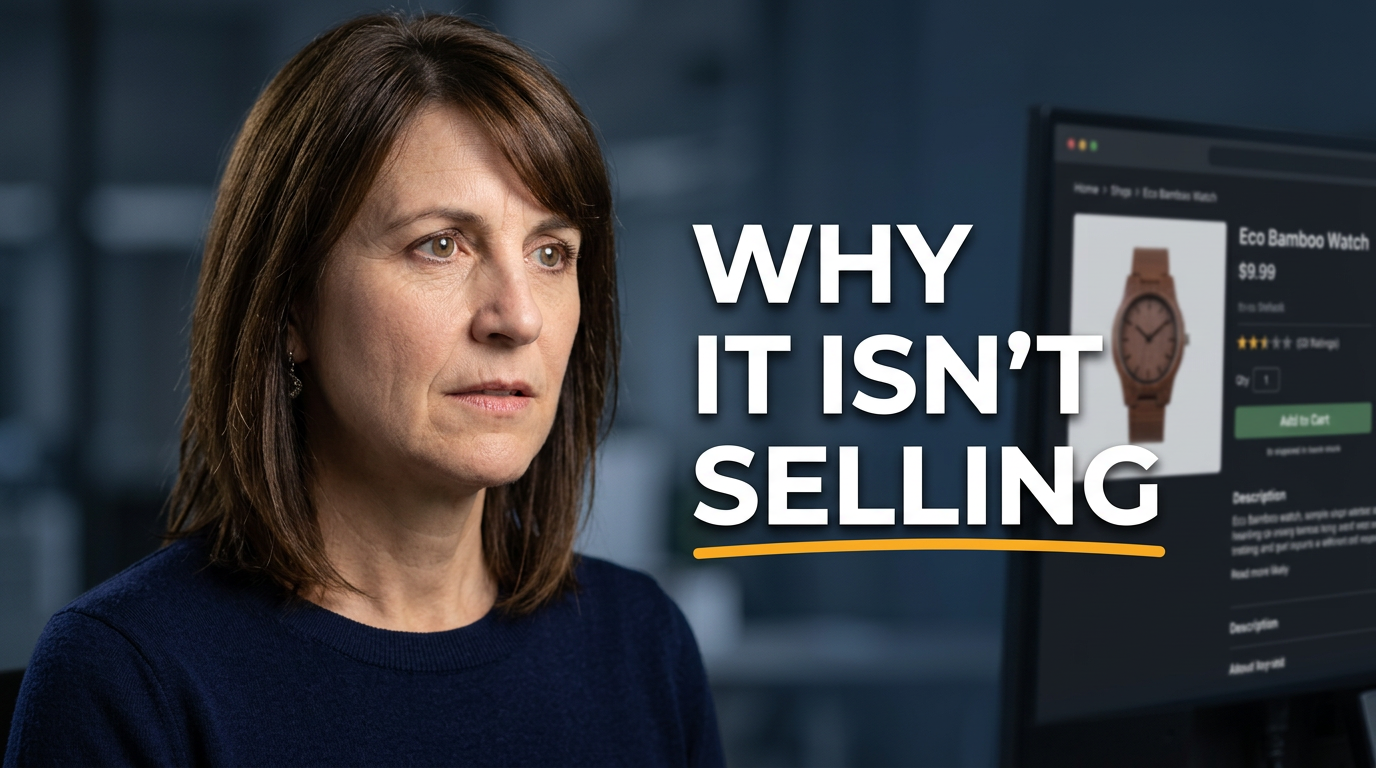
Store teardown
Frame a product-page critique around the specific point of friction viewers want explained.
See the visual approach
A female ecommerce creator with a thoughtful, analytical expression looking toward a supplied storefront product-page screenshot; supplied product photo visible as a secondary focal point; refined desktop workspace environment; visual emphasis on careful evaluation, page details, and the creator's concerned reaction; clean professional composition.
Make a thumbnail like this →
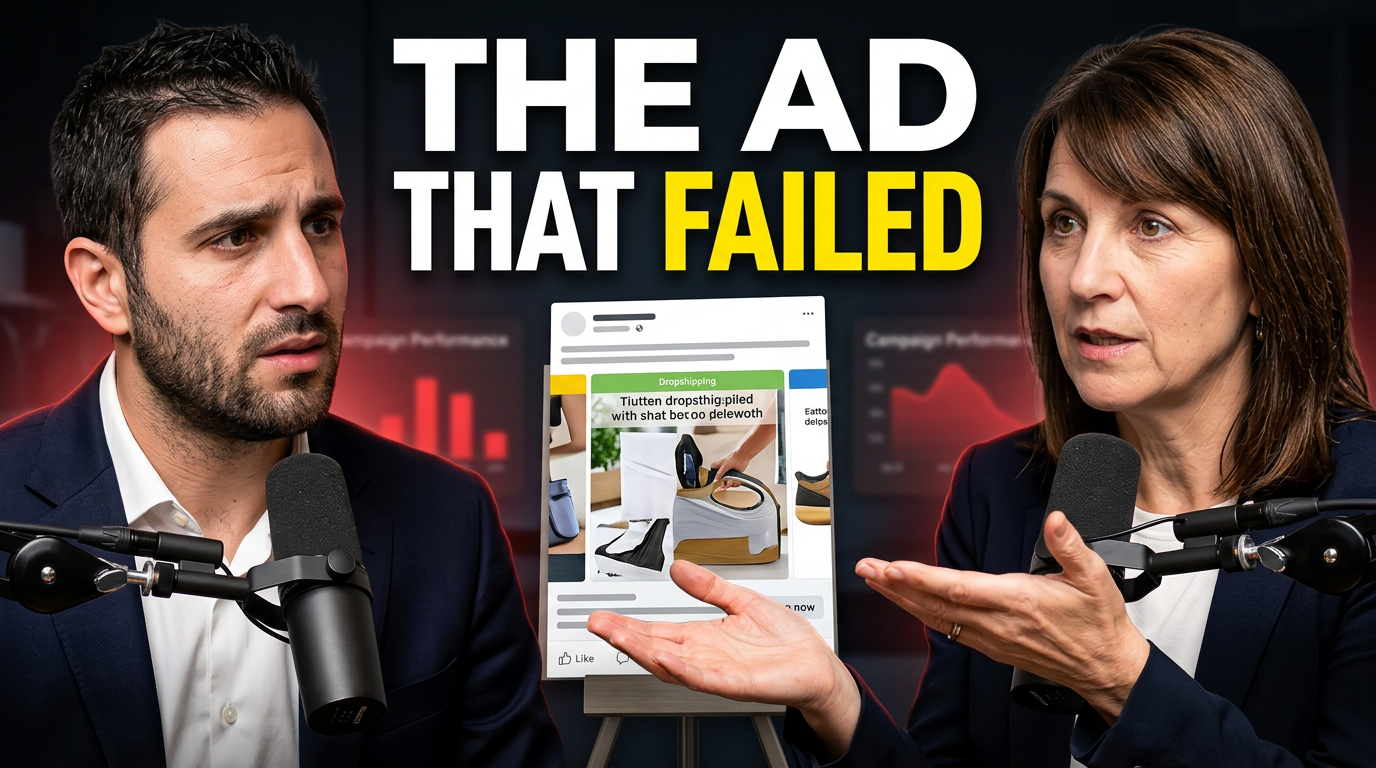
Ad test breakdown
Make an ad-analysis video feel like a direct conversation about a campaign decision.
See the visual approach
Two dropshipping co-hosts in a conversational setup, one concerned and one explaining with an open-hand gesture; supplied product ad creative positioned prominently between them; dark modern ecommerce studio environment with restrained campaign-chart shapes in the background; emphasis on the failed creative, contrasting reactions, and an honest post-test discussion.
Make a thumbnail like this →
These examples are starting points. Results vary based on your images, wording, and creative direction.
Thumbnail angles for dropshipping content
Match the visual emphasis to what the video actually delivers, whether you are showing a product opportunity, explaining store decisions, or reviewing the numbers behind a campaign.
- Winning-product research and product comparisons
- Store launch, redesign, and conversion-focused changes
- Creative testing, ad analysis, and campaign updates
- Supplier sourcing, fulfillment, and shipping conversations
- Profit-margin, pricing, and cost breakdowns
- Product-page reviews and ecommerce teardowns
- Day-in-the-life updates from a store owner
- Lessons from launches, setbacks, and pivots
A simple workflow you can reuse
-
1
Start with the video’s business angle
Choose the one idea a viewer should recognize immediately: the product, a store result, an ad decision, a supplier issue, or a clear lesson.
-
2
Bring in the proof people expect
Upload your product photo, storefront screenshot, dashboard crop, packaging image, or other source material that makes the topic feel specific to your store.
-
3
Use your face to add a human reaction
Include a confident, skeptical, surprised, or analytical expression when it supports the story. Thumbnail.AI can build the composition around your supplied face image.
Frequently asked questions
Answers for building a useful, repeatable thumbnail workflow—not just generating one image.
Browse all thumbnail makers →
What should a dropshipping thumbnail show?
add
Show one primary subject tied to the video: the product, a product-page screenshot, an ad creative, a store metric, or a supplier-related visual. Pair it with a readable reaction and a short phrase that frames why the viewer should care.
Can I use my own product photos and Shopify screenshots?
add
Yes. Add your product photos, storefront captures, packaging shots, ad creatives, or dashboard screenshots as source material, then direct how they should be featured in the composition.
How much text belongs on a dropshipping thumbnail?
add
Keep it short—usually two to six words. Let the product, your expression, or one key visual carry the rest of the message. Exact wording can be set in Thumbnail.AI.
Can I make thumbnails for product research videos without showing revenue screenshots?
add
Yes. Use the product itself, a market or competitor comparison, a sourcing visual, or your decision-making reaction. The thumbnail can communicate research and evaluation without putting sensitive store data on display.
Can I revise a thumbnail after I see the first concept?
add
Yes. Give a direct revision such as making the product larger, changing your expression, simplifying the background, emphasizing a product-page detail, or replacing the visible wording.
Build your next dropshipping thumbnail
Bring your product images, store visuals, and point of view. Tell Thumbnail.AI what the video needs to communicate, then shape the concept with clear revisions.
Create a thumbnail in Thumbnail.AI