Cycling Thumbnails Built for the Ride

Turn your bike photos, action shots, route maps, and on-camera reactions into custom YouTube-style thumbnails with wording and visual direction you control.

  • Your face
  • Your source images
  • Plain-language edits
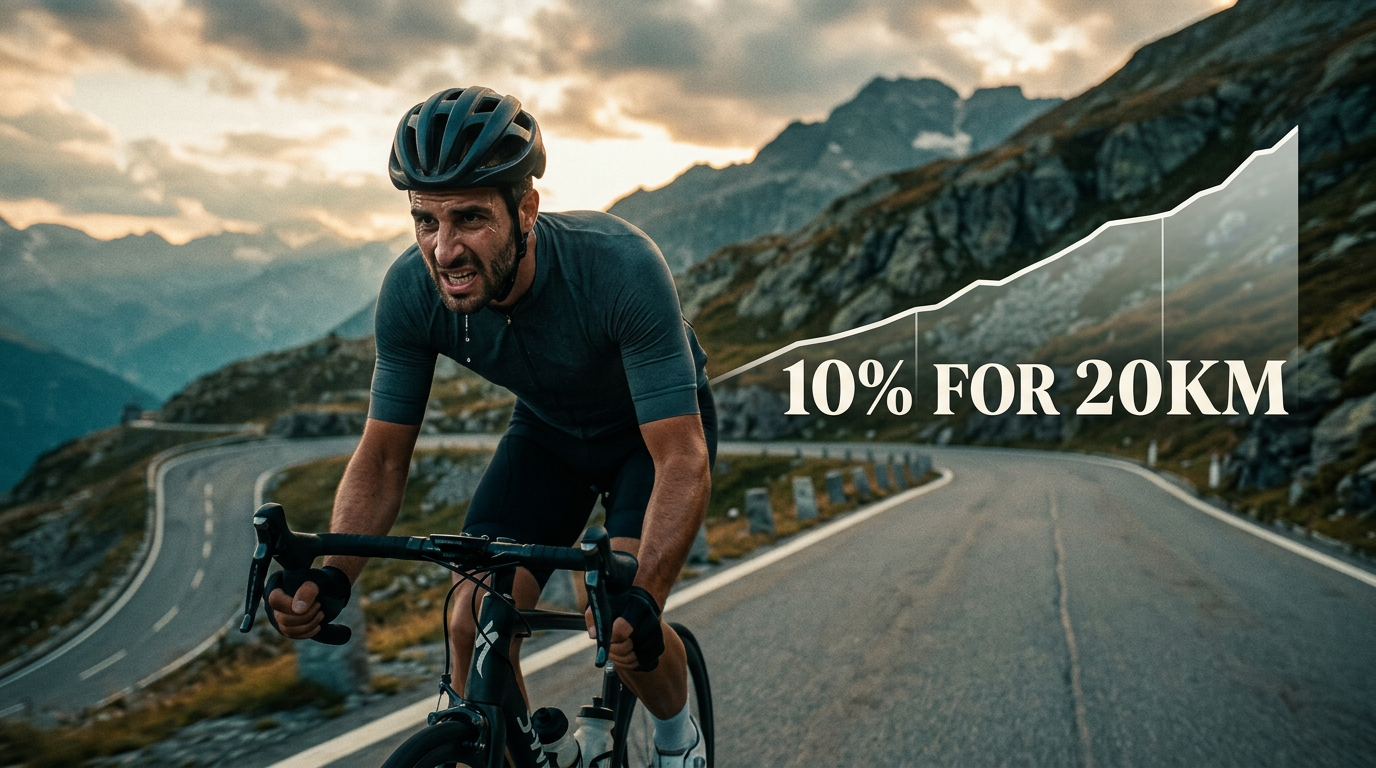
Cyclist climbing a steep mountain road beside a dramatic elevation profile

Make cycling video thumbnails that show the challenge

A strong cycling thumbnail makes the video’s central ride, bike, problem, or result clear before someone reads the title. With Thumbnail.AI, upload your own riding photo, bike image, race image, or landscape shot, add exact wording, and describe the composition in plain language. Create thumbnail concepts for epic climbs, first rides, gear reviews, training progress, maintenance fixes, bikepacking trips, and race-day recaps without settling for generic cycling imagery.

Made for cycling creators covering road, gravel, mountain biking, commuting, indoor training, bikepacking, racing, and hands-on bike content.

Three thumbnail ideas for cycling

Each example explores a different visual direction and can be adapted with your own face, images, wording, and brand.

Cyclist climbing a steep mountain road beside a dramatic elevation profile

Climb challenge video

Make the gradient and the effort impossible to miss.

See the visual approach

A male cyclist riding uphill on a narrow mountain road, viewed from a low front-side angle, strained but determined expression visible, steep switchbacks and rocky alpine scenery behind him, his road bike prominent in the foreground, dramatic cloudy light, a clean rising elevation-profile graphic in the background, composition emphasizing steepness and endurance.
Make a thumbnail like this
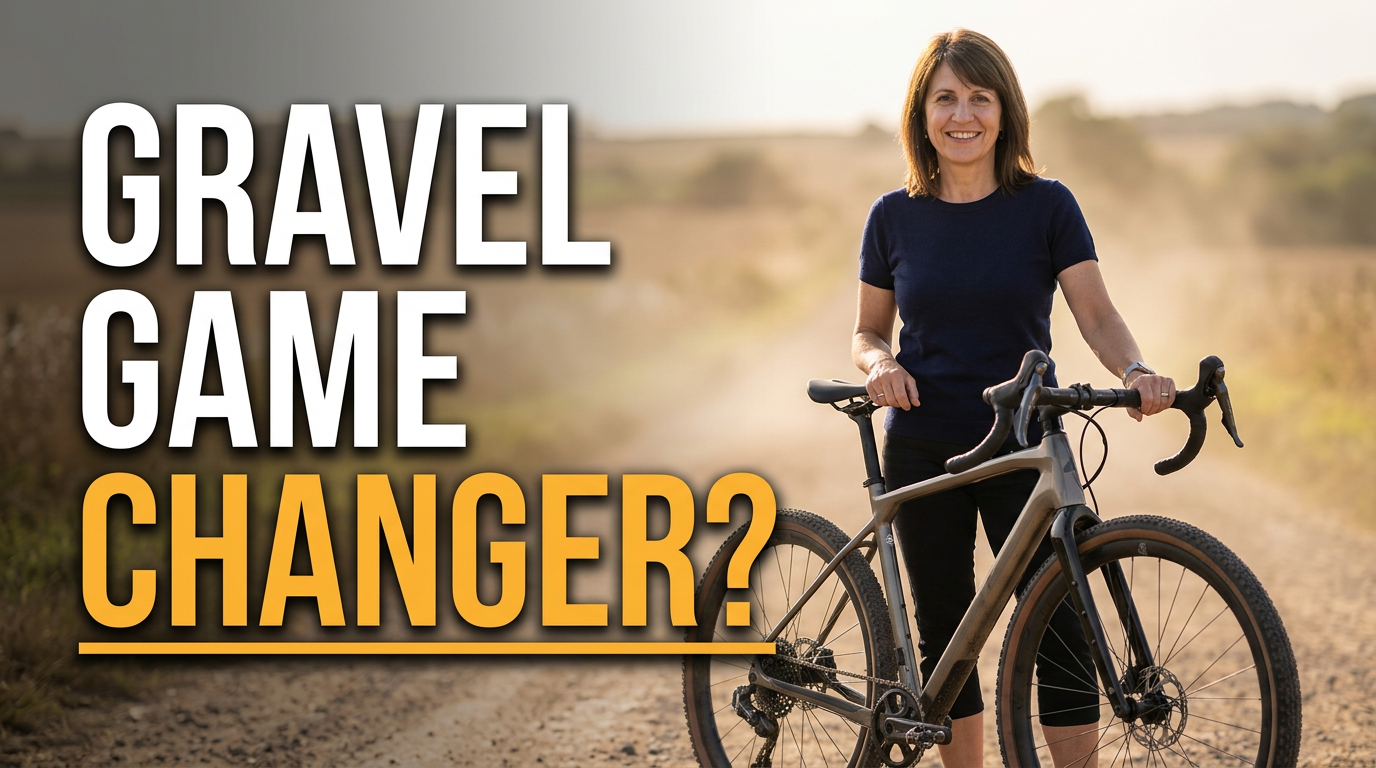
Female cyclist standing beside a gravel bike on a dusty countryside track

Gravel bike review

Put the bike’s character and your verdict at the center.

See the visual approach

A female cycling creator standing beside her gravel bike on a dusty rural track, direct evaluative expression, bike shown large in three-quarter side view with frame and wide tires clearly visible, warm open countryside in the background, subtle dust in the air, balanced composition with the bike as the main subject and the creator as a trusted reviewer.

Make a thumbnail like this
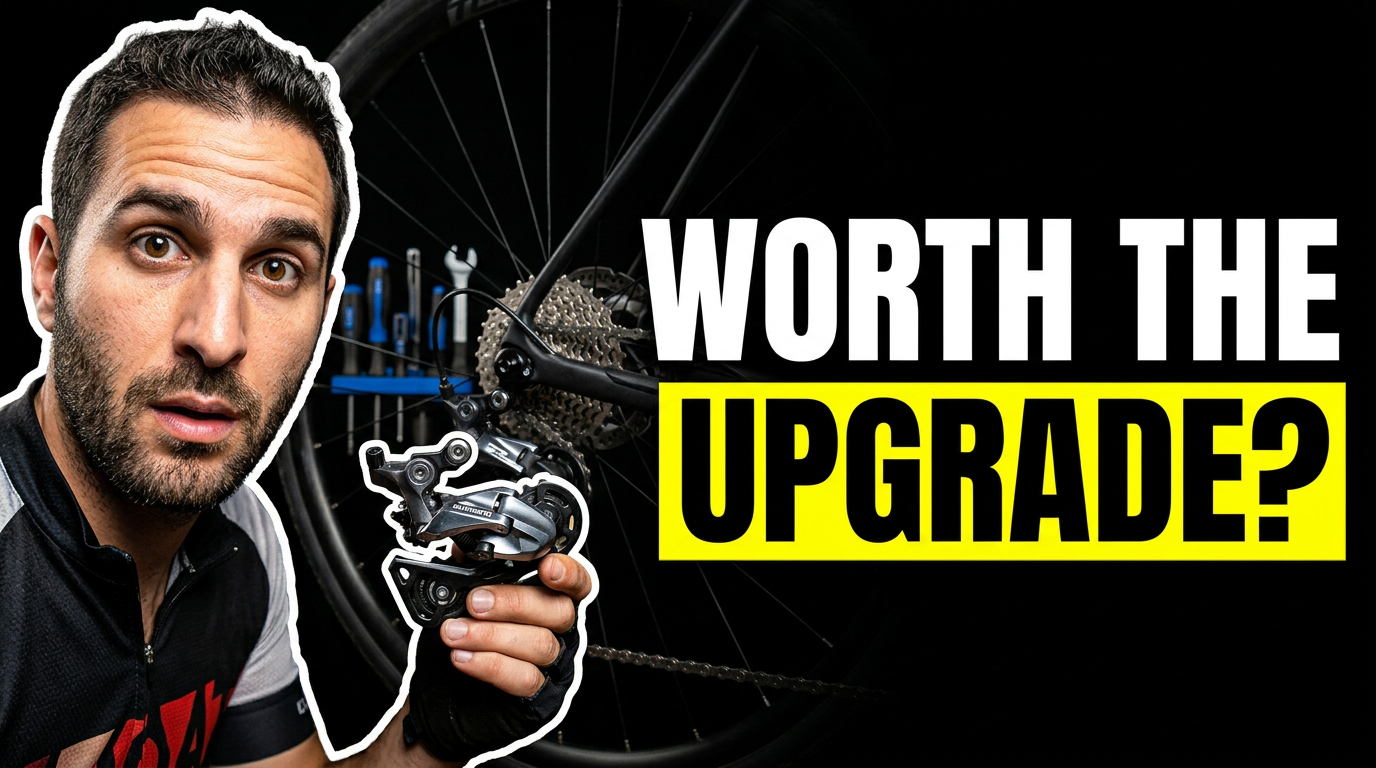
Cyclist examining a new drivetrain component next to a bike in a workshop

Workshop upgrade video

Turn a technical upgrade into a clear decision moment.

See the visual approach

A male cyclist in a tidy home bike workshop holding a shiny drivetrain component near his bike, surprised and analytical expression, close-up emphasis on the component and rear section of the bike, tools and work stand softly visible in the background, crisp directional lighting, composition built around a clear before-versus-after upgrade decision.

Make a thumbnail like this

These examples are starting points. Results vary based on your images, wording, and creative direction.

Cycling content worth highlighting

Match the thumbnail to the moment that gives each video its reason to watch.

  • Big climbs, brutal gradients, and personal-best attempts
  • Road, gravel, mountain bike, and e-bike reviews
  • New bike builds, upgrades, and component comparisons
  • Training plans, fitness milestones, and indoor-riding challenges
  • Race previews, event recaps, and ride-day stories
  • Bikepacking routes, multi-day trips, and adventure rides
  • Maintenance fixes, workshop projects, and setup changes
  • Commuting tests, local routes, and practical riding advice

A simple workflow you can reuse

  1. 1

    Add your cycling source material

    Upload a clear photo of yourself, your bike, a component, a trail, a route map, or a finish-line moment. Use the images that make the video feel like your channel.

  2. 2

    Choose the one idea to emphasize

    Center the visual around the climb, mechanical problem, bike feature, route, result, or reaction that matters most. Keep the thumbnail focused on one immediate story.

  3. 3

    Set the exact thumbnail wording

    Enter the short phrase you want viewers to see. Thumbnail.AI keeps your requested wording separate from the visual direction so the message stays deliberate.

Frequently asked questions

Answers for building a useful, repeatable thumbnail workflow—not just generating one image.

Browse all thumbnail makers
What should a cycling thumbnail show?

Show the clearest visual proof of the video’s premise: a rider on a steep climb, a close look at the bike or part being reviewed, a dramatic trail section, a route map, or a visible before-and-after result. One strong focal point is usually more readable than a collage of ride photos.

Can I use my own bike and riding photos?

Yes. Upload your own photos of yourself, your bike, components, workshop setup, route screenshots, or ride location. This is especially useful when viewers expect to recognize your bike, kit, local terrain, and on-camera identity.

How much text belongs on a cycling thumbnail?

Keep it short enough to read at a small size—often two to six words. Let the image carry the context. For example, the steep road, mud-covered rider, or close-up drivetrain can communicate details that do not need to be written out.

How do I make a bike review thumbnail different from a ride video thumbnail?

For a review, make the bike, wheelset, component, or key detail large and easy to inspect, with your reaction or comparison context supporting it. For a ride video, prioritize the terrain, weather, route challenge, or rider moment that establishes the experience.

Can Thumbnail.AI help with revisions for a recurring cycling channel style?

Yes. Start with your source image and direction, then revise the emphasis, layout, mood, and wording in plain language. You can keep familiar channel elements while adapting each thumbnail to a new bike, route, challenge, or story.

Create your next cycling thumbnail

Bring your ride photos, bike shots, and exact message to Thumbnail.AI, then shape a custom thumbnail around the story your video needs to tell.

Create a thumbnail in Thumbnail.AI