Beauty & Makeup Thumbnails That Make the Look Pop

Create custom YouTube-style thumbnails for tutorials, product reviews, GRWMs, transformations, and skincare routines—using your own face, makeup photos, products, and exact thumbnail wording.

  • Your face
  • Your source images
  • Plain-language edits
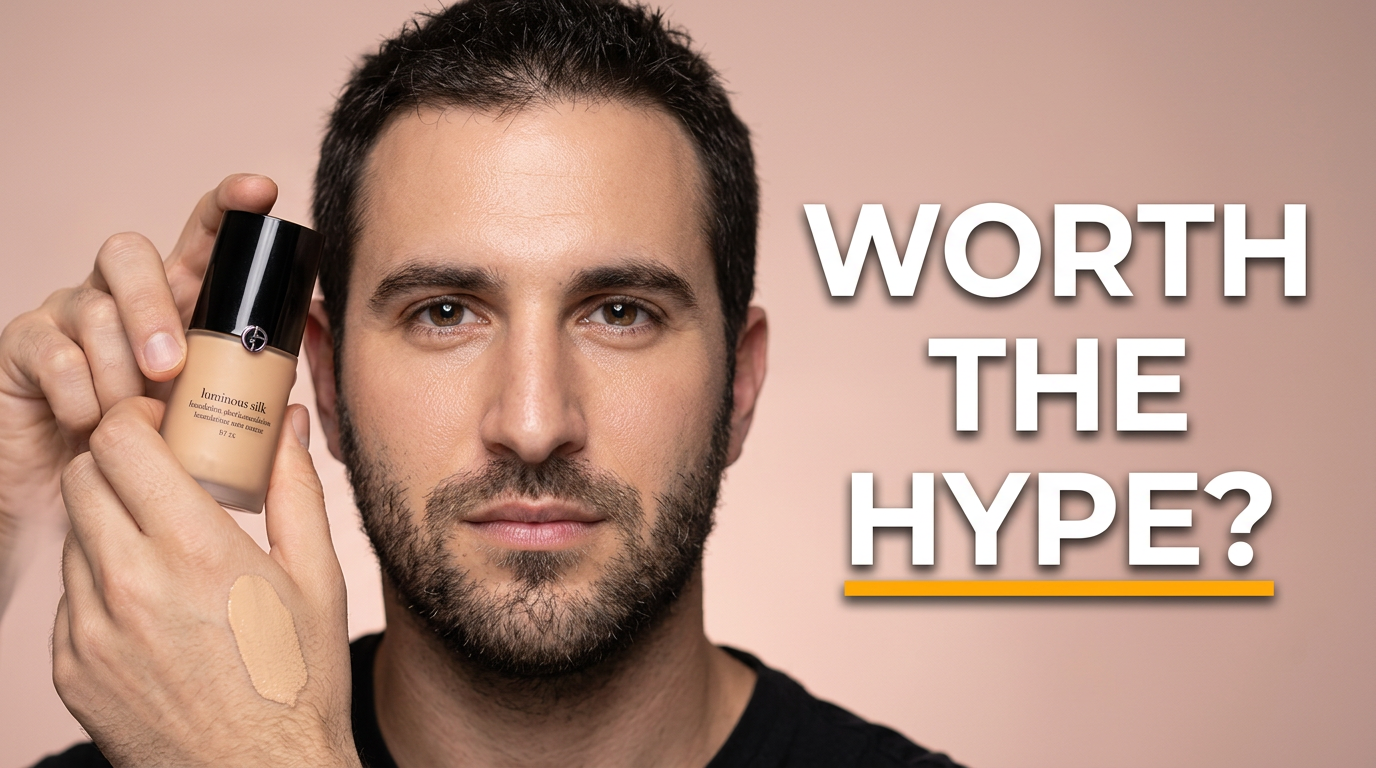
Beauty creator holding a foundation bottle beside a close-up of luminous complexion makeup

Custom thumbnails for beauty content creators

Beauty videos compete in a highly visual feed, where the finished look, a compelling product detail, or a dramatic before-and-after needs to read instantly. Thumbnail.AI helps beauty creators turn their own source images and creative direction into polished thumbnail concepts. Upload a selfie, makeup close-up, palette shot, or product image, then specify the mood, composition, and exact words you want visible. Revise the result in plain language until it fits your channel and the video.

Made for makeup artists, beauty YouTubers, skincare creators, hair and beauty reviewers, and lifestyle channels that need visuals as polished as the content.

Three thumbnail ideas for beauty & makeup

Each example explores a different visual direction and can be adapted with your own face, images, wording, and brand.

Beauty creator holding a foundation bottle beside a close-up of luminous complexion makeup

Drugstore foundation review

Put the finished complexion and the exact reviewed product at the center of a clear verdict thumbnail.

See the visual approach

Close-up beauty creator with polished luminous complexion, holding her own foundation bottle prominently near the camera; clean warm blush-pink studio background; product label and natural skin finish both clearly emphasized; confident evaluative expression; glossy professional beauty-review lighting; use the supplied creator photo and product source image.

Make a thumbnail like this
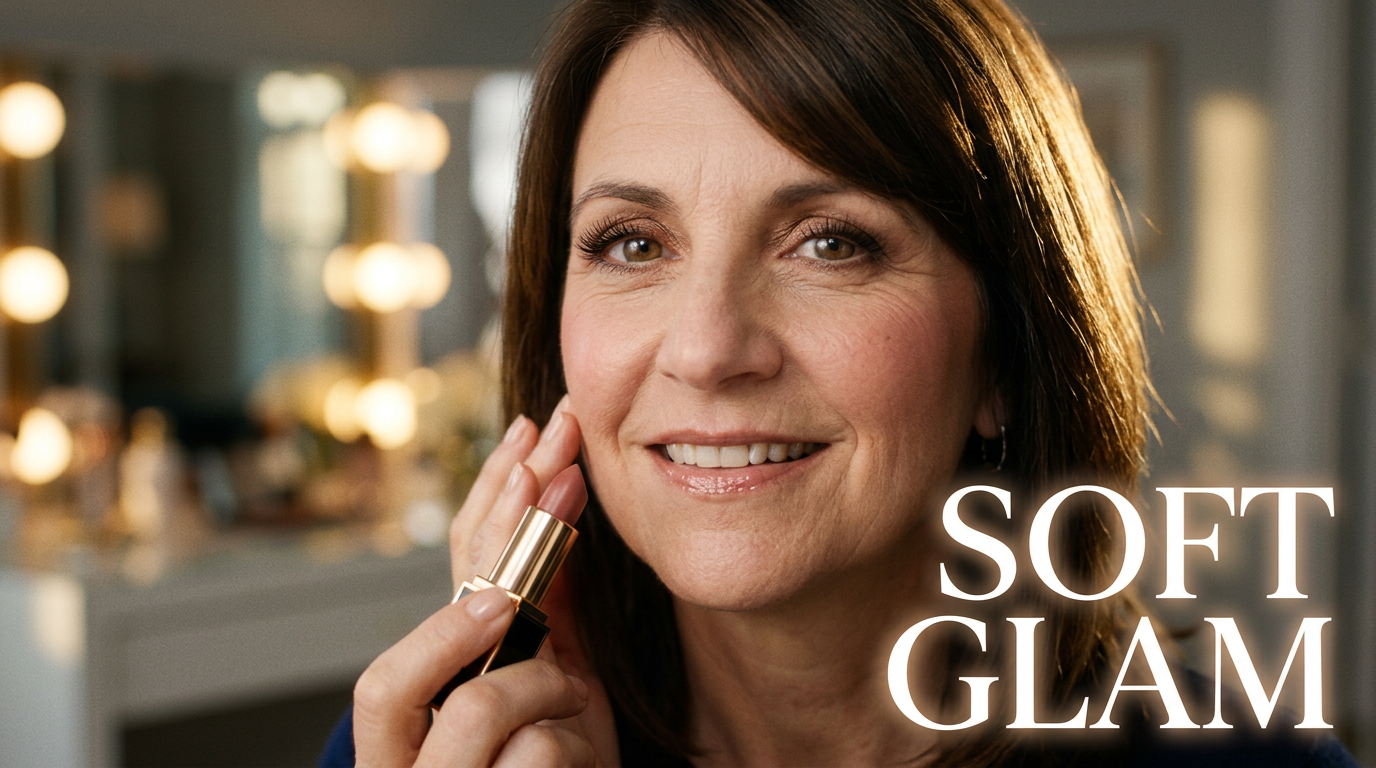
Beauty creator with a soft glam eye look applying lipstick in a warm vanity setting

Soft glam tutorial

Feature the finished eye and lip look for a tutorial viewers can identify at a glance.

See the visual approach

Beauty creator based on the supplied face photo, shown in a close portrait with soft bronze eye makeup, fluttery lashes, rosy cheeks, and nude glossy lips; lipstick application gesture; softly blurred warm vanity lights and elegant neutral background; editorial, inviting mood; emphasize the eye look and polished complexion.

Make a thumbnail like this
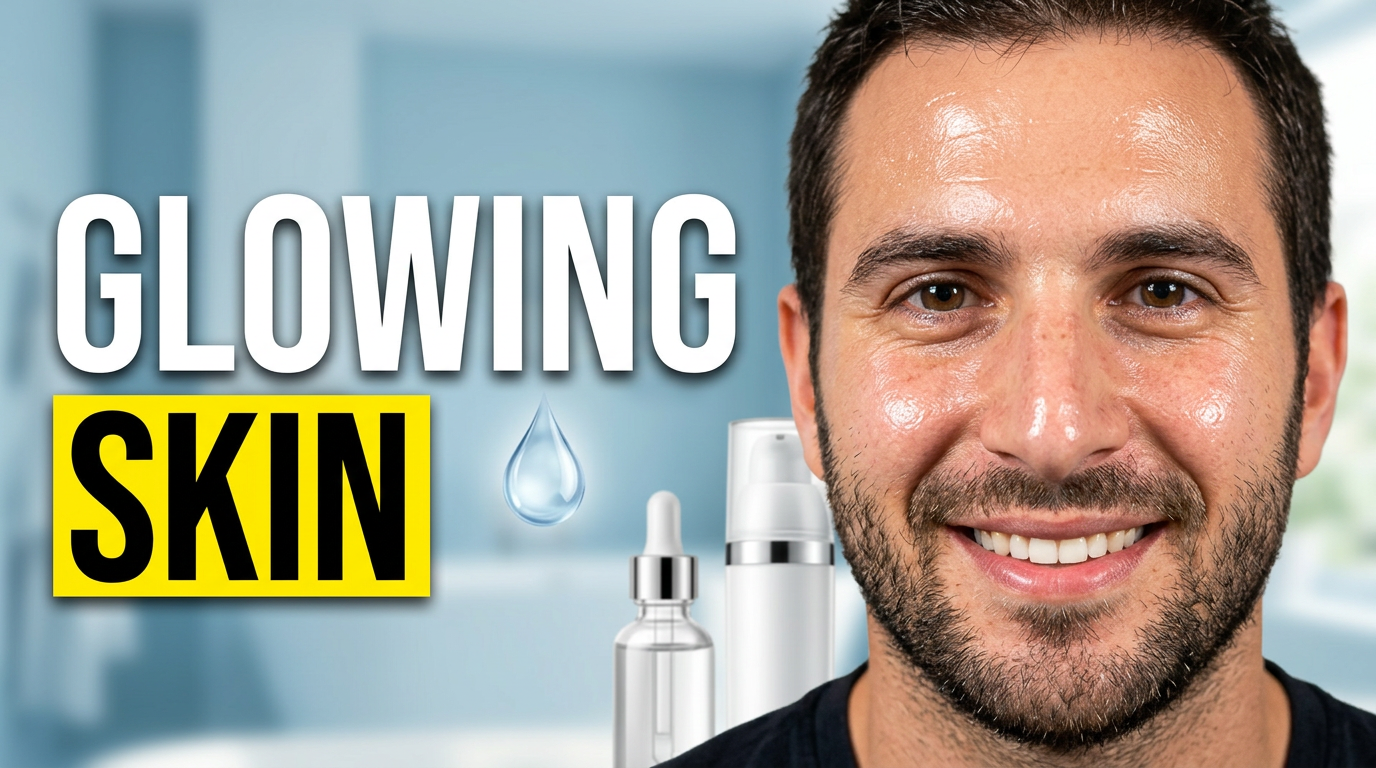
Beauty creator displaying radiant skincare results next to selected serum and moisturizer products

Skincare routine results

Pair a natural skin close-up with the routine’s hero products for a results-focused video.

See the visual approach

Beauty creator using the supplied face image in a fresh natural close-up with radiant hydrated skin; her supplied serum and moisturizer arranged visibly beside her; airy pale-blue bathroom-inspired background with subtle daylight; calm credible mood; emphasize healthy skin texture and the product pair; clean premium skincare composition.

Make a thumbnail like this

These examples are starting points. Results vary based on your images, wording, and creative direction.

Beauty videos that need a strong first impression

Build thumbnail concepts around the moment viewers care about most: the reveal, the result, the product verdict, or the technique they want to try.

  • Full-face makeup tutorials and seasonal looks
  • Drugstore versus luxury product comparisons
  • Foundation, concealer, and shade-match reviews
  • GRWM, date-night, bridal, and event makeup videos
  • Skincare routines, ingredient explainers, and product empties
  • Makeup transformations, before-and-afters, and challenge videos
  • Palette launches, first impressions, and haul videos
  • Hair styling, nail looks, and beauty routine updates

A simple workflow you can reuse

  1. 1

    Add your beauty assets

    Upload a clear photo of yourself, a finished makeup look, a product flat lay, a palette, or before-and-after source images. Use the visuals that viewers should recognize from the video.

  2. 2

    Describe the visual direction

    Tell Thumbnail.AI what should lead the frame: glowing skin, bold eye makeup, a foundation test, a product close-up, or a side-by-side comparison. Include your preferred color mood and any must-show source material.

  3. 3

    Set the wording and refine

    Enter the short phrase you want on the thumbnail, then request revisions in plain language—such as a tighter crop on the eye look, more emphasis on the product, cleaner background, or a more editorial finish.

Frequently asked questions

Answers for building a useful, repeatable thumbnail workflow—not just generating one image.

Browse all thumbnail makers
Can I use my own makeup look and product photos?

Yes. Upload your own face photos, finished-look images, swatches, palettes, bottles, packaging, or other source material. This is especially useful when the thumbnail needs to match the exact look or products covered in the video.

What wording works best on a makeup thumbnail?

Keep it short and specific to the hook: a verdict, result, comparison, or occasion. Phrases such as “Worth The Hype?”, “Soft Glam,” or “Shade Match” are easier to scan than a full video title. Thumbnail.AI lets you provide the exact wording you want shown.

Can I create a before-and-after transformation thumbnail?

Yes. Provide clear before-and-after images and ask for a split composition that makes the contrast unmistakable. Mention which side should receive more emphasis and whether the focus is complexion, brows, eyes, lips, hair, or the complete look.

How do I make a beauty review thumbnail without hiding the product?

Use a face-forward composition with a large, recognizable product shot placed beside the finished look. Ask for clean negative space around the product and a short verdict phrase so packaging, expression, and text remain readable at small sizes.

Can the thumbnail match my channel’s beauty aesthetic?

Yes. Describe your recurring visual choices, such as soft pink backgrounds, glossy editorial lighting, neutral skincare tones, high-contrast glam, or colorful Y2K energy. You can also upload reference assets from your own channel to keep the direction consistent.
Make your next beauty thumbnail unmistakable

Bring your look, products, and creative direction together in a thumbnail built for your next makeup or beauty video.

Create a thumbnail in Thumbnail.AI