BBQ & Grilling Thumbnails That Make the Cook Look Unmissable
Turn your smoker, grill, finished plate, and on-camera reaction into custom YouTube-style thumbnails. Add your own photos, choose the exact words, and direct every revision in plain language with Thumbnail.AI.
- personYour face
- add_photo_alternateYour source images
- edit_notePlain-language edits
Custom thumbnails for BBQ cooks, grill tests, and outdoor food videos
A great BBQ thumbnail makes the food instantly readable: a bark-covered brisket slice, glossy ribs, a hard sear, rising smoke, or a dramatic grill reveal. Thumbnail.AI helps you build around the specific cook in your video—not a generic stock barbecue scene. Upload your face and source photos, specify your title wording, and refine the composition until the meat, fire, and moment feel true to your channel.
Built for pitmasters, backyard grillers, recipe creators, barbecue reviewers, competition teams, and outdoor cooking channels.
Three thumbnail ideas for bbq and grilling
Each example explores a different visual direction and can be adapted with your own face, images, wording, and brand.
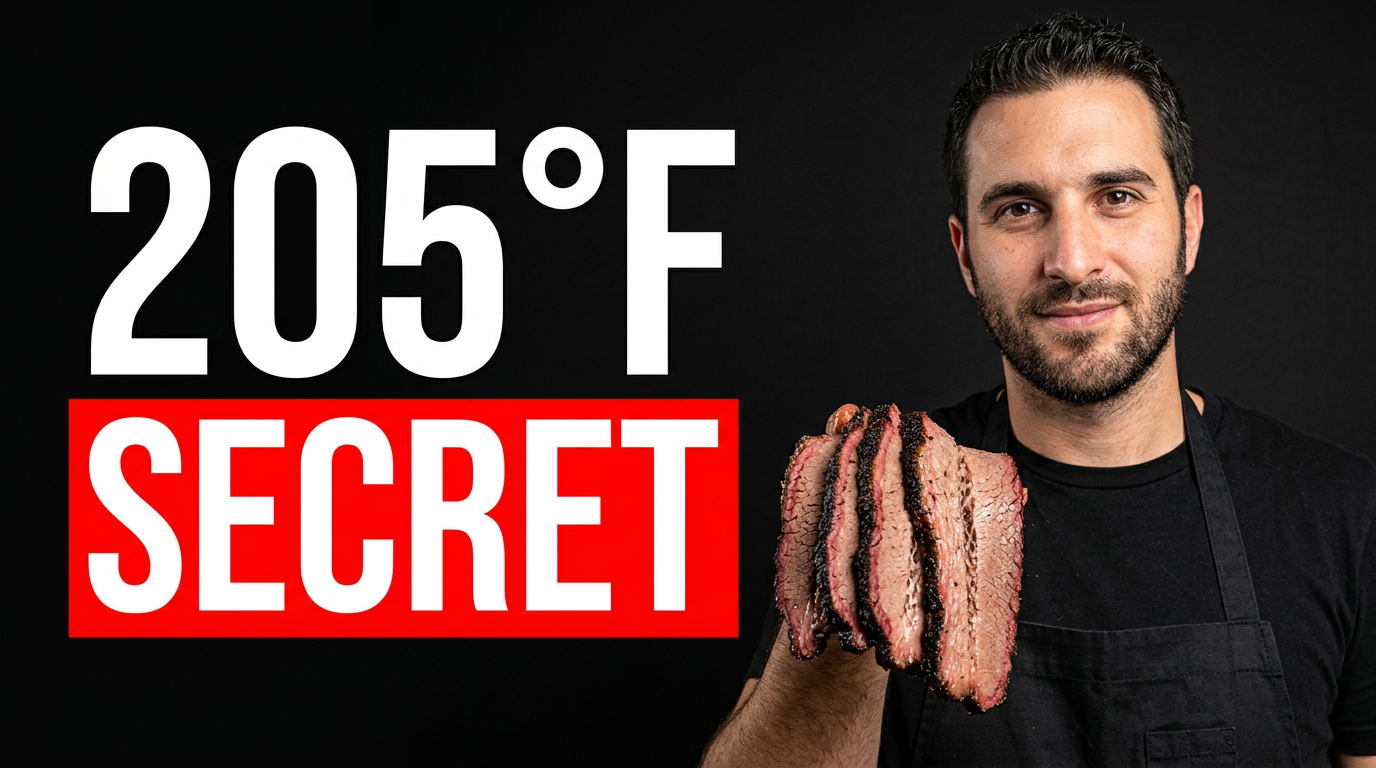
Brisket temperature reveal
Make the brisket texture and key temperature the first things viewers notice.
See the visual approach
Close composition of a male pitmaster in a black apron holding a sliced brisket toward the camera, pronounced bark and pink smoke ring in sharp focus, offset smoker and soft smoke in the background, warm late-afternoon outdoor barbecue setting, confident expression, food dominates the frame, high-contrast appetizing detail.
Make a thumbnail like this →
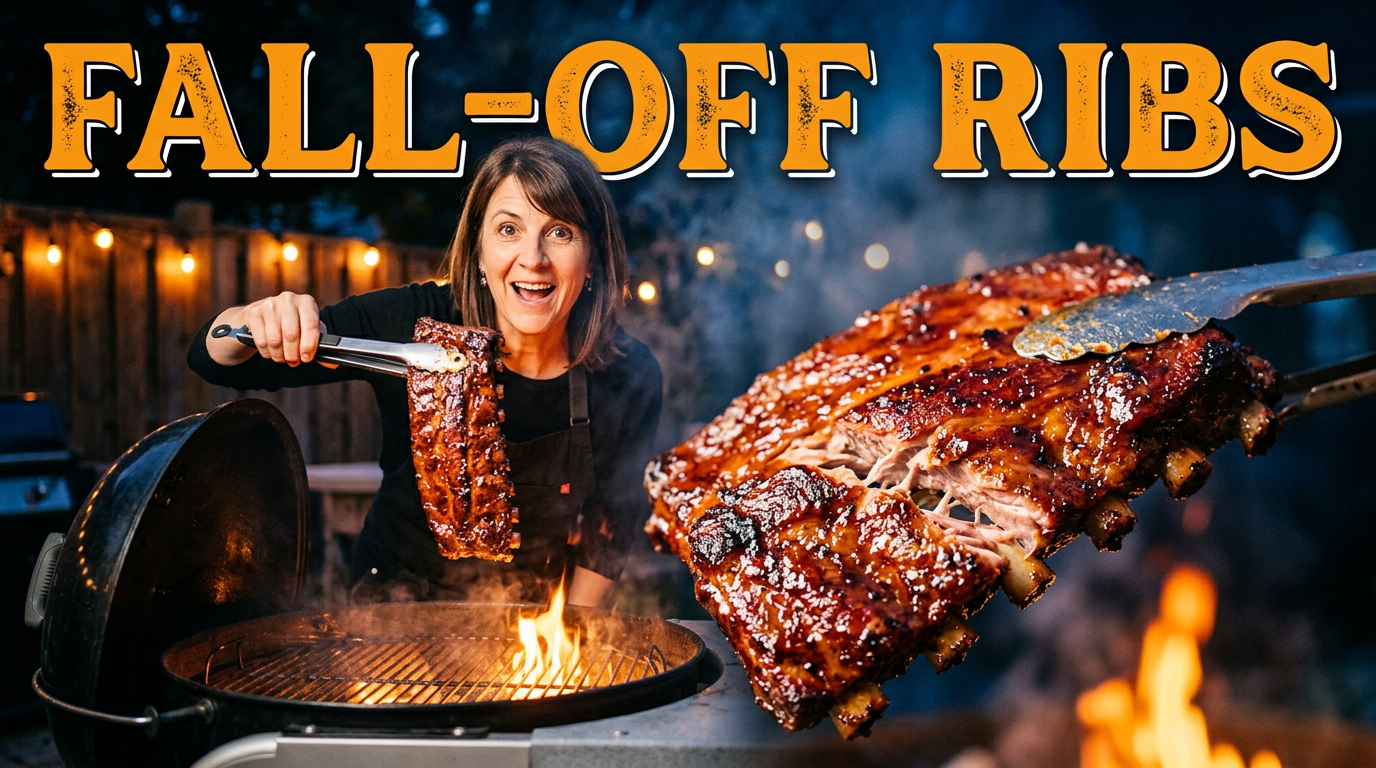
Rib recipe success
Pair a clear reaction with a glossy rack of ribs for a recipe-focused video.
See the visual approach
Female backyard grilling creator smiling with surprise while lifting a glossy rack of ribs with tongs, open kettle grill behind her, visible grill grates and gentle smoke, dark outdoor background with warm firelight, ribs large in the foreground, celebratory and appetizing mood.
Make a thumbnail like this →
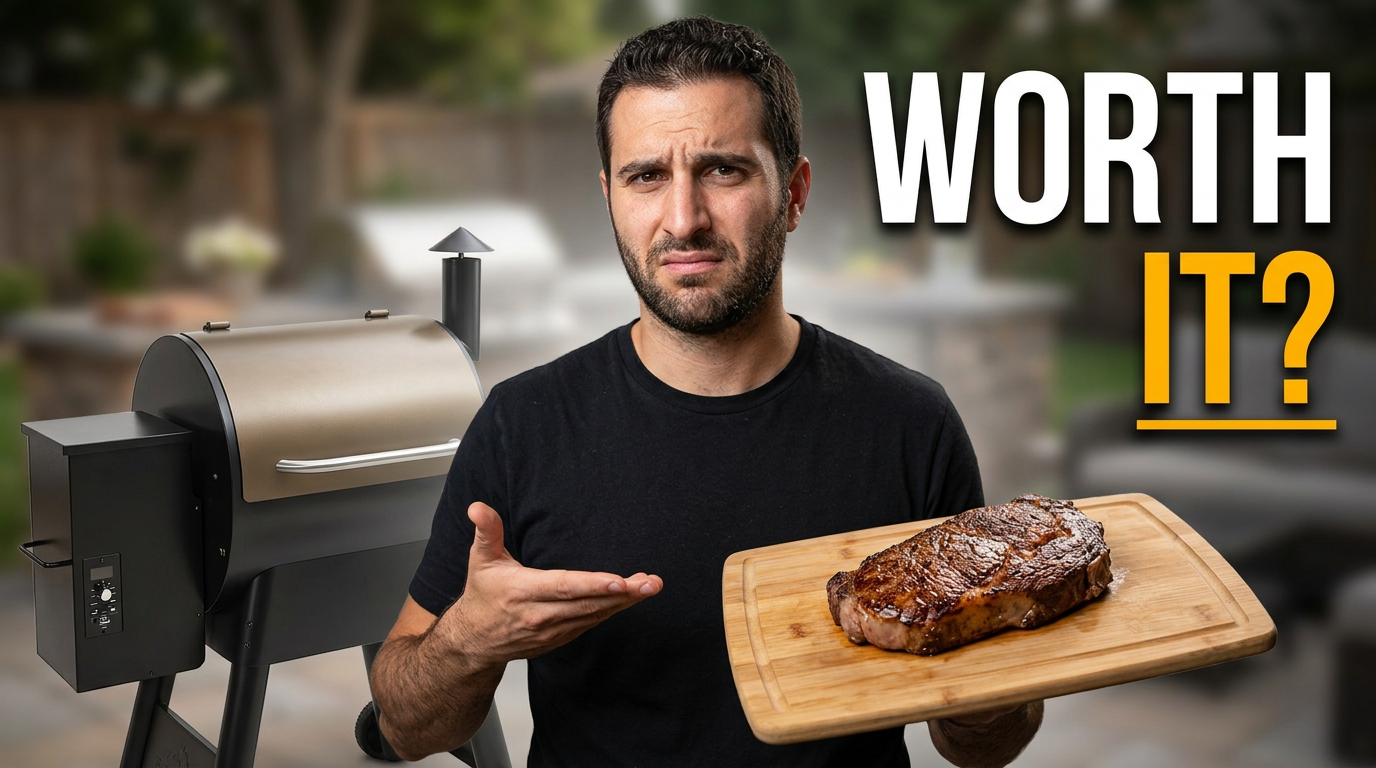
Pellet grill review
Show the exact grill and a finished result for a review with a clear verdict hook.
See the visual approach
Male barbecue reviewer standing beside a recognizable pellet grill, one hand gesturing toward the grill and the other holding a cutting board with a seared steak, clean backyard patio setting, direct skeptical expression, grill and steak equally readable, uncluttered composition with strong product-review emphasis.
Make a thumbnail like this →
These examples are starting points. Results vary based on your images, wording, and creative direction.
Thumbnail angles for barbecue content
Use the visual hook that best matches the promise of your video, whether that is technique, a result, a product test, or a cook-day story.
- Brisket, pork butt, ribs, and smoked chicken reveals
- Steak sear, reverse-sear, and cast-iron grilling videos
- Pellet grill, offset smoker, kettle grill, and griddle comparisons
- BBQ rub, sauce, thermometer, and grill accessory reviews
- Beginner barbecue lessons and temperature troubleshooting
- Cookoff recaps, backyard parties, tailgates, and pitmaster challenges
- Budget-versus-premium meat tests and blind taste tests
- Fast weeknight grilling recipes and outdoor cooking shortcuts
A simple workflow you can reuse
-
1
Start with the food payoff
Upload the strongest cook photo: a sliced brisket with a visible smoke ring, ribs pulled from the smoker, a steak crust close-up, or the finished platter. Thumbnail.AI can make that result the visual center of the frame.
-
2
Add the personality behind the grill
Include a clear photo of yourself for a reaction, pointing pose, or proud finished-cook moment. Your expression can signal surprise, confidence, heat, or a hard-earned win.
-
3
Set the exact video wording
Keep the visible message short and specific, such as a temperature, method, verdict, or challenge. Tell Thumbnail.AI the wording you want shown exactly.
Frequently asked questions
Answers for building a useful, repeatable thumbnail workflow—not just generating one image.
Browse all thumbnail makers →
Can I use photos of my own brisket, ribs, or grill?
add
Yes. Upload the food, grill, smoker, and finished-plate images from your cook. Using the actual result helps the thumbnail match the video viewers will see.
What should a BBQ thumbnail emphasize?
add
Usually one unmistakable food detail: the brisket bark, smoke ring, rib glaze, steak crust, or flame. Pair it with your reaction or a clear grill detail, then keep the wording brief enough to read at small size.
Can I make thumbnails for grill and smoker reviews?
add
Yes. Provide a photo of the specific pellet grill, offset, kettle, griddle, thermometer, or accessory you tested. You can ask for a comparison-focused layout that keeps the product recognizable.
How much text should I put on a grilling thumbnail?
add
Aim for a short phrase rather than a full recipe title. A temperature, bold verdict, cut of meat, or method often communicates the hook more clearly than a long sentence.
Can Thumbnail.AI revise a thumbnail after I see the first version?
add
Yes. Describe what to change in plain language—for example, make the brisket larger, reduce the smoke, move your face away from the food, show more grill grate, or simplify the composition.
Put your best cook on the thumbnail
Create a custom BBQ or grilling thumbnail with your own food photos, grill shots, face, and exact wording in Thumbnail.AI.
Create a thumbnail in Thumbnail.AI