Cocktail thumbnails worth ordering first

Turn cocktail recipes, bar techniques, spirit reviews, and service stories into custom YouTube-style thumbnails built around your face, your drinks, and your exact wording.

  • Your face
  • Your source images
  • Plain-language edits
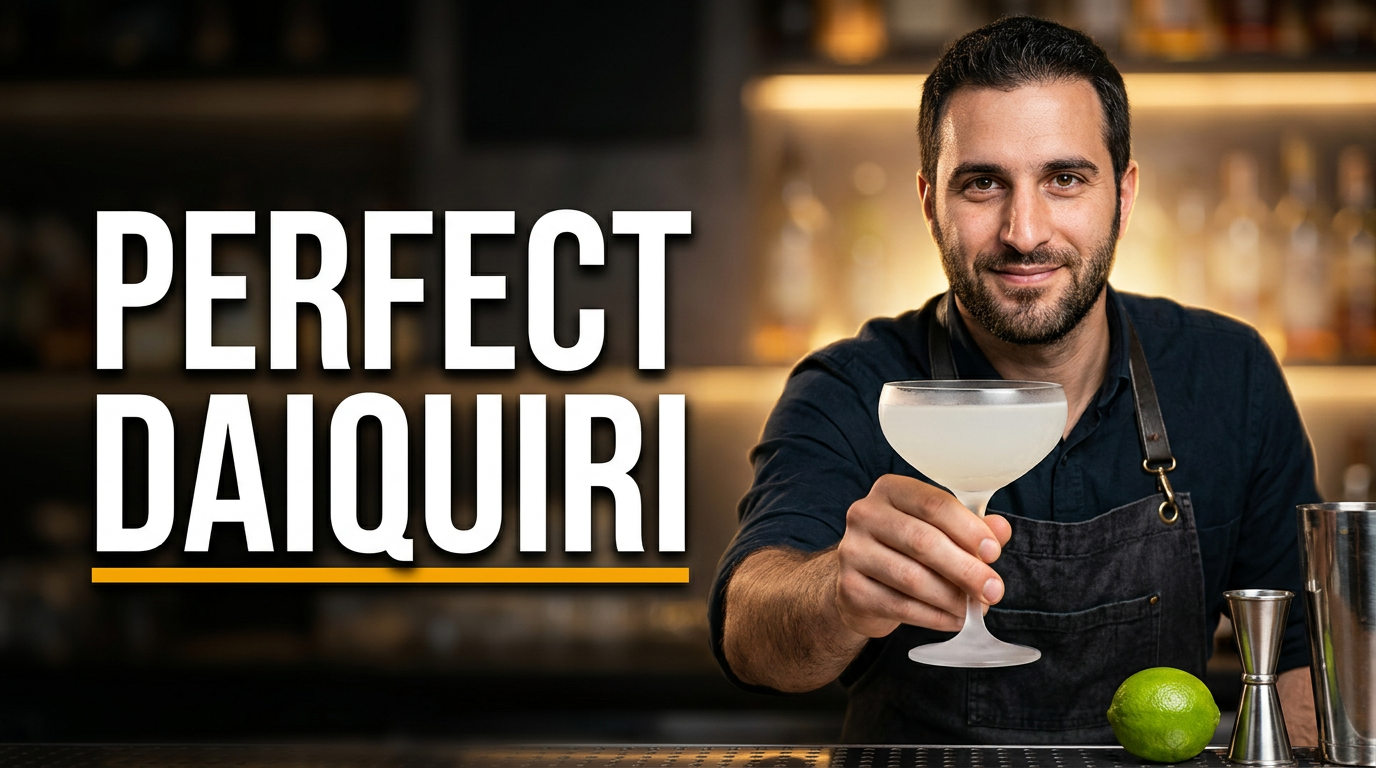
Bartender holding a pale daiquiri in a coupe glass beside fresh limes

Make every cocktail video look as considered as the pour

A strong cocktail thumbnail needs more than a beautiful glass. It should make the drink recognizable at a glance, show the payoff of the recipe or technique, and retain the personality behind the bar. Thumbnail.AI helps bartenders create custom thumbnail concepts from their own headshots, finished-drink photos, bottle images, garnish shots, and plain-language creative direction. Ask for a moody back-bar scene, a bright overhead recipe layout, a dramatic citrus expression, or a clean spirit-review composition—then revise the layout, emphasis, and wording until it suits your channel.

Built for working bartenders, cocktail educators, home-bar creators, drinks writers, and hospitality channels publishing recipes, technique videos, menu inspiration, and bottle reviews.

Three thumbnail ideas for bartenders & cocktails

Each example explores a different visual direction and can be adapted with your own face, images, wording, and brand.

Bartender holding a pale daiquiri in a coupe glass beside fresh limes

Classic cocktail technique

Make the finished serve and the bartender’s presentation the immediate focus.

See the visual approach

Close three-quarter composition of a male bartender in a crisp dark bar apron holding a frosted coupe with a pale shaken cocktail toward the camera; fresh lime and a small metal shaker on the bar, softly blurred warm back-bar shelves, sharp glass rim and citrus garnish, confident instructional mood, use the supplied bartender headshot and finished cocktail source photo as the visual references.
Make a thumbnail like this
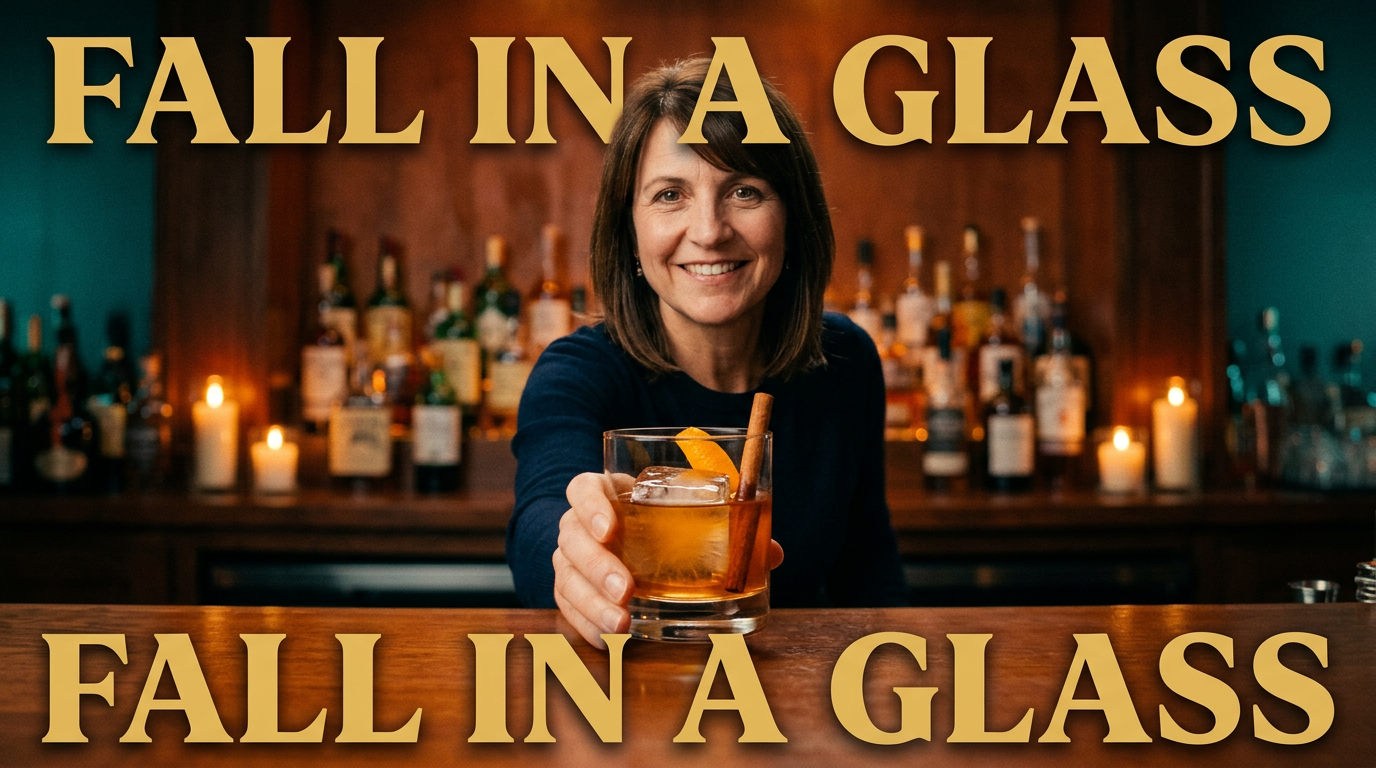
Female bartender presenting an amber cocktail with an orange twist in a moody bar setting

Seasonal menu drink

Use seasonal color, garnish, and a recognizable bartender expression to sell the mood.

See the visual approach

Cinematic waist-up composition of a female bartender at a polished cocktail bar presenting an amber drink in a rocks glass; orange twist, cinnamon, and warm candlelike back-bar glow, rich auburn and gold color palette, inviting slight smile, shallow depth of field, use the supplied female headshot and cocktail source image with the drink large and sharply emphasized.

Make a thumbnail like this
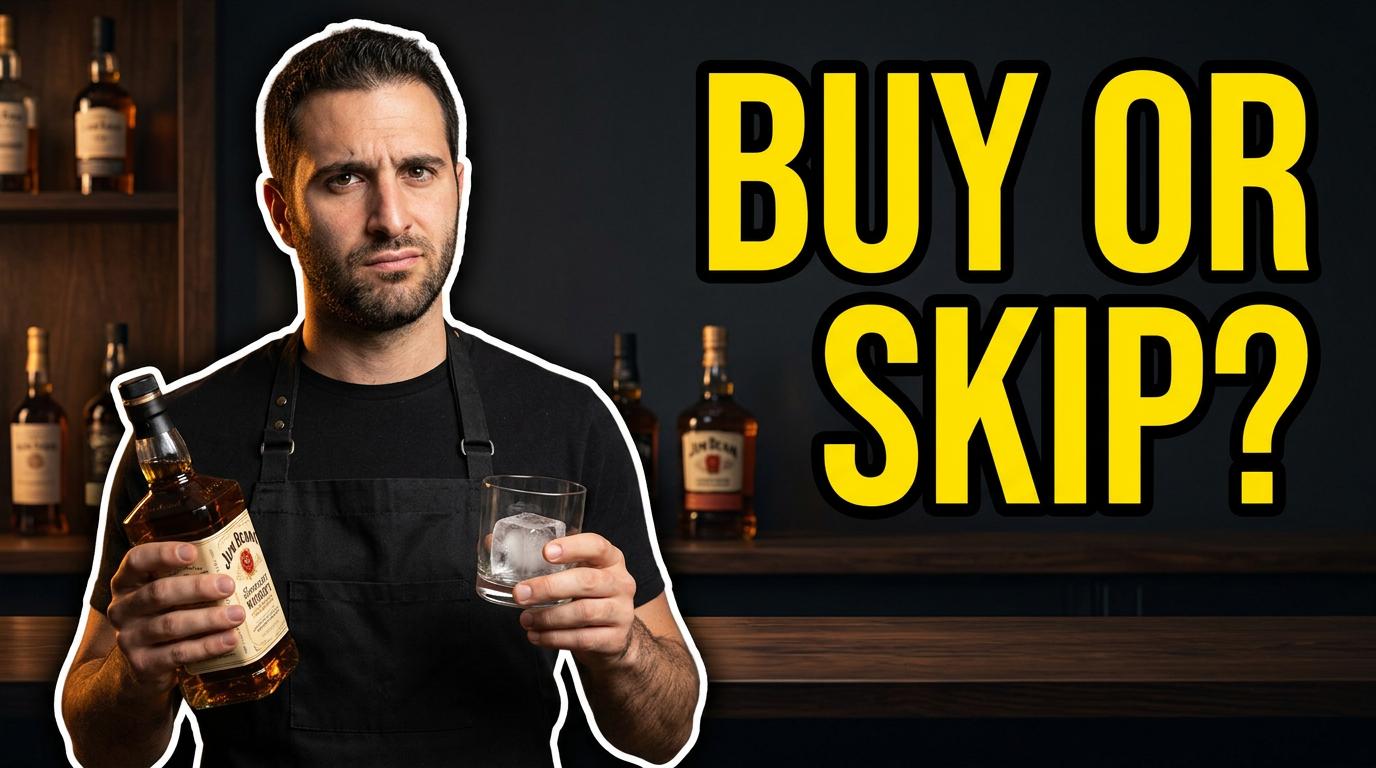
Bartender comparing a whiskey bottle and tasting glass at a back bar

Bottle review and tasting

Frame the bottle, tasting glass, and reviewer reaction as one clear decision moment.

See the visual approach

Bold close composition of a male bartender seated at a dark wood bar, holding a whiskey bottle upright beside a tasting glass while giving a skeptical considering expression; label-facing bottle, one large clear ice cube, dramatic side light, deep charcoal background with restrained amber highlights, use the supplied bartender headshot and bottle source image, emphasize the comparison and decision mood.

Make a thumbnail like this

These examples are starting points. Results vary based on your images, wording, and creative direction.

Thumbnail ideas for cocktail content

Match the visual hook to what a viewer wants to learn, make, compare, or taste.

  • Classic and modern cocktail recipes
  • Bartending technique demonstrations
  • Home-bar setup and essential tools
  • Spirit, liqueur, and mixer reviews
  • Seasonal drink menus and holiday serves
  • Garnish, glassware, and presentation ideas
  • Service stories and behind-the-bar commentary
  • Zero-proof cocktails and low-ABV drinks

A simple workflow you can reuse

  1. 1

    Bring the ingredients that make the drink yours

    Upload a bartender headshot, a hero shot of the finished cocktail, a bottle label, or source images of the garnish, glassware, and bar environment you want featured.

  2. 2

    Describe the visual moment

    Use plain language to set the scene: a coupe held toward camera, a close-up of a clear ice cube, a split-screen spirit comparison, or a busy back bar behind you.

  3. 3

    Set the hook and refine the final look

    Add short, readable thumbnail wording, then adjust the composition, subject emphasis, mood, and source-image use until the image fits the video.

Frequently asked questions

Answers for building a useful, repeatable thumbnail workflow—not just generating one image.

Browse all thumbnail makers
Can I use a photo of my actual cocktail in the thumbnail?

Yes. Upload your finished-drink photo and direct Thumbnail.AI to make it the hero subject. You can also provide separate images of the bottle, garnish, glass, or yourself behind the bar.

What wording works best for cocktail recipe thumbnails?

Keep it short and specific: name the drink, signal a useful outcome, or highlight the key differentiator. Phrases such as “Perfect Daiquiri,” “No Shaker Needed,” or “Worth The Splurge” are easier to scan than full recipe titles.

How can I make a clear drink stand out in a thumbnail?

Ask for contrast around the glass: a dark back bar, side lighting, a saturated garnish, a visible bottle, or a close crop that emphasizes ice and glass texture. A source photo with a clean rim and distinct silhouette also helps.

Can I make thumbnails for spirit reviews as well as recipes?

Yes. Use a bottle image and your headshot, then describe the review angle—such as a blind tasting, price comparison, first pour, or bar-cart recommendation. Keep the bottle label and your reaction visually prominent.

Will it work for zero-proof cocktail content?

Yes. Upload your nonalcoholic spirit, mixer, or finished serve and specify the flavor or occasion. Bright produce, botanicals, and the finished glass can provide a strong visual hook without relying on alcohol cues.

Can I keep a consistent look across my cocktail channel?

Yes. Reuse your preferred headshot, bar setting, color direction, and composition instructions. This makes it easier to build a recognizable visual system while tailoring each thumbnail to the specific drink or topic.

Put your next pour on the thumbnail

Create a custom cocktail thumbnail with your own face, drink photography, bottle shots, and concise on-image wording in Thumbnail.AI.

Create a thumbnail in Thumbnail.AI